An AI Vending Machine turns a physical shopping action into a verified digital transaction. Depending on the machine design, cameras may identify a product while weight sensors, door sensors, delivery sensors, motors, or lockers confirm what physically happened. The payment system then has to agree with that result, inventory has to change by the correct quantity, and the final transaction has to reach the remote management platform without being duplicated or lost. Computer vision is only one part of that chain. From a vending-machine manufacturing point of view, the harder job is making recognition, payment, product delivery, inventory, and machine status stay synchronized when the transaction does not go perfectly. This guide explains that complete system, including the engineering choices, failure points, operating costs, testing process, and buying decisions that matter before deployment.
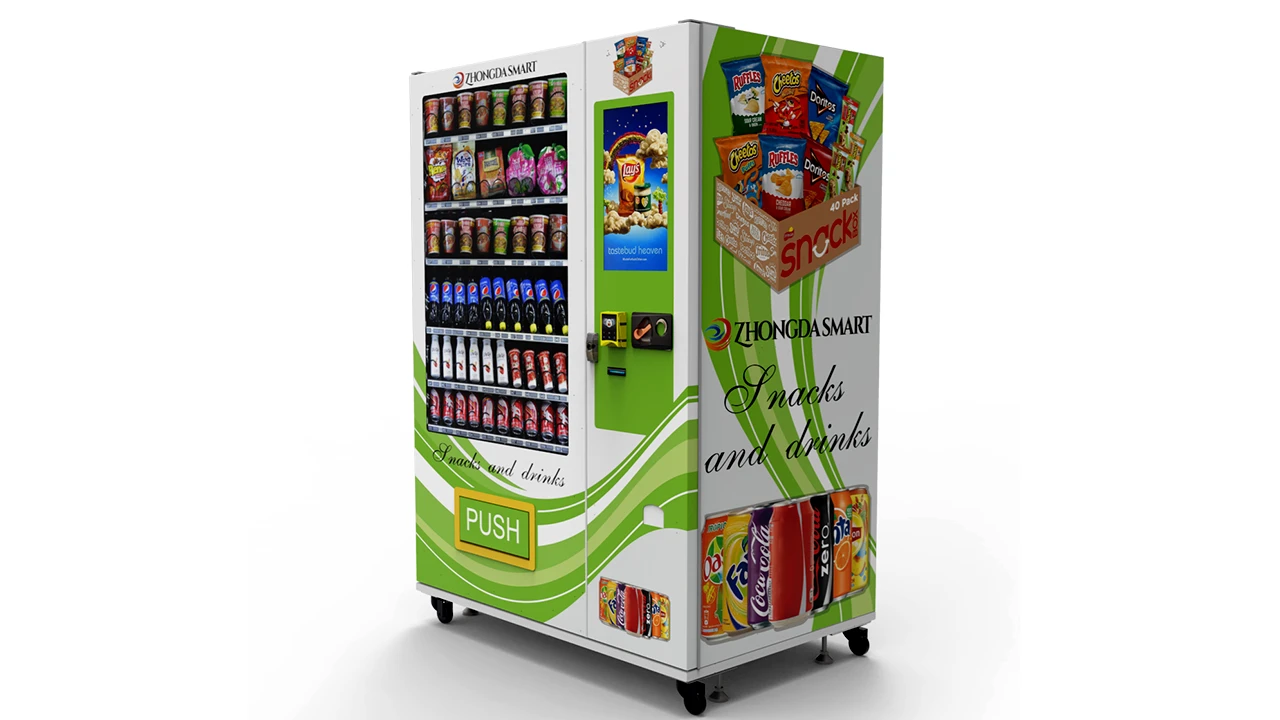
How an AI Vending Machine Actually Completes a Sale
The shortest useful explanation is this: an AI Vending Machine observes a physical event, decides what product transaction took place, connects that decision to payment, updates stock, and records the result for the operator. A well-designed machine does not treat those as five unrelated functions. They are different states of the same sale.
A smart cooler makes the sequence easy to visualize. A customer presents an accepted payment method. The machine confirms that access can be granted and unlocks the door. Cameras and supporting sensors watch products being removed, moved, or returned. When the door closes, the software determines the final basket. Payment is finalized according to that basket, inventory is adjusted, and the transaction is sent to the management system.
A conventional smart vending machine follows a different physical sequence but the logic is similar. The customer chooses a known product. The payment system authorizes the required amount. The controller commands a spiral, conveyor, elevator, or locker. A sensor or machine state confirms whether fulfillment occurred. Only then should the sales and inventory records reflect what actually happened.
| Transaction Stage | Question the Machine Must Answer | Typical Evidence |
|---|---|---|
| Customer initiation | Has a valid transaction started? | Product selection, door request, payment credential or account session |
| Payment authorization | Can the purchase proceed? | Payment-terminal response or account authorization |
| Physical action | What happened inside the machine? | Camera, motor, weight change, door state, locker state or delivery sensor |
| Product determination | Which SKU and quantity should be charged? | Lane mapping, vision classification, sensor fusion or compartment mapping |
| Fulfillment confirmation | Did the customer actually receive or remove the product? | Drop sensor, pickup sensor, door sequence, vision event or combined evidence |
| Transaction completion | What amount should be captured or reversed? | Final basket and fulfillment state |
| Inventory update | How much physical stock changed? | Confirmed sale, refill event, return or authorized adjustment |
| Remote record | What does the operator need to know? | Sales record, stock balance, payment state, machine status and alarms |
That table explains why adding a camera does not automatically make vending better. The value comes from building a transaction in which every important state has enough evidence behind it. A machine that recognizes a bottle correctly but records the sale twice still has a transaction problem. A machine that accepts payment but cannot tell whether the product reached the pickup area still has a transaction problem. A machine that sells correctly but leaves inventory unchanged creates an operating problem later.
For that reason, I would judge an AI-powered vending system by transaction integrity before judging it by interface design or the number of AI features listed on a specification sheet.
What Makes a Vending Machine “AI” — and What Does Not
The term is used very loosely. A touchscreen is not AI. A cellular modem is not AI. Cashless payment is not AI. Remote stock reporting is not automatically AI either. All of those technologies can make a vending machine more useful, but they can operate through conventional software rules.
An AI Vending Machine becomes meaningfully different when software is interpreting inputs and producing classifications, predictions, recommendations, or anomaly decisions that are not simply fixed responses to one sensor state.
Computer vision is the obvious example. Instead of saying “Motor 12 moved, therefore SKU 12 sold,” a vision system may receive a sequence of images and decide that one bottle of SKU A left Shelf 2 while another bottle was picked up and returned.
AI can also sit outside the customer-facing transaction. A machine may use conventional lanes and delivery sensors while the management platform predicts stockout risk, recommends replenishment quantities, ranks products by sales velocity, or detects an unusual rise in refunds.
Functions That Can Genuinely Use AI
-
Visual product recognition.
-
Multi-object tracking inside a smart cooler.
-
Detection of products removed and later returned.
-
Recognition-confidence scoring.
-
Demand forecasting.
-
Stockout prediction.
-
Product assortment recommendations.
-
Abnormal transaction detection.
-
Unusual machine-behavior detection.
-
Predictive service alerts when enough operating data exists.
Functions That Are Smart but Do Not Necessarily Require AI
-
Touchscreen product selection.
-
Credit-card or NFC payment.
-
QR payment.
-
Remote price changes.
-
Low-stock alerts based on a fixed threshold.
-
Temperature alarms based on a defined limit.
-
Motor control.
-
Door locking and unlocking.
-
Basic sales reporting.
-
Remote machine heartbeat monitoring.
The distinction matters when a buyer compares quotations. A machine with a large display, remote dashboard and card reader may be a very capable smart vending machine without needing computer vision. That can be the better choice when the product already fits a reliable spiral, conveyor, elevator, or locker workflow.
There is no commercial prize for using the most complicated architecture. The machine needs enough technology to make the intended transaction dependable.
Three Levels of Vending Intelligence
| Machine Type | How Product Identity Is Known | How Inventory Changes | Where Intelligence Usually Sits |
|---|---|---|---|
| Connected lane-based vending | The selected lane is mapped to a known SKU | Confirmed successful vend deducts the mapped unit | Telemetry, reporting, remote management |
| Sensor-rich smart vending | Known SKU plus delivery, weight, position or locker state | Confirmed physical event adjusts stock | Transaction validation, diagnostics, inventory logic |
| Computer-vision vending | Model classifies and tracks products | Final recognized basket adjusts stock | Vision inference, tracking, exception handling and analytics |
If the merchandise is predictable and each selection already corresponds to one physical lane, conventional mapping is extremely efficient. If shoppers need to open a cabinet, handle several products freely and put some of them back, that fixed mapping disappears. Computer vision starts solving a real problem rather than adding a fashionable feature.
Inside the System: Cameras, Sensors, Controllers and Edge Computing
Looking at an AI Vending Machine as a single device hides most of the engineering. It is more useful to think of it as a stack of systems that happen to share the same cabinet.
The Cabinet and Product-Handling Layer
The cabinet carries every other system. It supports shelves, motors, lighting, screens, payment equipment, controllers, wiring, locks, glass, insulation and refrigeration components where required. A poorly aligned shelf or unsuitable delivery mechanism can create more customer failures than an imperfect software dashboard.
Product handling depends on the merchandise. A rigid snack box behaves differently from a flexible pouch. A tall bottle has a different center of gravity from a short can. A fragile boxed product may need a controlled elevator instead of a drop. A locker does not have a traditional vend path at all.
Those physical facts should be settled before an AI layer is added. Software can detect a failed delivery; it cannot make a product physically compatible with the wrong spiral pitch.
The Sensing Layer
Sensors convert physical events into information. Depending on the design, the machine may include cameras, infrared sensors, load cells, door switches, lock sensors, motor feedback, elevator position sensors, pickup sensors, temperature probes and network-status signals.
Each sensor answers a narrow question. A door switch can tell the controller that a door opened. It cannot tell the controller which beverage left the shelf. A load cell can detect a weight change. It may not distinguish two products with nearly identical weight. A camera can classify packaging, but its view may be blocked.
Good system design does not expect one sensor to know everything.
The Machine Controller
The vending controller handles deterministic hardware logic. It receives a selection, communicates with peripherals, activates motors or locks, reads sensor states and coordinates the physical sequence.
In a lane-based machine, this layer may do most of the transaction work. If selection 24 maps to Lane 24 and the delivery sensor confirms a product, the machine already has strong evidence that the intended SKU was delivered.
The Edge Computer
Computer vision requires more processing than a basic vending controller normally provides. An edge computer can run the user interface, AI inference, image processing, local databases, device communication and parts of the transaction logic.
Processing inside the cabinet can reduce latency because every frame does not need to travel to a remote service before the machine reacts. It can also reduce bandwidth consumption and allow selected functions to remain available during temporary communication problems.
Edge processing does not mean the machine should operate independently of cloud services. It means the project can decide which decisions need to happen immediately at the machine and which functions are better handled remotely.
The Payment Layer
Payment hardware may communicate with the vending controller, a touchscreen application, a payment processor and a communication network at the same time. That is why “supports card payment” is too vague for a serious specification.
The exact terminal, communication method, transaction flow, failed-vend behavior and merchant-service arrangement all need to be defined.
The Cloud Layer
Remote software turns individual machine events into operating information. Sales, stock, temperature, device state, transaction history and faults can be consolidated across multiple machines.
Zhongda Smart's guide to remote monitoring for vending machines covers the operating side in more detail, including sales visibility, stock information, payment status, temperature and fault monitoring.
The Transaction Database
This layer deserves more attention than it normally gets. The system needs a reliable record linking the customer session, transaction ID, product result, amount, payment state, inventory adjustment and machine event.
If a network retry sends the same completed sale twice, the server should recognize that it is the same transaction instead of subtracting inventory twice. If a machine restarts in the middle of a payment, software needs enough state information to recover without inventing a second sale.
These are not glamorous features, but they separate a reliable automated retail system from a touchscreen demo.
How Computer Vision Identifies Products
Computer vision is often explained as though the camera simply “sees” a product. The actual process is closer to a chain of judgments. The quality of the final basket depends on the quality of every step in that chain.
1. The Camera Has to Capture a Useful View
Recognition starts with camera placement, not the AI model. A camera needs to see enough of the shelf while avoiding large blind areas. Mounting angle, focal distance, lens choice and cabinet geometry all affect what reaches the model.
A camera positioned too close may give excellent detail but poor shelf coverage. A wide view can cover more products but give each package fewer pixels. One angle may work well until a customer's arm blocks the front row.
More cameras can reduce blind spots, but every additional camera adds cost, wiring, processing load, calibration work and potential service points. The correct camera count is an engineering decision, not a contest.
2. Lighting Has to Stay Predictable
Product photographs used for training are usually cleaner than the environment inside an operating cabinet. Glossy cans create reflections. Transparent bottles allow background colors to show through. Metallic wrappers can produce bright highlights. Deep shelves create shadows.
Internal lighting therefore belongs to the vision system. Stable illumination usually gives the model a more consistent input than relying on whatever ambient light reaches the machine.
3. The System Detects Objects
Object detection finds relevant regions in a frame. The software may identify packages, hands, shelf boundaries or other features needed by the tracking system.
Detection alone is not product recognition. A detector can correctly decide that an object is a bottle without knowing which SKU it is.
4. The Product Is Classified
The classifier or recognition stage compares visual features with products the system knows. A useful implementation retains a confidence score rather than pretending every prediction has equal certainty.
| Example Recognition Result | Interpretation | Reasonable System Response |
|---|---|---|
| SKU A: 98.2% | Strong classification | Continue if the rest of the transaction evidence agrees |
| SKU A: 82%, SKU B: 11% | Likely classification with some uncertainty | Check supporting signals and configured threshold |
| SKU A: 52%, SKU B: 46% | Ambiguous visual result | Do not silently convert uncertainty into certainty |
| Unknown product | Model cannot map the item confidently | Trigger the project's exception process |
Recognition confidence is especially important when two packages differ only in flavor text, a narrow color band or a small front label. Humans can struggle with that distinction at a glance. A model can struggle too.
Zhongda Smart Engineering Note: Product-recognition validation should use the actual retail packaging whenever possible. Catalog photographs are useful reference material, but they do not reproduce glare, shelf angle, package deformation, partially hidden labels, similar variants or the way products look inside a fully stocked cabinet.
5. The System Tracks Movement Over Time
A still image is often not enough. Consider a shopper who lifts a drink, looks at it and places it back. A simple before-and-after product count might work if the item returns to exactly the same place. It becomes harder if the bottle comes back to a different position or temporarily blocks another product.
Multi-object tracking tries to maintain the identity and motion history of relevant objects over a sequence of frames.
This is where many difficult cases appear:
-
Two products removed in one hand.
-
One item handed from one person to another.
-
An item returned to the wrong shelf.
-
One package covering another package.
-
Two visually similar products crossing paths.
-
A hand blocking the camera during removal.
-
The door closing before the system has a clean final view.
6. Recognition Has to Map to the Commercial SKU
A vision label is useful only when it connects correctly to the product database. The commercial record may contain the SKU number, product name, price, tax configuration, image set, barcode, shelf assignment, inventory unit and package version.
This mapping needs version control. If a supplier redesigns the package while the operator keeps the same SKU, the business system may think nothing changed while the model sees a substantially different visual object.
Packaging Changes Are an Operating Issue, Not Just a Training Issue
Limited-edition graphics, promotional sleeves, new logos, revised nutrition panels, seasonal colors and resized containers all affect image recognition.
A serious computer-vision vending program therefore needs a SKU onboarding process. The operator should know who submits new packaging, who collects reference images, when the model is updated, how the update is tested and what happens to a product before recognition is approved.
The model is not finished on the day the machine ships. Product catalogs keep moving.
Why Sensor Fusion Matters More Than a Headline Accuracy Number
A recognition percentage looks clean in a sales presentation. A real transaction is messier.
If a vendor says its vision model is 99% accurate, I would still ask how the machine handles the remaining uncertain events, how that accuracy was measured, which products were included, whether similar package variants were tested, and what supporting sensors are available.
Sensor fusion means combining independent evidence rather than requiring one camera prediction to carry the entire transaction.
A Simple Smart-Cooler Example
-
A payment method is accepted for access.
-
The lock reports that the door was released.
-
The door switch confirms opening.
-
A camera sees activity near Shelf 3.
-
Object tracking follows a package leaving the shelf.
-
A weight sensor records a decrease consistent with one unit.
-
The shopper closes the door.
-
The door sensor confirms the cabinet is closed.
-
The system compares the visual basket with the weight change.
-
The transaction is finalized if the evidence satisfies the configured rules.
The weight sensor does not need to recognize the brand. Its job is to provide another physical fact. If the camera believes two items left but the shelf lost the weight of only one item, the software has a reason to examine the event more carefully.
Different Sensors Answer Different Questions
| Signal | What It Can Confirm | What It Usually Cannot Confirm Alone |
|---|---|---|
| Camera | Visual identity, position and movement | Exact physical weight or successful motor delivery |
| Load cell / weight sensor | Mass change on a shelf | Visual identity of two similar-weight products |
| Door sensor | Open or closed state | Which item left the cabinet |
| Motor feedback | Motor command or movement | Whether merchandise reached the customer |
| Drop or pickup sensor | Object passed the delivery area | Exact SKU if several products share the same path |
| Locker sensor | Compartment access and closure | What was physically removed from the compartment |
| Temperature sensor | Measured thermal condition | Whether inventory records are correct |
Sensor fusion also applies to conventional smart vending. A controller can command a motor to rotate. That proves the command was sent, not that the package fell. A drop sensor gives the controller another piece of evidence.
The principle is simple: the more expensive the consequence of a wrong decision, the more useful independent confirmation becomes.
Uncertainty Needs an Explicit Policy
The software should know what to do when evidence does not agree.
Possible responses depend on the system design, but they can include:
-
Use a secondary sensor result.
-
Request another image or inference pass.
-
Flag the transaction for review.
-
Apply a conservative billing rule defined for the project.
-
Restrict an unrecognized SKU until its reference data is updated.
-
Display a customer confirmation step where appropriate.
-
Create an exception record that can be audited later.
NIST's AI Risk Management Framework treats validity, reliability, safety, security, transparency and related trustworthiness characteristics as system considerations rather than assuming model output is automatically dependable.That principle is highly relevant to unattended retail. When a model is uncertain, the system should respond in a controlled way.
How Payments, Vend Confirmation and Refund Logic Work Together
Payment is where the digital transaction meets the physical machine. A card can be authorized perfectly while the vending sequence still fails. That is why payment approval and completed sale should never be treated as identical events.
Zhongda Smart's technical guide to vending machine payment systems goes deeper into MDB, card, NFC and QR integration. The practical point is that a payment device, vending controller, network connection, software application and delivery system have to be tested together.
A Conventional Cashless Vend
A typical sequence can look like this:
-
The customer chooses a product.
-
The machine determines the selling price.
-
The required amount is passed into the payment flow.
-
The payment service returns an approved or declined state.
-
After approval, the controller authorizes the physical vend.
-
The motor, elevator, conveyor or locker performs its action.
-
A sensor or machine state confirms fulfillment.
-
The transaction is completed according to the payment integration.
-
Inventory and sales records are updated.
Now change one event: payment is approved, the motor rotates, but no product reaches the pickup area.
That is no longer a successful sale from the customer's point of view. The machine needs a defined failed-vend response, and the payment architecture has to support the appropriate reversal, cancellation, refund or other configured outcome.
Zhongda Smart Engineering Note: An approved payment is not the same as a completed vend. During machine testing, the useful sequence is payment request → authorization → physical product action → delivery confirmation → transaction completion → inventory update. Testing only whether a card reader can approve a payment leaves the most important part of the vending transaction untested.
Smart Coolers Need a Different Payment Sequence
With an open-door smart cooler, the final basket may not be known when the customer first presents a payment method.
A simplified flow can be:
-
The customer presents an accepted payment credential.
-
The system completes the required authorization or account check.
-
The cabinet unlocks.
-
The customer removes, handles or returns products.
-
The door closes.
-
Computer vision and supporting sensors calculate the final basket.
-
The final transaction amount is processed according to the payment design.
-
Inventory is adjusted.
-
The event is sent to remote management.
The difficult cases happen between those steps. What if the door opens but never closes correctly? What if the recognition service needs longer than expected? What if the network drops after access is granted? What if the final amount differs significantly from the original authorization arrangement?
Those are software-state questions and payment-integration questions. They should be documented before deployment.
MDB Is Not the Payment Processor
MDB is widely used for communication between vending controllers and compatible peripherals. It can carry information needed for a vending transaction, but it does not replace the payment processor or merchant service.
A cashless terminal may communicate with the vending controller through one interface while separately communicating with payment infrastructure through its own network connection.
That distinction matters during troubleshooting. “The machine has an MDB connection” does not prove that the payment account is active, network service is working, the reader is configured correctly or failed-vend behavior has been tested.
Contactless Payment Is Now a Core Design Consideration
EMVCo's worldwide deployment statistics, most recently reported for Q4 2025, state that 97% of the card-present transactions represented in its dataset used EMV Chip.
That does not tell an operator which payment method every customer will choose, but it does reinforce a basic purchasing decision: modern unattended payment architecture should be designed around current chip and contactless behavior rather than old magnetic-stripe assumptions.
Payment Security Responsibilities Need Clear Boundaries
PCI DSS v4.0.1 is the currently published version supported by the PCI Security Standards Council at the time of this guide.PCI DSS establishes baseline technical and operational requirements for protecting payment account data.
A machine manufacturer can integrate compatible payment hardware, controller interfaces, mounting, power and transaction communication. That does not mean every payment-security responsibility automatically belongs to the machine manufacturer.
Responsibility can also involve the payment-terminal provider, software architecture, merchant environment, network configuration and processing service.
Questions Worth Settling Before the Machine Is Built
-
Which exact terminal model will be installed?
-
Who supplies the terminal?
-
How does it communicate with the vending controller?
-
Does the terminal require cellular, Wi-Fi or another connection?
-
Who activates the merchant account?
-
What happens after a declined payment?
-
What happens after an approved payment followed by failed fulfillment?
-
How are refunds or reversals initiated?
-
Can transaction IDs be matched between payment and machine records?
-
What information appears in the remote dashboard?
-
Who supports the terminal after installation?
Those answers are more useful than a row of payment logos on the cabinet.
How Inventory Becomes Trustworthy Operating Data
Inventory is often described as a simple benefit of smart vending: sell one item and subtract one item. That is only accurate when the system knows the physical transaction succeeded.
A useful inventory model starts with an event ledger:
Expected Stock = Starting Stock + Refilled Units - Confirmed Sales - Authorized Removals + Valid Returns
The exact terms vary by machine, but the principle is important. Inventory should be explainable through events rather than existing as one number that nobody can audit.
Lane-Based Inventory
In a spiral machine, Lane 16 may be assigned to SKU B. If the machine confirms a successful sale from Lane 16, the inventory system can deduct one unit of SKU B.
This architecture is simple because the machine does not need to visually identify the product every time. The SKU identity was already established when the lane was configured.
Elevator Inventory
An elevator vending machine still knows the selected lane, but fulfillment contains more stages. The product leaves its lane, reaches the elevator, travels to the pickup position and becomes available to the customer.
Inventory should follow the configured definition of successful fulfillment rather than being deducted simply because the elevator received a command.
Locker Inventory
A locker maps inventory to a compartment. The transaction can associate the order with a specific door. This is useful for boxed merchandise, pickup orders and products that should not travel through a drop mechanism.
Computer-Vision Inventory
In an AI smart cooler, inventory comes from the final recognized change in the cabinet.
If a customer removes two drinks and returns one before closing the door, the final stock change should be minus one. The temporary removal is an observation, not necessarily a completed sale.
That distinction suggests a useful software architecture:
-
Camera events create observations.
-
Sensor changes create observations.
-
The transaction engine combines the observations.
-
The final basket creates the commercial sale.
-
The completed sale creates the permanent inventory adjustment.
Writing permanent stock changes directly from every visual motion event makes later reconciliation much harder.
Restocking Needs the Same Discipline
Automated sales tracking is useful only if replenishment is recorded correctly.
Suppose the dashboard says a machine has four bottles remaining. A technician adds ten bottles but forgets to record the refill. The physical machine now has fourteen while the software still thinks it has four. Accurate sales tracking cannot repair an inaccurate refill event.
Replenishment software should therefore make it easy to:
-
Identify the machine.
-
See expected stock before opening it.
-
Record units loaded by SKU.
-
Record damaged or removed stock.
-
Confirm planogram changes.
-
Close the refill session.
-
Create an audit trail.
Inventory Variance Is a Diagnostic Metric
Periodic physical counts still have value.
If software expects 72 units and the technician counts 68, the four-unit variance deserves investigation. Possible causes include incorrect refill quantities, unrecorded removals, failed recognition, theft, software mapping errors, duplicate transaction processing or simple counting mistakes.
The goal is not to pretend variance can never occur. The goal is to make the source of variance discoverable.
Remote Inventory Changes Route Planning
Once stock data is trustworthy, the operator can decide what to load before visiting the machine. This is one of the least glamorous but most useful advantages of connected vending.
Instead of sending a vehicle to inspect a cabinet and then discovering what it needs, the operation can build a replenishment list from expected stock and recent sales.
Stockout Prediction Goes Beyond a Low-Stock Alert
A fixed alert may say, “Six units remaining.”
A better forecasting system asks whether those six units are enough to reach the next planned refill.
If a machine normally sells two units per day and the next visit is tomorrow, six units may be fine. If it normally sells twelve before the next route visit, six units represents a likely stockout.
That is a much more useful place for AI than simply adding a chatbot to the machine interface.
What I Want to See on the Operator Dashboard
| Area | Useful Information |
|---|---|
| Sales | Transactions, units, revenue, average basket, SKU performance |
| Inventory | Estimated stock, low stock, stockouts, refill history, variance |
| Payment | Approved, declined, incomplete, reversed and refunded transactions |
| Machine health | Online state, last heartbeat, active alarms, device status |
| Temperature | Current reading, history and configured alerts where applicable |
| Computer vision | Recognition confidence, unknown SKUs, exception rate, review queue |
One metric I would add to any computer-vision project is transactions completed without exception. A high average recognition score can look impressive while hiding the fact that too many real purchases still require intervention.
Where AI Vending Machines Fail in Real Transactions
A clean demonstration is useful for learning the interface. It tells me very little about deployment readiness.
I want to know what happens when packaging looks almost identical, the camera is partly blocked, a shopper changes their mind, the payment terminal loses communication, the network drops, or the machine restarts halfway through a transaction.
Similar Packaging
Product families often share the same container, logo and overall design. Two flavors may differ only in a small patch of color or a line of text. When the visual distinction is small, recognition confidence can fall.
Shelf position can make this worse. The part of the label that distinguishes two SKUs may be hidden behind the shelf lip or another product.
Packaging Redesigns
A model trained on one package can encounter a new design without warning. Promotional graphics, new logos, resized labels and seasonal artwork can make the same commercial SKU look like a different object.
That is why SKU maintenance belongs in the operating plan.
Occlusion
Hands, bags, sleeves, neighboring products and shelf hardware can block the camera. More views can help, but a robust transaction should also know when its visual evidence is weak.
Products Returned to the Wrong Position
A rigid system may expect every product to remain inside its original shelf area. Real shoppers do not always cooperate. An item can be lifted from one position and returned somewhere else.
The software needs either enough visual tracking to follow the move or another way to identify the final state.
Multiple Products Removed Together
Quantity is as important as identity. Recognizing “bottle” is not enough if a shopper removes two bottles in one motion and the system records one.
Recognition Says One Thing, Weight Says Another
This is exactly where sensor fusion becomes useful. The disagreement should produce an exception, additional validation or another defined response instead of a silent guess.
Payment Approval Without Fulfillment
This is one of the most important conventional-vending failure cases. The terminal approves the payment, but the package remains in the lane.
A delivery-confirmation mechanism lets the transaction engine distinguish “motor commanded” from “product received.”
Temporary Network Loss
Any connected self-service kiosk or vending machine needs an offline strategy.
The correct strategy depends on the payment service and system design, but several questions should have explicit answers:
-
Can the machine continue selling?
-
Which functions stop?
-
Can transactions be queued safely?
-
How is duplicate upload prevented?
-
How does the machine reconnect?
-
Does the payment device reconnect independently?
-
Does inventory synchronize automatically after communication returns?
Restart During an Incomplete Transaction
A machine does not always restart between customers. Power can be interrupted at the worst possible moment.
Good transaction design makes incomplete states recoverable. The software should know whether payment was requested, whether authorization occurred, whether a product was delivered and whether the transaction record reached the server.
Duplicate Events
Network systems frequently retry messages. A retry should not create another commercial sale.
Unique transaction identifiers and idempotent server logic can help the platform recognize that two received messages describe one event.
A Practical Failure-Recovery Matrix
| Event | What the System Knows | What Must Be Resolved |
|---|---|---|
| Payment declined | No approved purchase | Do not vend; return machine to ready state |
| Payment approved, no delivery confirmation | Authorization exists, fulfillment uncertain or failed | Apply configured failed-vend payment logic and preserve error record |
| Product removed then returned | Temporary product movement occurred | Final basket should reflect no net removal for that item |
| Camera uncertain | Visual evidence is weak | Use secondary evidence or exception policy |
| Network drops after completed vend | Local transaction may be valid | Queue and synchronize without duplicate processing |
| Machine restarts mid-transaction | State may be incomplete | Recover from stored state and reconcile payment/fulfillment |
| Inventory and physical count disagree | Ledger variance exists | Review refill, sale, removal and exception history |
This table is more valuable to me than a promise that a machine “almost never fails.” Every commercial system eventually sees unusual conditions. What matters is whether those conditions produce controlled, traceable behavior.
Smart Cooler, Spiral, Elevator or Locker: Which Architecture Fits?
The right AI Vending Machine starts with the merchandise and customer journey. The most advanced machine is not automatically the best match.
Spiral Vending
Spiral systems remain useful because they are mechanically straightforward and each lane can be mapped to a known SKU. They work well for products with predictable dimensions and packaging that moves cleanly through the selected spiral.
Computer vision is often unnecessary because the controller already knows which product the customer selected.
Conveyor Vending
Conveyor delivery can support products that benefit from a different movement path or broader contact surface. Product compatibility still needs physical testing because packaging friction, size and loading behavior affect reliability.
Elevator Vending
I would give elevator delivery serious consideration for fragile, higher-value or awkward merchandise that should not drop through the full cabinet height.
An elevator introduces more mechanical states, but it gives the product a controlled path from shelf to pickup area.
Locker Vending
Lockers work well when the machine needs to release a compartment rather than move the product mechanically. They are useful for larger boxed items, pickup orders, reserved products and merchandise that benefits from physical separation.
AI Smart Cooler
A smart cooler changes the customer experience. Instead of buying one lane at a time, the customer opens the cabinet and handles products more like conventional shelf shopping.
That freedom creates the recognition problem that computer vision is designed to solve.
| Architecture | Strongest Use Case | Main Advantage | Main Complexity |
|---|---|---|---|
| Spiral | Compatible packaged goods | Simple SKU-to-lane mapping | Product fit and possible drop failure |
| Conveyor | Products needing a guided horizontal movement | Flexible product movement | Mechanical alignment and product friction |
| Elevator | Fragile or controlled-delivery merchandise | Reduced drop distance | More moving states and alignment points |
| Locker | Boxed goods and controlled compartment access | No traditional dispensing path | Door logic and capacity per compartment |
| Computer-vision smart cooler | Open-shelf, multi-item shopping | Natural grab-and-go basket | Recognition, tracking, sensor fusion and exception handling |
When I Would Not Pay for Computer Vision
If the customer selects one known SKU, the product fits a proven delivery mechanism, the machine can confirm fulfillment and remote inventory already solves the operating problem, I would not add vision merely to put “AI” on the specification.
The extra cameras, computing hardware, recognition software, SKU onboarding and exception logic need to solve something valuable.
When Computer Vision Starts Earning Its Place
Computer vision becomes much more convincing when the shopping experience itself requires it:
-
The customer should open a cabinet and browse freely.
-
Several products can be taken in one transaction.
-
Products can be returned before checkout.
-
Traditional lanes restrict the merchandise too much.
-
The business wants shelf-level interaction data.
-
The machine needs to infer a basket rather than receive one fixed selection.
The question is not “Can we add AI?” It is “Which part of this purchase cannot be handled reliably with the simpler architecture?”
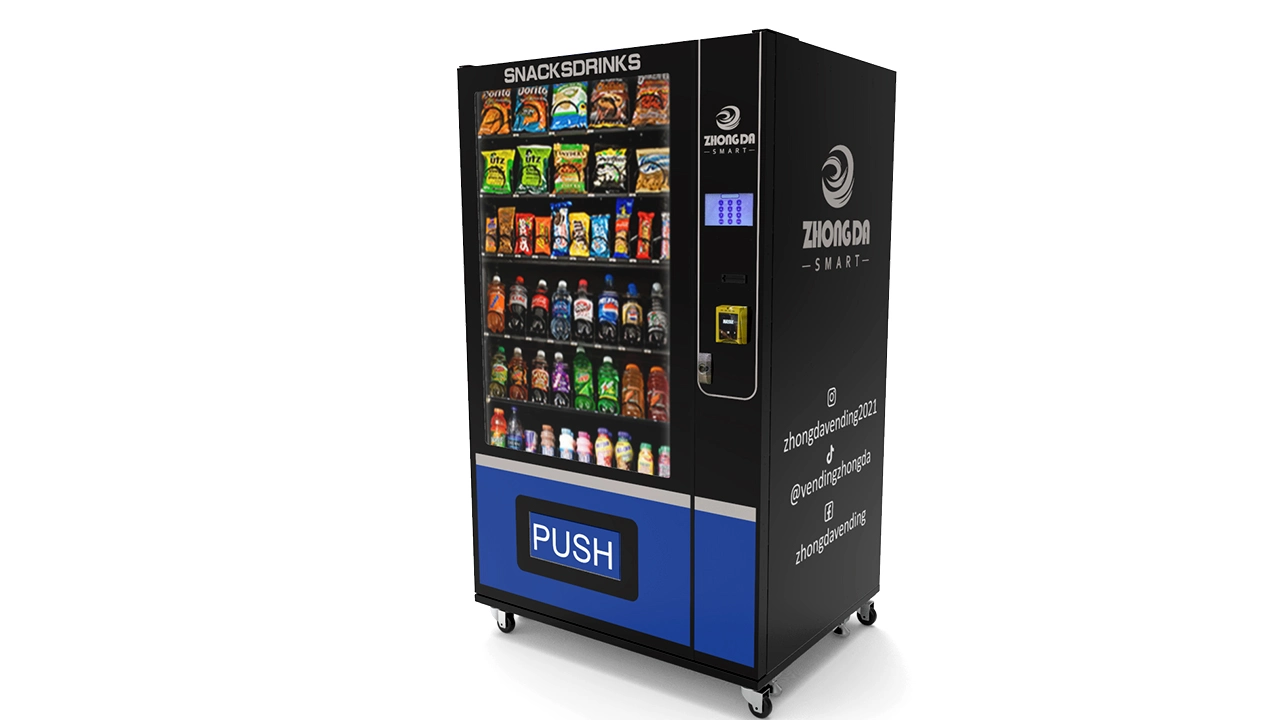
What Zhongda Smart Checks Before a Machine Ships
This is where a manufacturing perspective adds something that a general AI article usually misses. A vending machine does not become deployment-ready because the recognition model works on a laptop or because one successful payment was demonstrated.
At Zhongda Smart, the currently published quality-control process describes incoming inspection, assembly checks, real-product vending, payment and transaction tests, network recovery, aging operation and final acceptance. The published quality material also references a 32-step standard inspection framework. For applicable configurations, extended validation can include a 48-hour burn-in window.
The full published process is available in Zhongda Smart's vending machine quality control and 48-hour testing guide.
The important point is not the number 32 by itself. The 32 steps represent a broader quality framework across different production stages. The public material does not present every internal checkpoint as a numbered confidential factory SOP, so it would be misleading to invent a public 1-to-32 checklist.
The useful way to understand the process is through the quality gates below.
1. Incoming Components
Reliability starts before final assembly. Controllers, power supplies, motors, sensors, screens, locks, wiring, communication modules, payment interfaces and refrigeration parts need to match the approved configuration.
A component can physically fit while still being electrically wrong. A display can match the opening but use the wrong interface. A connector can look similar while having a different pin arrangement. Catching those problems before installation saves far more time than diagnosing them after the machine is complete.
2. Cabinet and Mechanical Inspection
Door alignment, shelf position, hinges, locks, front panels, mounting points and service access affect more than appearance.
On a refrigerated machine, door fit can affect sealing. On an elevator machine, shelf position has to agree with the programmed pickup position. On a camera system, a structural change can alter the field of view.
3. Electrical and Wiring Checks
Intermittent electrical faults are particularly expensive because the machine may look normal when a technician arrives.
Wiring inspection should consider connector engagement, cable routing, grounding, moving mechanisms, sheet-metal edges, door movement, controller mounting and power distribution.
A cable can be electrically correct on day one and still be routed through a place where normal door movement eventually damages it.
4. Real-Product Vend Testing
Product dimensions are only the starting point.
Width, height, depth, weight, package stiffness, surface friction, center of gravity, product orientation, lane width, spiral pitch, shelf position and the number of products remaining in a lane can all change delivery behavior.
Zhongda Smart Engineering Note: One successful vend from a full lane does not prove product compatibility. The first item, middle items and final item can behave differently because package-to-package pressure and support change as stock decreases. For custom projects, physical samples are more useful than dimensions alone whenever sample testing is practical.
5. Payment and Transaction Testing
A useful factory test follows the complete transaction:
-
Product selection.
-
Price retrieval.
-
Payment request.
-
Payment authorization.
-
Machine authorization to vend.
-
Physical delivery action.
-
Delivery confirmation.
-
Transaction completion.
-
Inventory adjustment.
-
Sales-record update.
Failed states deserve the same attention:
-
Declined payment.
-
Customer cancellation.
-
Unavailable product.
-
No delivery confirmation.
-
Temporary communication interruption.
-
Payment-device reconnection after restart.
6. Touchscreen and Product Mapping
A machine can be mechanically perfect and still sell the wrong product because of one mapping error.
Product name, image, price, channel number, motor assignment, inventory record and screen position need to agree.
7. Network and Remote-Management Checks
Connecting once at startup is not enough. For functions that depend on connectivity, the machine should be observed during ordinary disconnection and reconnection.
The test should match the functions the customer actually purchased, such as sales reporting, stock status, machine heartbeat, temperature data, pricing, advertising updates or fault reporting.
8. Refrigeration Testing Where Required
Cooling performance needs time. The compressor has to start, the cabinet temperature needs to move toward the configured range, fans need to circulate air and the system needs to cycle normally.
One temperature reading cannot show whether a compressor cycles correctly or whether airflow changes after shelves are fully loaded.
Energy consumption matters as well. ENERGY STAR reports that certified refrigerated beverage vending machines are, on average, about 9% more efficient and can save approximately 1,000 kWh annually compared with the standard machine models used in its comparison.This is industry context, not a claim that every Zhongda Smart machine automatically carries that certification.
9. Extended Aging and Burn-In
A quick demonstration answers, “Can this machine work now?”
Extended testing asks whether the integrated machine remains stable after electronics have been powered, refrigeration has cycled, network connections have changed and multiple transactions have occurred.
Zhongda Smart's published process identifies aging testing before final acceptance. For applicable configurations, the quality material also describes a 48-hour validation window that can be organized around commissioning, early stability, endurance, recovery testing and final acceptance.
| Testing Window | Main Focus | Examples of What Can Be Observed |
|---|---|---|
| Before extended test | Configuration release | Wiring, software, product mapping, hardware, visible condition |
| Initial hours | Commissioning | Startup, touchscreen, motors, sensors, payment, network, cooling |
| Early stability | Repeated operation | Vending repeatability, communication, temperature behavior |
| Extended operation | Endurance | Random channel tests, sensor stability, cooling cycles, software behavior |
| Recovery checks | Reconnection and restart | Machine restart, network recovery, payment-device reconnection |
| Final release | Acceptance | Failure review, retest, appearance, accessories and documentation |
Longer testing does not guarantee that a machine can never fail. What it does is give intermittent faults more opportunities to reveal themselves before shipment.
Why This Matters Even More for an AI Vending Machine
Computer vision adds another layer to the factory acceptance plan. Camera mounting, lighting, SKU data, recognition confidence, returned products and multi-item behavior need to be validated in addition to the normal mechanical and payment sequence.
For a custom computer-vision project, I would also include:
-
Actual product packaging in the cabinet.
-
Similar SKU variants placed next to one another.
-
Full and partially depleted shelves.
-
Products removed together.
-
Products removed and returned.
-
Items returned to a different position.
-
Partial camera occlusion.
-
Low-confidence transaction review.
-
Network interruption during or immediately after a transaction.
-
Inventory reconciliation after a controlled series of purchases.
A computer-vision vending machine should leave the factory with the transaction system tested, not just the camera.
AI Vending Machine Cost, Operating Economics and ROI
There is no single meaningful price for an AI Vending Machine. The term can describe anything from a connected lane-based machine using AI forecasting in the management platform to a multi-camera smart cooler with edge computing, weight sensors and basket-level recognition.
What Changes the Equipment Cost?
-
Cabinet dimensions.
-
Steel and structural design.
-
Ambient, chilled or specialized temperature control.
-
Spiral, conveyor, elevator, locker or open-shelf architecture.
-
Number and type of cameras.
-
Edge-computing hardware.
-
Weight sensors or other supporting sensors.
-
Touchscreen size.
-
Payment-terminal model.
-
Communication hardware.
-
Remote-management functions.
-
Computer-vision software.
-
Number of SKUs.
-
SKU onboarding requirements.
-
API work.
-
Custom user interface.
-
Branding.
-
Testing requirements.
-
Spare parts.
-
Installation and logistics.
A Published Hardware Baseline
Zhongda Smart currently lists a cashless vending machine with a 21.5-inch touchscreen, approximately 300–360-piece listed capacity, 60 cargo lanes, 4G/Wi-Fi connectivity, adjustable temperature control and a published reference price of $2,411 at the time this guide was prepared.
That is useful as a current standard-machine reference. It is not a quotation for a full computer-vision smart cooler. Cameras, AI computing, sensor fusion, recognition software and custom transaction logic can materially change the project.
This is why I would compare configurations rather than compare two numbers labeled simply “vending machine price.”
How I Would Read a Quote
| Quote Line | Questions to Ask |
|---|---|
| Cabinet | Dimensions, materials, insulation, access, locks and structural changes? |
| Delivery system | Spiral, conveyor, elevator, locker or open shelf? |
| Vision hardware | How many cameras, which edge computer, what lighting? |
| Other sensors | Weight, door, pickup, temperature or position sensors included? |
| Payment | Terminal included? Mounting? Interface? Activation? Testing? |
| Cloud platform | Which functions are included and which have recurring fees? |
| Vision software | SKU onboarding, model updates and exception handling included? |
| API | Which fields and workflows require custom development? |
| Testing | What factory acceptance criteria are included? |
| Support | Spare parts, documentation and remote assistance included? |
Does an AI Vending Machine Make Money?
It can. AI itself is not the source of the profit.
The basic economics still come from customer traffic, conversion, average basket, merchandise margin, uptime, payment success, stock availability, service cost and the total deployed investment.
AI is financially useful when it improves one or more of those variables.
Examples include:
-
Supporting a multi-item open-shelf shopping experience.
-
Reducing stockouts through better forecasting.
-
Reducing unnecessary service visits.
-
Improving assortment decisions.
-
Identifying abnormal transaction patterns.
-
Providing better fulfillment evidence.
-
Improving remote fault diagnosis.
-
Allowing products that conventional spirals cannot handle well.
A Simple ROI Framework
A useful first calculation is:
Monthly Sales = Transactions Per Day × Average Basket × Operating Days
Then:
Gross Profit = Monthly Sales × Gross Margin
Then subtract:
-
Payment costs.
-
Site fees or revenue share.
-
Connectivity.
-
Software subscriptions.
-
Maintenance reserve.
-
Product loss or spoilage.
-
Refill labor.
-
Other operating expenses.
The remaining monthly operating contribution can then be compared with the deployed investment.
Simple Payback = Total Deployed Investment ÷ Monthly Operating Contribution
Illustrative Scenario
The following numbers are hypothetical and are included only to show the effect of transaction volume. They are not Zhongda Smart route-performance data, industry averages or earnings claims.
-
Total deployed investment: $8,400
-
Average basket: $5.00
-
Gross merchandise margin: 44%
-
Payment-cost assumption: 3% of sales
-
Site-cost assumption: 11% of sales
-
Loss and service reserve: 3% of sales
-
Software, connectivity and fixed maintenance reserve: $170 per month
-
30 operating days per month
| Transactions Per Day | Monthly Sales | Illustrative Monthly Contribution | Illustrative Simple Payback |
|---|---|---|---|
| 20 | $3,000 | About $640 | About 13.1 months |
| 35 | $5,250 | About $1,247 | About 6.7 months |
| 50 | $7,500 | About $1,855 | About 4.5 months |
The lesson is not that a machine should pay back in any of those periods. The lesson is that transaction volume can overwhelm small differences in equipment price.
A cheaper machine in a weak site can be a poor investment. A more expensive machine can make sense when it supports higher basket size, better product fit, stronger uptime or a shopping flow that could not be delivered with a simpler cabinet.
What AI Should Improve in the Financial Model
If a buyer is paying more for AI, I would want a measurable reason.
| AI Function | Possible Commercial Effect | Metric to Watch |
|---|---|---|
| Computer-vision basket | Allows natural multi-item shopping | Average basket, transaction completion |
| Stockout prediction | Improves product availability | Stockout hours, lost-sales estimate |
| Assortment ranking | Uses cabinet space more effectively | Sales per slot, margin per slot |
| Anomaly detection | Surfaces unusual losses or errors | Variance, refund rate, exception rate |
| Predictive service | May reduce downtime if enough reliable data exists | Uptime, repeat faults, service visits |
If those metrics do not improve, the AI feature may be technically interesting without being commercially useful.
Maintenance, Security, Privacy and Long-Term Reliability
An AI-powered vending machine still needs ordinary machine maintenance. In fact, the addition of cameras, edge computers and connected software creates several new maintenance categories alongside the mechanical ones.
Mechanical Maintenance
-
Inspect product lanes.
-
Check spiral and divider alignment.
-
Inspect conveyor surfaces where fitted.
-
Check elevator movement and pickup alignment.
-
Inspect locks and doors.
-
Clean pickup areas.
-
Check moving cable harnesses.
Computer-Vision Maintenance
-
Clean camera lenses.
-
Check camera mounts for movement.
-
Inspect internal lighting.
-
Review recognition exceptions.
-
Update product reference data after packaging changes.
-
Confirm software and model versions.
Camera cleanliness matters more than it sounds. Dust, fingerprints, condensation or a shifted mount can change the input distribution seen by the model.
Payment Maintenance
-
Monitor terminal online status.
-
Inspect mounting and cable condition.
-
Watch for an unusual rise in declines.
-
Follow the terminal provider's update requirements.
-
Keep terminal model and configuration records.
Refrigeration Maintenance
-
Keep airflow paths clear.
-
Clean condenser areas as required.
-
Check fans.
-
Review temperature trends rather than one reading.
-
Investigate abnormal compressor behavior.
-
Check door sealing.
Remote Diagnostics Before Vending Machine Repair
A connected machine should tell the operator enough to narrow the problem before a technician arrives.
A useful pre-dispatch check includes:
-
Is the machine online?
-
When was the last heartbeat?
-
Is the payment terminal online?
-
Are transactions still being recorded?
-
Which alarm is active?
-
Which lane or device last failed?
-
Did the fault happen once or repeatedly?
-
Is cabinet temperature normal?
-
Did the machine restart recently?
-
Which software version is running?
A vending machine repair visit that starts with “Lane 14 has failed three times since the last refill” is much easier to prepare for than a visit that starts with “the machine is broken.”
Camera Data Should Have a Defined Purpose
Product recognition and customer identity are different technical objectives. A system designed to recognize packages does not automatically need to identify the person taking them.
A project using cameras should have clear answers to:
-
What images are captured?
-
Why are they needed?
-
Is inference performed locally or remotely?
-
Is raw video stored?
-
If stored, for how long?
-
Who can access it?
-
Which data are actually needed after the transaction?
Collecting less unnecessary data reduces both operational burden and privacy exposure.
Remote Access Should Be Role-Based
The person refilling a machine does not necessarily need permission to change payment settings or administer every user account.
Useful roles might separate:
-
Replenishment.
-
Machine monitoring.
-
Price administration.
-
Customer support.
-
Technical service.
-
System administration.
Software Updates Need Version Control
An AI Vending Machine can include controller firmware, payment firmware, an operating system, a touchscreen application, an edge-inference component and cloud services.
Updates should not create a situation in which nobody knows what changed between a tested sample and a production machine.
I would want software records that make it possible to distinguish a hardware fault from a version difference.
Good AI Operation Includes Knowing When Not to Trust the Model
NIST's AI risk guidance emphasizes ongoing testing and monitoring of validity, accuracy, robustness and reliability, and notes that human intervention may be appropriate when systems cannot detect or correct errors.
In unattended retail, that translates into a practical design rule: low-confidence or contradictory evidence should create an exception path rather than an invented answer.
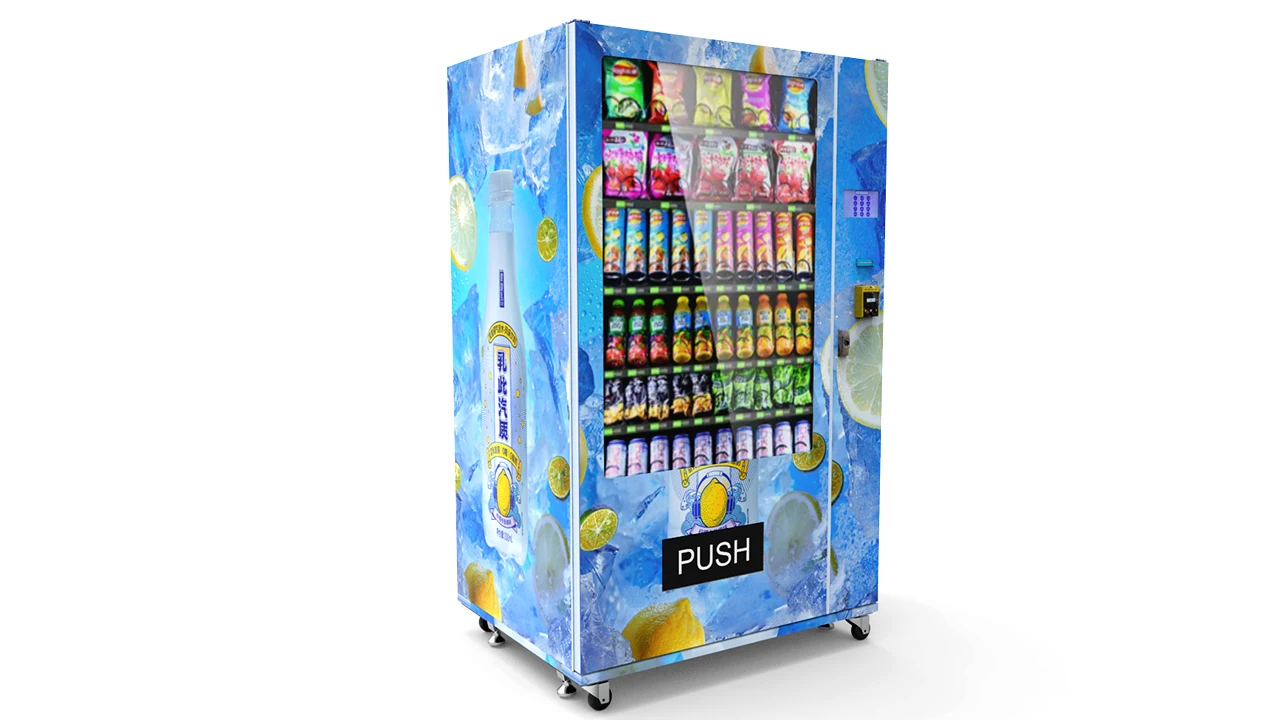
What I Would Check Before Ordering
If I were choosing a machine for a new automated retail project, I would start with the product rather than the touchscreen.
Start With the Merchandise
Prepare:
-
Product width.
-
Product height.
-
Product depth.
-
Product weight.
-
Packaging material.
-
Fragility.
-
Storage requirement.
-
Retail price.
-
Number of SKUs.
-
Expected package variations.
-
Photographs from several angles.
-
Physical samples where practical.
Define the Shopping Flow
Decide what the customer should actually do.
Should they choose one product on a screen? Open a locker? Receive a fragile item through an elevator? Open a smart cooler and take several products?
That decision determines whether the project needs lane mapping, controlled delivery, compartment access or computer vision.
Define Payment Before Freezing the Front Panel
Payment hardware requires physical space, cutouts, mounting, wiring, controller communication and network planning. Choosing the terminal after the cabinet is finished can create unnecessary rework.
Define the Required Data
If the machine will communicate with another platform, agree on the required data before development.
Common fields include:
-
Machine ID.
-
Transaction ID.
-
SKU.
-
Quantity.
-
Price.
-
Timestamp.
-
Payment state.
-
Inventory level.
-
Machine status.
-
Temperature.
-
Alarm code.
Define What Happens Without a Network
Do not discover the offline behavior after installation. Decide which functions can continue, which functions pause and how queued records synchronize afterward.
Define the Acceptance Test Before Production
The manufacturer and buyer should know what constitutes a passed machine.
For a computer-vision project, that may include product-recognition cases, sensor behavior, payment sequences, network recovery, inventory reconciliation and exception handling.
How I Would Evaluate a Manufacturing Partner
I would choose the manufacturer that can explain the complete transaction and support the machine after installation, not simply the supplier with the longest feature list.
Zhongda Smart's OEM custom vending machine program currently covers cabinet and branding changes, spiral/conveyor/elevator/locker delivery options, card/NFC/QR configuration, remote management, telemetry, user-interface customization and selected API integration. The published program also supports a one-unit starting quantity for many configurations, which can make controlled pilot builds practical before scaling.
Questions I Would Put in the Supplier Meeting
-
Which delivery architecture do you recommend for these exact products, and why?
-
Have physical samples been tested?
-
What is the reliable capacity with the actual product dimensions?
-
How is a successful vend confirmed?
-
How does the machine behave after failed fulfillment?
-
Which exact payment terminal is supported?
-
What controller interface is used?
-
What happens after temporary network loss?
-
Which remote-management functions are included?
-
How is inventory adjusted?
-
Can sales and inventory data be exported?
-
Is an API available if required?
-
How are new products added?
-
How are packaging changes handled?
-
What happens when vision confidence is low?
-
Which components can be replaced in the field?
-
Which spare parts should be stocked?
-
What factory acceptance test is performed?
-
Which software versions are documented?
-
What technical documentation is supplied?
-
What post-installation support is available?
A manufacturer who can answer those questions clearly is giving the buyer something more useful than a brochure.
The Decision I Would Make for Four Common Scenarios
Scenario 1: Standard Packaged Snacks and Drinks
I would start with a connected spiral or appropriate lane-based machine unless the shopping experience requires something different. A touchscreen, cashless payment, delivery confirmation and remote inventory can already solve most operating needs.
Computer vision would need a clear additional job before I paid for it.
Scenario 2: Fragile or Higher-Value Boxed Products
I would compare elevator and locker architectures first. The decision would depend on product size, customer collection method, capacity and whether the product needs to remain in a dedicated compartment.
Scenario 3: Open-Shelf Multi-Item Shopping
This is where an AI smart cooler becomes much more attractive. The customer can handle several products naturally, while computer vision and supporting sensors determine the final basket.
I would spend a large part of the acceptance test on similar packaging, returns, occlusion and exception handling.
Scenario 4: Branded Custom Retail Concept
I would first decide which parts truly need customization. Exterior graphics and UI language are relatively light changes. A custom cabinet, new delivery mechanism, special payment workflow or API can turn the project into a deeper engineering program.
Custom work should improve product fit, customer experience, operation or brand presentation. Customization that does none of those things is simply extra complexity.
What an Operator Should Measure After Launch
Factory testing proves that the configured machine can meet its acceptance criteria. Deployment data shows whether the business model works.
I would track a small group of metrics consistently:
| Metric | What It Helps Explain |
|---|---|
| Transactions per day | Site demand |
| Average basket | Value of each completed purchase |
| Gross margin per transaction | Commercial contribution |
| Payment approval rate | Payment friction |
| Machine uptime | Availability for sales |
| Stockout hours | Lost availability |
| Inventory variance | Quality of stock records |
| Failed-vend rate | Product-delivery reliability |
| Recognition exception rate | Computer-vision operating quality |
| Refund and reversal rate | Transaction friction |
| Service visits per machine | Maintenance burden |
| Sales per SKU position | Assortment efficiency |
A dashboard becomes valuable when those numbers change decisions. If an operator sees that one SKU sells out every two days, stock allocation should change. If one lane produces repeated failed vends, the product fit or hardware deserves investigation. If payment approvals fall suddenly, the operator should know before several customers report it.
AI can help prioritize those signals, but the final measure is still operational usefulness.
What the Next Generation of AI Vending Will Probably Improve
I do not expect the most important improvements to come from larger screens or more dramatic AI branding.
More Processing at the Edge
Faster and more efficient edge hardware can shorten recognition latency, reduce bandwidth requirements and allow more transaction logic to remain available during unstable communication.
Better Sensor Fusion
Vision, shelf weight, door state, payment state and machine events can be treated as one evidence set rather than separate logs.
Stronger Exception Handling
Improving model accuracy matters, but commercial reliability also comes from handling the remaining uncertain transactions well.
Better SKU Lifecycle Management
Packaging will continue to change. Product onboarding, image collection, model validation and package-version management need to become easier for operators.
More Useful Replenishment Forecasting
“Five units remaining” is basic telemetry. “High probability of selling out before the next route visit” is an operating recommendation.
Better Transaction Reconciliation
Recognition, payment, inventory and fulfillment records should increasingly behave as one auditable transaction.
That improvement may not look exciting on the front of the cabinet, but it is exactly what makes fleets easier to manage.
Frequently Asked Questions
What is an AI Vending Machine?
An AI Vending Machine is an automated retail system that uses technologies such as computer vision, machine learning, sensor fusion or predictive analytics to interpret physical or operating data. It may recognize products, calculate a shopping basket, detect unusual transactions, forecast stockouts or improve replenishment decisions. A machine does not need computer vision to be smart, and features such as touchscreens, cashless payment and basic remote monitoring do not automatically require AI.
How does an AI vending machine know what a customer took?
A computer-vision machine uses cameras to detect, classify and track products. More robust systems can compare vision results with shelf weight, door state or other sensor information. The software determines the net products removed from the cabinet and turns that result into the final basket. If a product is removed and returned, the final basket should reflect the net physical change rather than charging for every temporary movement.
Does an AI vending machine need RFID tags?
No. Computer vision can identify products from images without placing an RFID tag on each item. RFID can still make sense for some products or inventory designs, but it is a separate identification technology. The better choice depends on product value, package design, SKU count, required accuracy, operating cost and the customer journey.
How does payment work in an AI smart cooler?
A typical smart-cooler workflow validates a payment method before the cabinet unlocks. The customer then removes or returns products. After the door closes, cameras and supporting sensors determine the final basket, and the payment system completes the transaction according to the configured payment architecture. Exact authorization, capture, reversal and refund behavior depends on the selected payment provider and integration.
How does an AI vending machine track inventory?
Inventory should change from confirmed commercial events rather than from every sensor observation. A lane-based machine can deduct the SKU assigned to a successfully vended lane. A computer-vision smart cooler calculates the final basket from products removed and returned. Refills, maintenance removals and authorized adjustments should also be recorded so the expected stock can be reconciled with physical counts.
What happens if computer vision recognizes the wrong product?
A well-designed system should not silently treat every low-confidence prediction as correct. It can compare vision with supporting sensors, apply confidence thresholds, request additional validation or create an exception for review. The exact response depends on the project. Similar packages and new package designs should be part of the acceptance and SKU-maintenance process.
How much does an AI Vending Machine cost?
Cost depends on the cabinet, refrigeration, delivery architecture, cameras, edge computer, sensors, touchscreen, payment terminal, communication hardware, remote-management platform, computer-vision software, SKU onboarding, APIs, branding and testing requirements. Zhongda Smart currently publishes a $2,411 reference price for one standard connected cashless machine configuration, but that should not be treated as the price of a complete computer-vision smart cooler. A configuration-based quotation is the more useful comparison.
Are AI vending machines profitable?
They can be profitable when sales volume, basket value, merchandise margin, machine uptime, stock availability and operating costs support the investment. AI can improve the business case when it enables a better shopping format, reduces stockouts, improves assortment, provides better transaction evidence or reduces unnecessary service work. It cannot make a weak site profitable simply because the machine uses AI.
What should be tested before buying a computer-vision vending machine?
Test the actual products whenever possible. Include normal purchases, multiple products removed together, products returned, similar package variants, low stock, full shelves, partial camera blocking, payment declines, failed fulfillment, network interruption, restart recovery and inventory reconciliation. The acceptance test should also verify how low-confidence transactions are handled instead of testing only ideal recognition conditions.
Final Takeaway
The most useful way to understand an AI Vending Machine is as a transaction system operating in the physical world.
Computer vision can identify and track merchandise. Weight, door and delivery sensors can confirm physical events. Payment software can authorize and settle the purchase. Inventory software can turn the completed sale into a stock change. Telemetry can tell the operator whether the machine is online, stocked and functioning normally.
None of those parts is enough by itself.
For a lane-based machine, the best architecture may be surprisingly simple: a known SKU, reliable delivery system, cashless payment, vend confirmation and remote stock reporting.
For an open-door smart cooler, the problem changes. The customer can handle several products, return one, move another and leave with the rest. Computer vision starts earning its place because the machine has to infer a basket from physical behavior rather than receive one fixed product selection.
That distinction should drive the buying decision.
The machine should be designed around what must happen after the customer decides to buy: how the product is identified, how payment is authorized, how fulfillment is confirmed, how stock is changed and what happens when one of those steps becomes uncertain.
At Zhongda Smart, that factory-side sequence begins with the product and machine architecture rather than the AI label. Product fit, delivery method, controller logic, payment integration, remote management and factory acceptance all have to be settled around the transaction the machine is expected to perform.
That is the standard I would use when comparing an AI-powered vending system: not how much technology is visible on the specification sheet, but how reliably the complete machine can turn a physical purchase into an accurate, traceable transaction.
Technical References
-
EMVCo. Worldwide EMV Deployment Statistics. Q4 2025 data reports that 97% of card-present transactions represented in its worldwide dataset use EMV Chip. View source
-
PCI Security Standards Council. PCI Data Security Standard and PCI DSS v4.0.1 materials. View source
-
National Institute of Standards and Technology. AI Risk Management Framework. The framework provides guidance for managing AI risks and trustworthiness considerations including reliability, safety, security, transparency and privacy. View source
-
ENERGY STAR. Vending Machines. ENERGY STAR reports that certified refrigerated beverage vending machines are on average 9% more efficient and save about 1,000 kWh annually compared with standard models covered by its comparison. View source
-
NAMA Foundation. The 2024–2025 State of Convenience Services. Current industry census developed with Technomic covering self-service retail, vending and related convenience services. View source
Disclaimer
This article is provided for general technical, manufacturing and commercial information. Machine specifications, published prices, software functions, payment compatibility, AI performance, certifications, energy use, operating costs, cloud functions and integration requirements vary by configuration and may change over time. Published Zhongda Smart product prices are reference prices and should not be treated as final project quotations. The ROI examples in this article are hypothetical planning models and are not earnings guarantees or operating-performance claims. Actual results depend on transaction volume, product margin, machine uptime, stock availability, payment costs, service expenses, software costs, site conditions and other project-specific factors. Payment security, data protection, product safety, food handling, electrical requirements, accessibility, certification and other applicable obligations should be reviewed for the exact machine configuration and intended use before deployment.