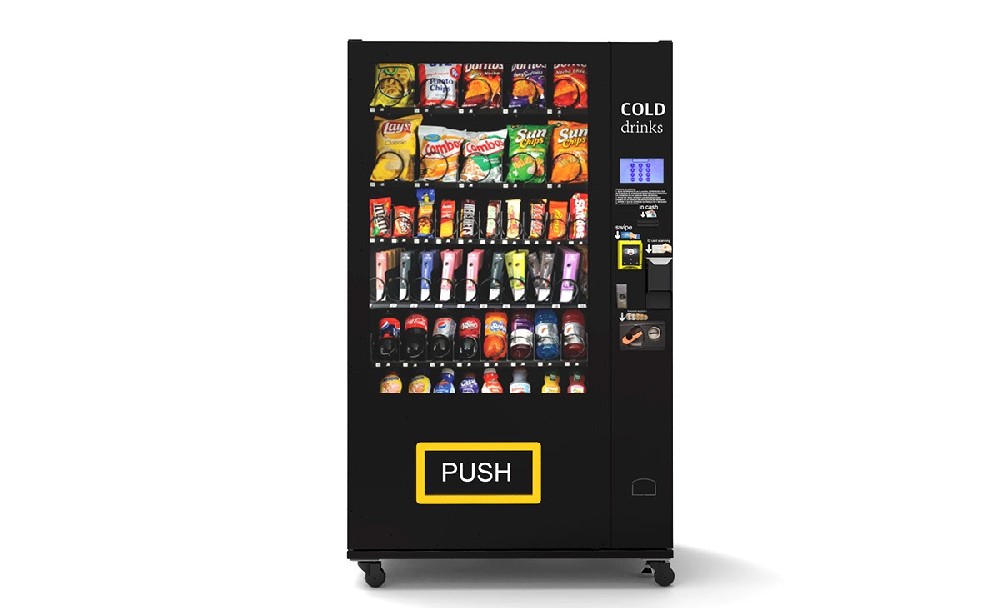
I do not trust a vending machine I cannot see on a dashboard. Remote Monitoring for Vending Machines gives operators a live view of sales, stock, payment status, temperature, and machine faults before a driver wastes a trip or a customer finds an empty slot. After more than a decade working with snack, drink, beauty, card, locker, and custom vending routes, I see remote monitoring as one of the few upgrades that changes daily behavior, not just the look of the machine. Used well, it cuts blind restocking, catches payment failures early, protects chilled products, and shows which machines deserve more inventory, better products, or a complete rethink.
Why I Stopped Running Machines Blind
When I started in vending, I worked the way many small operators still work: fixed route days, handwritten notes, phone calls from location managers, and a lot of guessing. If a machine looked busy, we filled it. If nobody complained, we assumed it was fine. That kind of operation feels simple until the route grows.
The trouble is that vending problems hide well. A machine can look clean, cold, and full from the outside while one top-selling row is empty, the card reader has been offline for five hours, or a motor keeps failing on the same selection. By the time someone notices, the lost sales are already gone.
Remote Monitoring for Vending Machines changed the way I looked at every stop. I no longer asked, “Which machines are on today’s route?” I asked, “Which machines actually need me?” That one shift saves fuel, labor, product waste, and a lot of frustration.
One machine on a mixed snack and drink route taught me this lesson clearly. The driver had been visiting it every Tuesday and Friday because that was the old schedule. After we connected monitoring, the data showed that Tuesday visits were often too early, while Friday visits were too late. Two drink columns sold out by Friday afternoon, and three snack rows barely moved all week. The machine did not need more visits. It needed a better product mix and smarter timing.
A dashboard will not save a bad location, but it will stop you from pretending the location is better than it is. That is why I treat connected vending data as operating evidence, not decoration.
What Remote Monitoring Actually Shows You
Remote Monitoring for Vending Machines is the connection between the machine, the payment system, sensors, controller, and management software. In plain terms, it tells you what is happening inside the cabinet when you are not standing in front of it.
The best systems report product-level sales, cashless transactions, inventory movement, door openings, machine errors, temperature changes, power interruptions, and payment reader status. That information sounds ordinary until you run a real route with it. Then it becomes the difference between a planned stop and a wasted stop.
| Data You Can Monitor | What It Tells You | How I Use It on a Route |
|---|---|---|
| Sales by product | Which items customers actually buy | Give more space to winners and remove slow movers |
| Inventory level | Which spirals, trays, or compartments are running low | Build pick lists before loading the vehicle |
| Payment reader status | Whether card, NFC, QR, or mobile payment is working | Fix silent revenue loss before peak traffic |
| Temperature | Whether chilled products are staying within range | Protect drinks, fresh items, cosmetics, and sensitive goods |
| Vend failures | Whether products are failing to dispense | Send the right repair part instead of guessing |
| Door openings | When the machine was serviced or accessed | Match visits against driver logs, sales, and cash reports |
| Machine offline status | Whether the unit stopped reporting | Check power, signal, controller, or network issues |
If a report does not change what I load, where I drive, what I repair, or what I remove from a planogram, I stop looking at it. The value of vending machine telemetry is not having more numbers. The value is making better daily decisions.
The Market Is Moving Toward Connected Machines
Operators are not connecting machines just because the technology is new. They are doing it because unattended retail has become more competitive. Payment habits have changed. Location owners expect better service. Product margins are tighter. A machine that cannot report basic performance data is harder to manage at scale.
ResearchAndMarkets, citing Berg Insight, reported that the global installed base of connected vending machines was estimated at 5.8 million units in 2022 and forecast to reach 12.3 million units by 2027, with a projected compound annual growth rate of 16.4%. Source: ResearchAndMarkets via Business Wire.
Grand View Research also reported that the retail vending machine market was valued at USD 75.02 billion in 2025, with cashless payments holding the highest market share by payment mode. Source: Grand View Research.
Source: ResearchAndMarkets / Berg Insight connected vending machines report. Values are rounded for chart readability.
I pay attention to this growth because it changes expectations. A connected machine is no longer unusual. In stronger locations, it is becoming the normal operating standard. If two operators serve similar buildings and one can show accurate stock, uptime, payment, and sales reports while the other can only say “we check it every week,” the connected operator looks more professional.
The Real Business Case: Where the Money Shows Up
Remote Monitoring for Vending Machines does not create profit in one dramatic event. It improves small decisions every day. Fewer unnecessary stops. Fewer empty top-selling rows. Faster repair calls. Better pricing. Better stock rotation. Cleaner reports for location partners.
When I review a route, I usually divide the payback into four areas: route labor, stockout recovery, payment uptime, and repair response. The exact savings depend on machine count, location density, labor cost, fuel cost, product margin, and how disciplined the operator is with the data.
| Improvement Area | Old Way | Connected Way | What Usually Improves |
|---|---|---|---|
| Route planning | Fixed service days | Need-based service stops | Fuel, labor, and vehicle time |
| Inventory | Driver checks stock at the machine | Pick list built before the route | Fewer forgotten products and better loading |
| Cashless payment | Problems found after sales drop | Offline readers flagged quickly | Less silent revenue loss |
| Repairs | Complaint first, diagnosis later | Error code and failure pattern reviewed first | Better first-time repair rate |
| Product mix | Based on memory and driver comments | Based on SKU-level movement | Higher sales per slot |
For one mid-size route I reviewed, the operator believed his problem was product cost. The data showed a different story. He was paying drivers to open machines that did not need stock, while three busy machines ran out of the same drinks before weekend traffic. The product cost mattered, but the route timing mattered more.
Before ordering new machines or upgrading older units, I like to run a payback check. Zhongda Smart provides a useful page where operators can run the payback numbers before ordering machines. I would use it with conservative daily sales, realistic product margin, expected rent or commission, and the cost of travel time. A vending route looks better on paper when you forget labor. I never forget labor.
Daily Sales Trend Analysis: What I Look For First
Daily sales tell a more useful story than monthly totals. Monthly revenue can hide stockouts, reader failures, poor product rotation, and weak weekdays. I want to see the shape of the week, not just the total at the end of the month.
The example below shows the type of daily trend analysis I use when checking a snack and drink machine. The numbers are presented as a practical route-review example, not as a public industry average. Operators should replace this with their own machine export from a vending management system or payment dashboard.
Example machine trend for route analysis. Replace with exported daily sales from your own machine dashboard before making location-level decisions.
| Day | Sales | Transactions | Average Ticket | What I Would Check |
|---|---|---|---|---|
| Monday 1 | $112 | 48 | $2.33 | Normal start, no immediate change |
| Tuesday 1 | $126 | 52 | $2.42 | Watch drink movement |
| Wednesday 1 | $135 | 56 | $2.41 | Check top snack rows |
| Thursday 1 | $148 | 61 | $2.43 | Prepare for Friday demand |
| Friday 1 | $179 | 72 | $2.49 | Best day; increase facings for winners |
| Saturday 1 | $164 | 66 | $2.48 | Good weekend traffic |
| Sunday 1 | $90 | 39 | $2.31 | Soft day; do not overreact |
| Monday 2 | $109 | 47 | $2.32 | Similar to prior Monday |
| Tuesday 2 | $122 | 51 | $2.39 | Pattern holding |
| Wednesday 2 | $138 | 57 | $2.42 | Review midweek restock timing |
| Thursday 2 | $154 | 63 | $2.44 | High-risk stockout window starts |
| Friday 2 | $187 | 75 | $2.49 | Peak day again; confirm top rows stay full |
| Saturday 2 | $172 | 69 | $2.49 | Weekend sales justify strong stock depth |
| Sunday 2 | $96 | 41 | $2.34 | Low day, but not a failure |
From this trend, I would not add a Sunday visit. I would look at Thursday evening or Friday morning stock levels. If the same best-selling drinks or snacks run out before Friday afternoon, the machine needs more facings for those products, not more random variety.
The first screen I check is not total revenue. It is offline payment readers. A full machine with a dead reader can look healthy until you compare yesterday’s sales against the same weekday average. After that, I look at stockouts on the top 10 products, repeated vend failures, and temperature alerts that happened after the last service visit.
I have learned not to trust a single bad day. Weather, building traffic, local events, holidays, and nearby construction can distort sales. I usually wait for a pattern across several selling days before changing a planogram. Remote Monitoring for Vending Machines gives me that pattern without waiting for a driver to discover it by accident.
Benchmarks I Use When Reviewing a Connected Machine
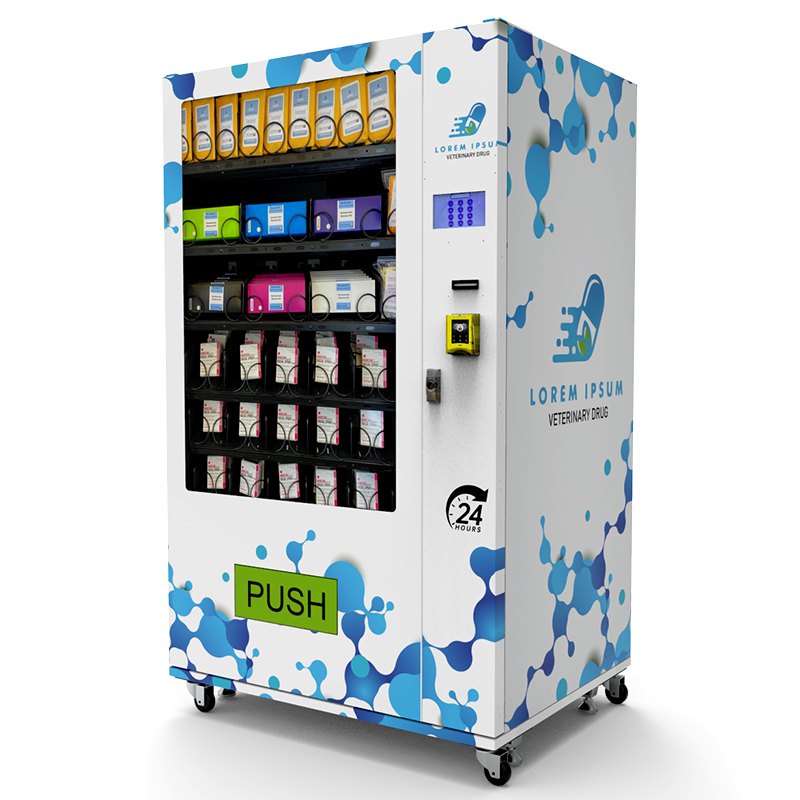
Not every number deserves attention. I prefer a small set of operating benchmarks that tell me whether the machine is healthy, profitable, and worth the next visit. These are field targets I use in route reviews. They should be adjusted for product type, location traffic, machine size, and service distance.
| Metric | Healthy Target I Like to See | Warning Sign | Action |
|---|---|---|---|
| Payment reader uptime | 98% or higher on strong locations | Offline windows during peak hours | Check signal, power, reader, SIM, or router |
| Top-product stockout rate | Under 5% of selling days | Best sellers empty before route day | Add facings or change service timing |
| Repeated vend failure | Handled within the next service cycle | Same selection fails more than once | Inspect motor, coil, elevator, sensor, or product fit |
| Low-value route visits | Falling month by month | Drivers opening machines with little need | Move to demand-based routing |
| Slow-moving SKU share | Reviewed weekly | Weak products occupy prime rows | Replace, reprice, or reduce facings |
| Temperature alerts | Rare and explained | Repeated overnight or weekend alerts | Inspect cooling, door seal, fan, and compressor |
These benchmarks make a route meeting much shorter. Instead of arguing about opinions, the team can see where the money is leaking. If payment uptime is poor, fix the connection. If stockouts are repeated, change the facings. If a product does not move, stop protecting it.
Inventory Tracking Is Usually the First Win
Vending machine inventory tracking is where most operators feel the benefit first. Drivers stop carrying random extra cases “just in case.” Warehouse staff can build smarter pick lists. Owners can see which machines need attention before the route truck leaves.
Before remote monitoring, a driver may visit a machine because Tuesday is the scheduled day. After Remote Monitoring for Vending Machines is working properly, that same driver visits because machine A is low on high-margin drinks, machine B has a repeated vend failure, and machine C can wait until the next route.
My restocking routine is simple:
Check machine-level inventory and sales before loading the vehicle.
Rank products by units sold, profit per slot, and stockout risk.
Build the route pick list from actual need, not memory.
Give more space to items that sell out before the next planned visit.
Remove products that keep tying up shelf space without moving.
Review the planogram after enough selling days, not after one slow afternoon.
For standard snack and beverage machines, this improves route efficiency. For beauty products, trading cards, electronics, books, locker vending, and higher-value items, it can be even more important because one empty compartment may represent a much larger missed sale.
Zhongda Smart’s product category page shows several machine types operators may use for different retail models, including drink, snack, locker, eyelash, card, and custom vending equipment. When product categories change, inventory logic changes too. A drink route and a beauty vending route should not be managed with the same assumptions.
Cashless Payment Data Can Expose Silent Revenue Loss
Cashless payment is not only a convenience feature. It is also a performance signal. If the card reader is down, the machine may still look alive, but sales can drop quietly. In many locations, customers will not walk away to get cash. They will simply walk away.
When I review payment data, I look at three things first:
Uptime: Did the reader stay online during the busiest hours?
Approval rate: Are transactions failing too often?
Cashless share: Does payment behavior match the location type?
One of my strongest snack machines once lost nearly a full day of card transactions because the reader had power but no stable network. The cabinet was full. The lights were on. Cash still worked. Nobody at the location complained. The sales curve told the truth before anyone else did.
That experience changed my habit. I check payment uptime before I celebrate sales. A machine with good traffic and unstable payment is not a good machine yet. It is an unfinished machine.
Temperature and Product Protection Cannot Be an Afterthought
Remote Monitoring for Vending Machines becomes critical when the product needs temperature control. Chilled drinks, fresh food, desserts, cosmetics, and some specialty products can create real losses if cooling problems go unnoticed.
A temperature alert should not sit in someone’s inbox until the next morning. The operator should know exactly what happens when a machine crosses the alert threshold. Who checks the dashboard? Who calls the location? Who decides whether to pause sales? Who verifies the machine before restocking?
I prefer machines with serviceable cooling systems, clear temperature reporting, accessible components, and reliable door seals. Remote alerts are useful, but the machine still has to be built well enough to fix quickly.
For operators selling snacks and drinks, Zhongda Smart’s smart snack vending machine is the kind of equipment category where sales reporting, payment support, and stock planning all matter in daily operation.
Alerts That Deserve Attention
The fastest way to make people ignore remote monitoring is to turn on too many alerts. If every small issue sends a message, the serious alerts get buried. I separate alerts into three groups: urgent, route-planning, and review-only.
| Alert | Priority | How I Handle It |
|---|---|---|
| Payment reader offline | Urgent | Check during business hours, especially before peak traffic |
| Temperature out of range | Urgent | Investigate before selling sensitive products |
| Machine offline | Urgent | Check power, network, controller, or location access |
| Repeated vend failure | Urgent | Send repair with likely part or block affected selection |
| Low inventory on top seller | Route-planning | Add to next pick list or move route earlier |
| Slow-moving product | Review-only | Discuss during weekly planogram review |
My technician used to say, “The best repair call is the one where the part is already in the van.” Remote data makes that possible. If the machine reports repeated failures from the same motor, elevator, sensor, or selection, the technician can prepare before arriving.
What I Check Every Monday Morning
My Monday review is short, but I do it every week. I am not looking for perfect reports. I am looking for machines that are quietly stealing margin.
First, I check payment reader uptime. If a reader was offline during a busy day, the sales report is not telling the whole story. Then I check top-product stockouts. A slow product being full is not a problem. A fast product being empty is a problem. After that, I check repeated vend failures and temperature alerts.
My Monday checklist looks like this:
Which payment readers were offline during high-traffic hours?
Which products sold out before the next planned service day?
Which machines had repeated vend failures on the same selection?
Which machines had temperature or power alerts?
Which locations had sales below their usual weekday pattern?
Which products took prime space but barely moved?
Which machines can skip the next route without hurting sales?
This is where Remote Monitoring for Vending Machines earns its place. It turns Monday from a guessing session into a short list of decisions: which machines need stock, which ones need repair, which products need more space, and which locations are not worth the miles.
Choosing Machines Built for Connected Operation
Software matters, but the machine still has to be built correctly. A poor cabinet with weak wiring, awkward service access, unstable cooling, or limited controller support can turn a connected project into a service headache.
When I evaluate a smart vending machine or self-service kiosk, I look beyond the screen. I want to know the payment options, controller compatibility, remote management support, network choices, spare parts plan, cooling design, delivery method, software language options, and service access.
For custom projects, Zhongda Smart is worth including in the supplier conversation because its custom vending machine build options include practical items operators actually need: cabinet design, branding, payment options, remote management, telemetry, sales reporting, 4G, 5G, Wi-Fi, custom interface, multi-language support, and API integration.
Before I approve a connected machine order, I ask these questions:
Can the machine report sales by product, not only total revenue?
Can it support the payment methods needed for the location?
Can the operator export useful reports?
Can the machine keep selling if the network is temporarily unstable?
Are spare parts available for motors, sensors, locks, payment parts, and cooling components?
Can product channels be adjusted for real product sizes?
Is the cabinet easy to clean and service?
Can the user interface be adapted for the product category?
Do not buy a vending machine only because the screen looks impressive. A big screen can help merchandising, but stable payment, reliable dispensing, accurate reporting, and easy service access will matter more over the life of the machine.
When Remote Monitoring Is Not Worth Paying For
I like connected machines, but I do not recommend remote monitoring blindly. Some machines and locations do not justify the extra cost, especially when traffic is weak, the machine is near the operator, or the product mix is simple and low-margin.
Remote Monitoring for Vending Machines may not pay back quickly if:
The machine has very low sales volume.
The operator already visits the location daily for other reasons.
The machine is old and expensive to retrofit.
The location has poor signal and no reliable network option.
The operator will not use the dashboard to change routes, products, or repairs.
That last point is the big one. If the business keeps the same route schedule, ignores alerts, and never changes product layout, remote monitoring becomes an expensive report generator. The technology only pays when it changes behavior.
A 30-Day Rollout Plan for a New Connected Fleet
The best rollout is controlled. I do not like connecting every machine, changing every planogram, and redesigning the route in the same week. That creates noise. Start small, clean the data, and expand after the process works.
| Timeframe | What to Do | What Good Looks Like |
|---|---|---|
| Days 1-3 | Connect machines, verify payment readers, confirm network signal | Machines report reliably and payment works at the location |
| Days 4-7 | Map every product, price, tray, motor, and compartment | Dashboard matches the physical machine |
| Week 2 | Watch sales, stockouts, payment uptime, and fault alerts | Early problem machines are identified |
| Week 3 | Adjust facings, route timing, and alert thresholds | Fewer emergency visits and fewer empty best-seller slots |
| Week 4 | Review profitability by machine and location | Operator knows which machines to scale, fix, or move |
If you are planning a custom machine fleet, the Zhongda Smart company page gives useful background on the manufacturer’s intelligent vending equipment and customization capabilities. I would use that as a starting point before discussing cabinet design, payment options, telemetry, software needs, and after-sales support.
How Remote Monitoring Helps With Location Partners
Location relationships improve when reporting improves. Many operators focus only on machine performance, but the location owner also wants trust. If the location receives commission, vague sales numbers can create tension. A clean remote report makes the conversation easier.
For commission locations, I like to provide simple monthly reporting: gross sales, refunds if any, commission calculation, major service notes, and product improvements made during the month. The report does not need to be complicated. It needs to be consistent.
Remote Monitoring for Vending Machines can also help defend the operator when a location says, “The machine is always empty.” Sometimes the complaint is true. Sometimes one popular item is empty while the rest of the cabinet is full. The fix is different. Data keeps the conversation honest.
Security, Access, and Data Discipline
Connected machines need basic data discipline. Operators should know who can access the dashboard, who can change prices, who can export reports, and who receives alerts. Shared passwords are a bad habit. They make it hard to know who changed what.
At minimum, I prefer separate user accounts, strong passwords, role-based access, regular user reviews, and clear rules for exported reports. For payment systems, use established payment providers and follow their compliance requirements. Do not store sensitive card data yourself unless you have the proper systems and compliance support.
Data quality also matters. If a driver swaps products without updating the dashboard, the reports become unreliable. If prices change at the machine but not in the software, profit reports become messy. A connected vending operation still needs disciplined people.
Common Mistakes That Make Monitoring Less Useful
The biggest mistake is buying the technology and keeping the same habits. Remote Monitoring for Vending Machines only works when operators use the information to change stocking, routing, pricing, repairs, or machine placement.
Wrong product mapping: If the dashboard does not match the machine, the report cannot be trusted.
Too many alerts: Teams stop paying attention when every small issue feels urgent.
No driver training: Drivers need pick lists and repair rules, not just dashboard access.
Ignoring payment uptime: A full machine with a dead reader can lose sales quietly.
Protecting slow products: A product that does not move should not keep prime space forever.
Buying weak hardware: Cheap machines often become expensive when service access is poor.
Reviewing data too late: Monthly reviews are too slow for high-traffic machines.
I also see operators make changes too quickly. One bad day is not a trend. One slow product after two days is not always a failure. Look for patterns, then act.
My Bottom Line
Remote Monitoring for Vending Machines is worth it when it helps you make better decisions sooner. It should help you stock smarter, repair faster, protect products, reduce wasted route time, improve payment uptime, and prove machine performance with clean data.
If you are new to connected vending, start with a small group of machines and get the data right. Map the products carefully. Watch payment uptime. Track stockouts on your top sellers. Review daily sales trends by weekday. Teach drivers how to use pick lists. Then expand.
If you already manage a larger fleet, look for the quiet losses: card readers offline during peak hours, repeated vend failures, empty best-seller slots, slow products in prime positions, and machines being opened before they need service.
The best operators I know are not always the ones with the biggest fleets. They are the ones who notice problems before the route driver does.
Frequently Asked Questions
Is Remote Monitoring for Vending Machines worth it for a small operator?
Yes, if the operator uses the data to change daily decisions. For a small route, the fastest wins usually come from fewer wasted trips, faster repair response, better stock planning, and fewer payment outages. I would start with the busiest machines first.
What is the difference between remote monitoring and a vending management system?
Remote monitoring reports machine-level data such as sales, inventory, faults, payment status, temperature, and door activity. A vending management system may add route planning, warehouse picking, commissions, accounting reports, and staff permissions.
Can older vending machines be upgraded with remote monitoring?
Some older machines can be upgraded, but it depends on the controller, payment interface, wiring, cabinet condition, and expected sales. Before retrofitting, compare the upgrade cost with buying a newer smart vending machine that already supports telemetry and cashless payment.
Which alerts should I turn on first?
Start with payment reader offline, temperature out of range, machine offline, repeated vend failure, and low inventory for best-selling products. Add more alerts only when they lead to action.
How often should I review vending machine data?
For active routes, check urgent alerts daily and review sales trends weekly. High-traffic machines should be reviewed more often, especially for payment uptime, stockouts, and repeated vend failures.
Does remote monitoring replace drivers or technicians?
No. It helps them work better. Drivers still stock, clean, rotate products, and maintain location relationships. Technicians still repair motors, sensors, cooling systems, payment devices, and delivery systems. Remote data helps them arrive with better information.
What products benefit most from remote inventory tracking?
High-volume drinks, snacks, fresh items, cosmetics, electronics, trading cards, books, and higher-margin products benefit the most. The higher the missed-sale value, the more useful real-time inventory visibility becomes.
How do I know if a connected machine is underperforming?
Review sales per day, profit per slot, stockout rate, payment uptime, repair frequency, product waste, and location fees together. A machine with decent revenue can still underperform if it requires too many visits or has poor margin.
What daily sales pattern should I expect from a vending machine?
It depends on the location. Office machines often rise during weekdays and soften on weekends. Gyms may peak early morning and evening. Retail or entertainment locations may perform better on weekends. Remote monitoring helps operators see the pattern instead of guessing.
What should I ask a supplier before buying connected vending machines?
Ask whether the machine reports product-level sales, supports cashless payment, exports reports, handles weak network conditions, supports remote alerts, and has available spare parts. Also ask how service, software updates, and technical support are handled.
Article Sources
ResearchAndMarkets via Business Wire — Connected Vending Machines Market Report
FRED, Federal Reserve Bank of St. Louis — Sectoral Output for Vending Machine Operators
FRED Data Table — Vending Machine Operators, Annual Millions of Dollars
Author note: Written from the perspective of a vending operator and equipment buyer with more than 10 years of hands-on experience reviewing connected snack, drink, beauty, card, locker, and custom vending deployments.
Disclaimer: Operating examples and benchmark ranges in this article are based on practical route-review experience and should be adapted to each machine type, product category, location agreement, payment setup, and service plan. Public market data is cited for context and should not be treated as a guarantee of route performance.