If you notice a Cantaloupe charge on your credit card and cannot remember buying anything from a company with that name, there is a good chance the transaction came from a vending machine or another self-service payment terminal. Cantaloupe is a legitimate payment technology provider whose card readers are used by vending machine operators. When you tap your card or phone to purchase a drink, snack, or other item, its name may appear on your statement instead of the name of the business operating the machine.
That said, a recognizable payment processor does not automatically make every transaction legitimate. The important details are the transaction amount, date, payment status, and whether someone authorized to use your card made the purchase. This guide explains how Cantaloupe payments work, why temporary charges appear, how to request a refund, and what to do if you genuinely do not recognize the transaction.
Quick answer: Cantaloupe is a legitimate payment technology company that provides card readers and payment services for vending machines and other unattended retail equipment. A Cantaloupe charge is often a purchase made through one of its payment terminals. If the transaction is unfamiliar, verify it before assuming it is legitimate or fraudulent.
1. What Is Cantaloupe?
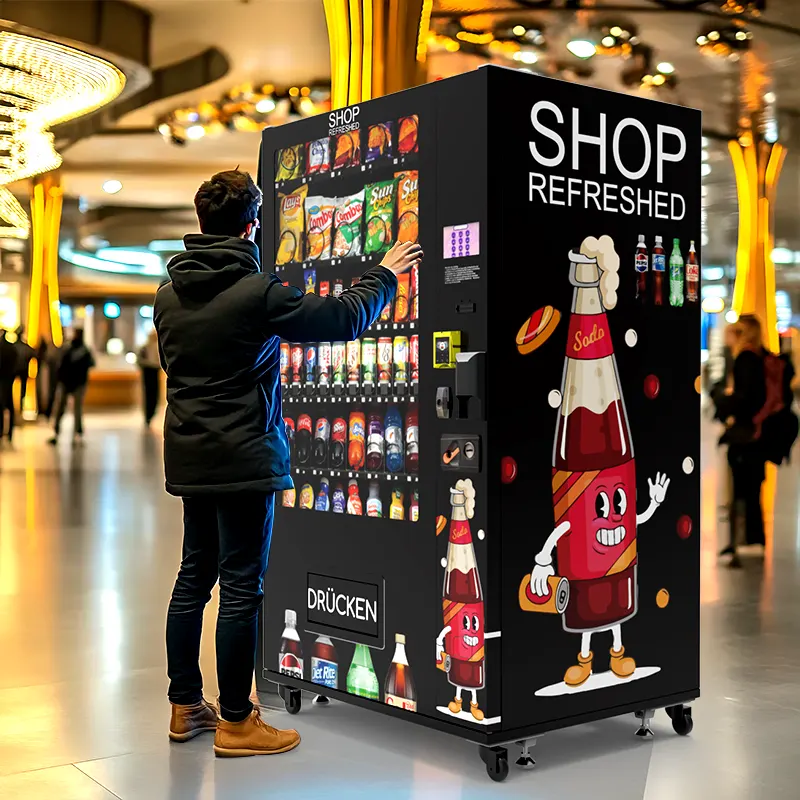
Cantaloupe is a payment technology provider specializing in self-service commerce. Its technology helps businesses accept electronic payments through vending machines, self-service kiosks, micro markets, and other unattended retail equipment.
For an ordinary customer, the most visible part of the system is usually a small payment reader attached to a vending machine. It may accept a credit card, debit card, contactless payment, or supported mobile wallet. The customer interacts with the reader, completes the purchase, and receives the selected product.
The important distinction is that Cantaloupe provides the payment technology; it does not necessarily own the vending machine or sell the product inside it.
For example, imagine purchasing a bottled drink from a machine in an office building. The machine belongs to an independent vending operator. The operator stocks the drinks, sets the prices, and manages the equipment. Cantaloupe supplies the payment technology that allows the machine to accept your card.
The payment infrastructure and the physical retail business are separate parts of the same transaction.
What services does Cantaloupe provide?
Cantaloupe's technology supports several parts of unattended retail operations:
- Cashless payment processing: Enables customers to pay using supported credit cards, debit cards, and contactless payment methods.
- Card reader hardware: Provides the physical payment terminals installed on vending machines and other self-service equipment.
- Payment management: Helps participating businesses manage electronic transactions and payment activity.
- Remote machine monitoring: Connected systems can help operators review sales information and machine activity.
- Self-service retail software: Supports business functions such as transaction reporting, inventory management, and equipment monitoring.
- Micro-market technology: Supports unattended retail environments where customers select products and complete their own purchases.
This explains why the name can appear on a credit card statement even when the customer has never intentionally purchased anything from Cantaloupe itself.
The name identifies the payment infrastructure associated with the purchase, not necessarily the merchandise seller.
2. Is Cantaloupe a Legitimate Company?
Yes. Cantaloupe is a legitimate payment technology business. It is not simply an unfamiliar name invented to collect money from vending machine customers.
The company's consumer support information directly addresses this exact situation. It explains that when someone does not recognize the business name on a statement, the transaction most likely came from a recent vending machine purchase. Cantaloupe identifies itself as the provider of the card reader used to complete that payment.
Its official consumer guidance also provides assistance for customers who need help identifying a transaction, obtaining a receipt, or requesting a refund for a product they did not receive.
Consumers can review the explanation directly through the official Cantaloupe Consumer FAQs.
How large is Cantaloupe's payment operation?
There is also meaningful financial reporting behind the business. Cantaloupe's fiscal 2025 annual report, filed with the Securities and Exchange Commission, provides useful historical operating figures.
| Reported metric | Fiscal year 2025 | What it tells us |
|---|---|---|
| Active devices | 1.28 million | Scale of its connected payment and technology network. |
| Electronic transactions | 1.199 billion | Volume of transactions processed through its technology-enabled solutions. |
| Total transaction value | $3.444 billion | Combined dollar value of reported transactions. |
| Active customers | 34,896 | Businesses using its services. |
Source: Cantaloupe, Inc. Form 10-K, fiscal year ended June 30, 2025. These are historical company-wide figures, not vending-machine-only figures or evidence that an individual card transaction is authorized.
These numbers help put the unfamiliar statement name into perspective. Cantaloupe has operated a substantial electronic payment network, and a single small vending purchase is only one transaction within a much larger self-service commerce system.
Does a legitimate company mean every Cantaloupe charge is legitimate?
No. This is an important distinction that should not be overlooked.
A legitimate company can process a transaction that a cardholder does not recognize. That may happen because:
- A family member or another authorized cardholder made the purchase.
- The customer forgot about a small vending transaction.
- The card was used at an unfamiliar self-service terminal.
- A payment was submitted twice.
- A temporary authorization was mistaken for a completed purchase.
- Someone used the card without permission.
In other words, the legitimacy of the payment provider and the authorization of a particular transaction are two different questions.
I think this is the most useful starting point when investigating an unfamiliar Cantaloupe vending charge: establish what the company does, then verify the actual transaction independently.
3. Why Does Cantaloupe Appear on Your Credit Card Statement?
The most common explanation is that you used a vending machine equipped with a Cantaloupe payment reader.
When you tap a card or mobile wallet, the reader communicates with the payment infrastructure. The payment information is processed, the transaction receives an authorization response, and the machine proceeds according to its configured vending process.
The payment provider may appear in the statement description because it participates in the electronic payment transaction.
Think of the purchase as involving three separate parties:
- The customer: The person buying a drink, snack, or other product.
- The vending operator: The business responsible for the machine, merchandise, pricing, and day-to-day operation.
- The payment provider: The company supplying the technology used to process the customer's electronic payment.
The customer sees the product and the machine. The vending operator manages the retail business. The payment provider handles the payment infrastructure.
Because the payment provider is involved in the transaction, its name may be more visible to the bank than the name printed on the vending machine.
Why doesn't the statement show the vending machine's brand?
A vending machine is not always registered with a bank in the same way as a conventional retail store.
In a staffed store, the card statement commonly displays the merchant's business name. In unattended retail, the payment provider may be responsible for processing or facilitating the transaction on behalf of the machine operator.
The final statement description depends on the merchant arrangement, payment configuration, and how the card issuer displays transaction information.
Cantaloupe's operator guidance specifically discusses configuring a business's DBA name, telephone number, and contact information for display on cardholder statements. This is another reason that statement descriptions can vary between vending installations.
A name you do not recognize does not necessarily mean that the purchase happened at an unfamiliar business. It may simply reflect the payment arrangement behind the machine.
4. Where Can a Cantaloupe Charge Come From?
Although vending machines are the first place to investigate, Cantaloupe's technology is associated with a broader range of unattended retail and self-service environments.
It is worth considering the types of equipment you may have used rather than focusing exclusively on traditional snack machines.
| Possible source | Typical purchase | What to check |
|---|---|---|
| Snack vending machine | Chips, candy, packaged snacks | Recent small purchases and product prices. |
| Beverage vending machine | Bottled water, soda, energy drinks | Card taps and multiple drink selections. |
| Office micro market | Snacks, sandwiches, refrigerated meals | Self-checkout activity and itemized receipts. |
| Coffee service | Coffee, specialty drinks, refreshments | Individual beverage transactions. |
| Self-service laundry | Washing or drying cycles | Machine activation and payment records. |
| Car wash or air vacuum | Wash sessions, vacuum time, air service | Separate equipment payments during one visit. |
| Amusement equipment | Arcade games or entertainment services | Individual machine transactions. |
| Self-service retail kiosk | Packaged merchandise or convenience items | Checkout history and payment confirmation. |
| Hotel or hospitality pantry | Drinks, snacks, and convenience products | Self-service purchases during a stay. |
These are examples of business categories supported by Cantaloupe's broader self-service technology portfolio. They are possible places to investigate, not a guarantee that every machine in each category uses Cantaloupe.
Why small purchases are particularly easy to overlook
Traditional retail purchases often leave a clear memory. Customers remember visiting a store, choosing several products, and paying at a checkout counter.
A vending machine purchase is different. It may take only a few seconds. Someone taps a phone, selects a drink, collects the product, and continues with the day.
By the time the credit card statement arrives, the purchase may be difficult to remember.
This is especially common when someone makes several small purchases during the same week. A $2.50 snack or a $3.00 drink can look unfamiliar when viewed as a separate line item among dozens of other transactions.
For that reason, transaction timing and payment status are often more useful than the merchant name alone.
5. Understanding the Cantaloupe Statement Descriptor
A statement descriptor is the text associated with a card transaction. It helps identify the merchant or payment arrangement responsible for the purchase.
When Cantaloupe is involved, the displayed wording may include its business name or a shortened version of the name. The description can also contain additional merchant information, depending on how the payment account is configured.
Card issuers may shorten, reorganize, or abbreviate transaction descriptions. As a result, two customers using different machines may see different wording even when the underlying payment technology is associated with the same provider.
| Statement information | Possible explanation | Recommended action |
|---|---|---|
| Cantaloupe | Payment associated with a Cantaloupe-enabled reader. | Review recent vending and self-service purchases. |
| Cantaloupe Inc. or similar wording | Business-name variation or abbreviated processor description. | Check the full transaction details. |
| Cantaloupe followed by additional text | Additional merchant or payment information may be included. | Ask the card issuer or payment support team to identify the transaction. |
| Cantaloupe with a pending status | A payment authorization may be waiting for final settlement. | Compare the amount with the actual purchase and monitor the status. |
| Cantaloupe with a posted status | The transaction has reached the posted stage. | Confirm the purchase or contact the issuer if it remains unfamiliar. |
Does the statement description identify the actual machine?
Not necessarily.
The statement descriptor is a payment reference, not a complete equipment identification record. It may not tell you the machine model, product selected, physical terminal number, or exact vending operator.
That information may be available in the transaction record held by the payment provider or operator.
If you cannot identify the purchase from the statement alone, requesting transaction assistance is more productive than trying to interpret every abbreviation.
6. Why Is There a Pending Cantaloupe Charge?
A pending Cantaloupe charge is often a temporary card authorization rather than the final amount of the purchase.
Pre-authorization is a normal part of electronic payment processing. It allows a payment system to check that a transaction can be authorized before the final amount is settled.
This distinction is especially important with unattended equipment because the final purchase amount may not be confirmed at the exact moment the card is first presented.
What is a pre-authorization hold?
A pre-authorization is a temporary amount reserved against a customer's payment account.
It is not necessarily a completed charge. Instead, the bank temporarily sets aside the authorized amount while the transaction moves through the payment process.
After the final transaction amount is submitted, the original authorization can be adjusted, completed, or released according to the payment arrangement.
Cantaloupe's official operator FAQ explains that its unattended payment readers may use a predetermined authorization amount. The company also states that its cashless card readers can pre-authorize up to $5.
The same guidance explains that the pending amount typically takes approximately 24–72 hours to update or clear, although the bank may take additional time.
Source: Cantaloupe Operator FAQs – Pre-Authorization Questions.
Example: A $2.25 purchase with a $5 pending hold
Consider a customer buying a snack priced at $2.25.
The payment reader uses a $5 pre-authorization. The customer may initially see $5 pending on the credit card account even though the product costs only $2.25.
Once the final transaction is processed, the payment record can be adjusted to the actual purchase amount and the remaining authorization released.
| Transaction stage | Amount | Meaning |
|---|---|---|
| Product price | $2.25 | Actual cost of the selected snack. |
| Initial authorization | $5.00 | Temporary amount reserved by the payment system. |
| Final purchase | $2.25 | Amount associated with the completed sale. |
| Authorization difference | $2.75 | Amount that should be released when the authorization is adjusted. |
The example illustrates why a pending amount should not immediately be interpreted as an overcharge.
How long does a Cantaloupe pending charge last?
Cantaloupe gives a typical clearance window of 24–72 hours for its pending authorization process.
However, this is not an absolute guarantee. The card issuer controls how the authorization appears on the account and when the available credit is restored.
Processing delays, weekends, bank procedures, and account conditions can affect the timing.
If the amount remains unchanged after the expected processing period, contact the payment provider or your card issuer and ask whether the entry is still an authorization or has become a completed transaction.
Pending versus posted: What is the difference?
| Feature | Pending transaction | Posted transaction |
|---|---|---|
| Payment status | Authorization or processing stage | Completed posting |
| Available credit | May be temporarily reduced | Reduced by the posted amount |
| Final purchase amount | May still change | Normally reflects the completed transaction |
| Can the amount change? | Yes, depending on settlement | Changes generally require an adjustment, reversal, or refund |
| What should you do? | Check the purchase and monitor the authorization | Verify the amount and request assistance if incorrect |
My recommendation: Always check whether a Cantaloupe transaction is pending or posted before deciding that you have been charged incorrectly. The difference can save considerable time and prevent unnecessary disputes.
7. How a Cantaloupe Vending Machine Payment Works
Understanding the payment process makes an unfamiliar statement descriptor much easier to interpret.
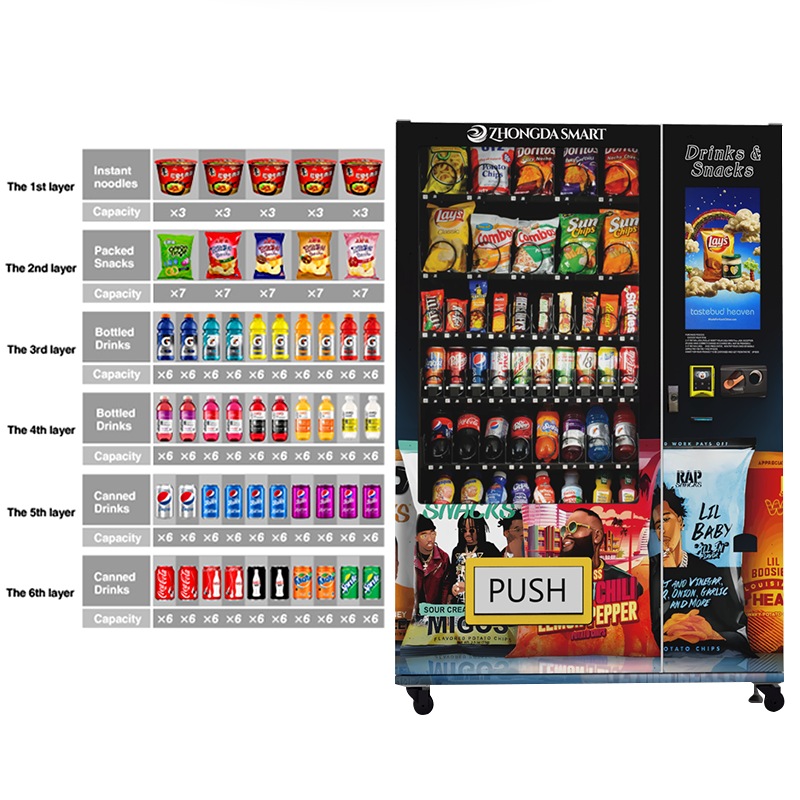
A modern vending machine is not simply a cabinet with a card reader attached. It contains several connected components that must coordinate a purchase.
Step 1: The customer selects a product
The customer chooses an item through the machine's touchscreen, keypad, or another supported interface.
The vending controller identifies the selected product and its price. Depending on the machine design, the controller may also check whether the product is available and whether the dispensing mechanism is ready.
Step 2: The payment reader receives the card
The customer inserts, swipes, or taps a supported card, or uses a compatible mobile wallet.
The card reader securely handles the payment credentials and communicates with the configured payment infrastructure.
The terminal may display a message indicating that authorization is in progress.
Step 3: The payment provider processes the request
The payment system sends the relevant authorization request through the payment processing chain. The card issuer evaluates the transaction and returns an approval or decline response.
If approved, the payment system communicates the required result to the vending equipment.
Step 4: The machine attempts to dispense the product
The vending controller activates the appropriate dispensing mechanism.
Depending on the machine, that mechanism may use a spiral, conveyor, elevator, motor-driven tray, or electronic locker.
The customer receives the selected item if the dispensing operation succeeds.
Step 5: The transaction is recorded and settled
The payment system records the transaction according to its configuration. The vending operator can use the available reporting tools to reconcile sales and investigate payment questions.
The payment may initially appear as pending before the final amount is posted.
Why payment approval and product delivery are separate events
This is one of the most important technical details in unattended retail.
A payment can be approved while the vending mechanism experiences a problem. For example:
- A spiral motor may fail to rotate.
- A product may become stuck behind another item.
- An elevator mechanism may stop before reaching the delivery position.
- A locker may fail to unlock.
- A communication interruption may prevent the controller from receiving the expected confirmation.
The payment system and the physical dispensing system must therefore maintain clear transaction records.
A reliable vending setup should connect the order reference, payment status, dispensing command, delivery result, and any reversal or refund action.
Without that connection, a customer may see an approved card payment even though the product never arrived.
This is also why a payment complaint should not automatically be treated as a card-processing failure. The issue may originate in the machine's mechanical or control system.
8. Why Is the Amount Different From Your Purchase?
Seeing an amount that does not match the product price is understandably frustrating. However, there are several different situations that can produce this result.
| Situation | What may have happened | Recommended response |
|---|---|---|
| Pending amount is higher | A temporary pre-authorization was placed on the card. | Check whether the transaction is still pending. |
| Two entries appear | An authorization and final transaction may both be visible temporarily. | Compare transaction status and wait for reconciliation. |
| Several small charges appear | Multiple products or separate vending sessions may have been purchased. | Review the number of card taps and selections. |
| Payment appears after a failed vend | Payment authorization may have succeeded while delivery failed. | Request a transaction investigation and refund. |
| Amount remains higher after posting | The final transaction may contain an incorrect amount or another charge. | Contact the operator and payment provider. |
| Charge has no recognizable connection | The transaction may be unauthorized or incorrectly identified. | Contact the card issuer promptly. |
1. Temporary authorization amounts
This is the first possibility to check. A $5 pending authorization does not necessarily mean the customer purchased $5 worth of products.
Look at the transaction status and compare the amount with the machine's actual product price.
2. Multiple card taps
Customers sometimes tap a card more than once because the reader appears slow or the screen does not immediately respond.
Depending on the reader and machine configuration, repeated interactions may generate additional authorization activity.
Before treating two similar entries as duplicate charges, check whether both have posted and whether they have different transaction references.
3. More than one product purchase
Some vending machines allow multiple items to be selected during one purchasing session. Other configurations process each selection as a separate transaction.
A customer who buys several products may therefore see one combined amount or multiple smaller transactions.
4. A failed dispensing operation
A payment authorization does not prove that a product was successfully delivered.
If the machine accepted payment but failed to release the product, the operator should investigate the vending record and determine whether a reversal or refund is required.
5. An actual incorrect charge
If a transaction has posted for more than the displayed purchase price and the difference cannot be explained by the authorization process, it deserves further investigation.
Do not keep waiting indefinitely for a posted transaction to correct itself. Contact the relevant support team and preserve the transaction details.
9. How to Verify a Cantaloupe Charge
If you do not recognize the charge, follow a structured verification process. The objective is to establish whether the transaction corresponds to a real purchase before deciding how to resolve it.
Step 1: Check the transaction date
Start with the date shown on your credit card account.
Think about purchases made around that time, including transactions that may not have seemed important when they occurred.
Pay particular attention to small purchases made between other activities. A drink or snack bought quickly can be easy to overlook.
Step 2: Compare the transaction amount
Look at the amount and compare it with typical self-service purchases.
A small amount may correspond to an individual snack, bottled drink, or coffee purchase. A larger amount may reflect multiple products, a different self-service service, or an authorization amount.
Amount alone is not sufficient evidence, but it can help narrow the investigation.
Step 3: Check whether the charge is pending
This step is particularly important.
If the charge is pending, it may be a temporary authorization. If it has posted, the transaction has progressed further and should be checked against the actual purchase record.
Do not confuse a temporary authorization with a completed payment.
Step 4: Ask other authorized cardholders
If another person is permitted to use the account, ask whether they recently purchased something from a vending machine or self-service terminal.
This includes family members, authorized additional cardholders, and anyone who may have used a payment card connected to the same account.
A small transaction made by another authorized user can easily be mistaken for an unfamiliar charge.
Step 5: Review your recent self-service purchases
Consider the equipment you may have used rather than looking only for a business named Cantaloupe.
Review purchases involving:
- Snacks and drinks.
- Coffee and refreshments.
- Self-service food counters.
- Unattended retail kiosks.
- Laundry equipment.
- Car wash and vacuum services.
- Entertainment equipment.
The key is to identify a possible transaction that used a cashless reader rather than searching your memory for the Cantaloupe brand.
Step 6: Contact Cantaloupe for transaction assistance
If the date and amount still do not make sense, use Cantaloupe's official consumer support information.
The consumer FAQ provides assistance for:
- Unrecognized business names on statements.
- Pending card transactions.
- Amounts that appear higher than the purchase price.
- Products or services that were not received.
- Requests for transaction receipts.
The official consumer FAQ currently lists 1-888-561-4748, option 1 for assistance.
Official support: Cantaloupe Customer FAQs.
When contacting support, have the following information ready:
- Transaction date.
- Transaction amount.
- Full statement description.
- Whether the transaction is pending or posted.
- Last four digits of the payment card, if requested through an appropriate support channel.
- Any receipt, machine identification number, or purchase reference available.
Never send your full card number, security code, password, or one-time verification code through an unverified message or contact channel.
Step 7: Ask your card issuer to investigate if necessary
If Cantaloupe cannot identify the purchase, or the transaction appears unauthorized, contact the bank or card issuer directly.
The card issuer can review the transaction information, explain its current status, and guide you through the appropriate dispute process.
Do not assume that contacting the payment provider replaces your right to report a potentially unauthorized transaction to your bank.
10. How to Get a Refund for a Cantaloupe Transaction
A refund may be necessary if the machine accepted payment but failed to provide the product or service.
The correct refund route depends on the reason for the problem and the payment arrangement between the operator and Cantaloupe.
When a vending machine takes payment but does not dispense a product
This is a common type of unattended retail complaint.
For example, a customer selects a bottled drink, taps a card, sees an approval message, and waits for the product. The machine does not release the drink.
From a technical perspective, the payment may have been approved while the dispensing mechanism failed.
The appropriate response is to request an investigation of both the payment and the machine's vending record.
Who should you contact?
There are two relevant parties:
The vending machine operator is responsible for the products, inventory, machine operation, and retail transaction. The operator may be able to issue a refund or arrange another resolution.
Cantaloupe provides payment technology and consumer assistance. Its official FAQ directs customers to its support team when they need help with an item or service they did not receive.
If the machine displays an operator telephone number or support address, keep that information. It may be the fastest way to identify the business responsible for the machine.
Information to provide when requesting a refund
A clear refund request should contain:
- The transaction date and amount.
- The product or service selected.
- A description of what went wrong.
- The machine identification information, if available.
- The payment method used.
- A copy or screenshot of the relevant transaction, with sensitive card information hidden.
Keep the original transaction details until the refund is visible on your account.
What if the refund does not appear?
A refund request and a completed refund are not the same thing.
Ask the support team whether a refund or reversal has actually been submitted. Request a reference number if one is available.
If the transaction was already posted and the operator cannot resolve the problem, contact the card issuer and ask about the formal billing-error process.
11. What to Do About an Unauthorized Cantaloupe Charge
If you have checked the transaction date, purchase amount, authorized cardholders, and recent self-service purchases but still cannot identify the transaction, treat it as a potentially unauthorized charge.
A legitimate payment provider does not eliminate the possibility of unauthorized card use.
Step 1: Contact your card issuer promptly
Use the telephone number on the back of your card or the official banking application.
Explain that you do not recognize the Cantaloupe transaction and request an investigation.
Be specific about whether the transaction is pending or posted.
Step 2: Ask whether the card should be locked or replaced
If you suspect that someone has obtained your card information, ask the issuer whether a temporary card lock or replacement is appropriate.
This is particularly important when several unfamiliar transactions appear or when suspicious activity continues.
Step 3: Submit a formal billing dispute
For credit card accounts covered by the applicable U.S. billing-error rules, the Consumer Financial Protection Bureau explains that a written billing-error notice should be sent within 60 calendar days after the disputed charge appears on the statement.
Calling the card issuer is a sensible first step, but the CFPB specifically explains that a written notice is also necessary to preserve the relevant billing-error protections.
Send the notice to the billing dispute address or through the approved electronic process identified by your card issuer. Keep a copy of the submission.
Source: Consumer Financial Protection Bureau – How Do I Dispute a Charge on My Credit Card Bill?.
Step 4: Keep records of the investigation
Maintain a simple record containing:
- The date you contacted the bank.
- The name or reference number associated with the case.
- The transaction amount.
- The reason for the dispute.
- Any correspondence with Cantaloupe or the vending operator.
- Copies of written notices and supporting documents.
The CFPB also explains that a card issuer generally has 30 days to acknowledge a written billing dispute unless the required resolution procedures have already been completed.
Continue paying the undisputed portion of your credit card balance according to the account agreement while the matter is investigated.
Can you dispute a Cantaloupe charge after paying the bill?
Yes. Paying the statement does not automatically eliminate the ability to challenge a transaction.
The CFPB states that a consumer may still dispute a charge that has already been paid. Whether a credit is issued depends on the outcome of the investigation.
If the issuer determines that the charge was incorrect, the relevant amount must be removed from the bill under the applicable billing-error rules.
For debit card transactions, different consumer protection rules may apply. Contact the bank promptly rather than assuming the credit card process and deadlines are identical.
12. Is Cantaloupe Safe for Credit Card Payments?
Cantaloupe operates payment technology for unattended retail, where transactions happen without a traditional cashier present.
That makes payment security an important part of the system.
However, the security of a transaction depends on more than the name displayed on a reader. The payment terminal, processing service, software configuration, network connection, merchant account, and operator's procedures all matter.
What should customers understand about payment security?
Several practical principles are worth keeping in mind:
- Use the intended payment reader: Check that the terminal appears to be part of the machine and has no obvious physical damage or unexpected attachments.
- Review the displayed price: Confirm the product price before authorizing payment.
- Check the payment response: Pay attention to approval, decline, cancellation, and error messages.
- Monitor the account: Review unfamiliar transactions rather than assuming that every small payment is harmless.
- Keep transaction evidence: Retain receipts or payment confirmations when a purchase does not complete correctly.
Does using a mobile wallet change the statement description?
Not necessarily.
Mobile wallets can use tokenized payment credentials rather than exposing the underlying card number during an ordinary contactless transaction. However, the merchant or payment descriptor associated with the transaction may still identify the payment provider or business arrangement.
Using a phone instead of a physical card does not guarantee that the statement will display the vending machine operator's name.
Can a legitimate payment reader still be involved in a fraudulent transaction?
Yes. Payment technology and authorization are separate matters.
A valid reader can process an unauthorized card payment if someone uses compromised card credentials or another person's card without permission.
For this reason, the correct response to an unfamiliar transaction is verification, not blind trust in the payment provider.
13. What Happened to Cantaloupe After Its Acquisition?
There is one recent corporate development worth understanding when evaluating information about Cantaloupe.
On May 11, 2026, 365 Retail Markets announced that it had completed its acquisition of Cantaloupe, Inc. The combined business operates under the 365 Retail Markets name, bringing together Cantaloupe's payment and connected-device capabilities with 365's self-service retail technology.
The acquisition does not, by itself, make an existing Cantaloupe statement descriptor suspicious.
Cantaloupe remains a recognizable name in its consumer support materials and payment technology documentation. Cardholders may therefore continue to encounter the name when reviewing transactions associated with its payment infrastructure.
Official announcement: 365 Retail Markets Completes Acquisition of Cantaloupe.
For consumers, the practical takeaway is straightforward: focus on the transaction record, not corporate ownership changes. A legitimate acquisition does not confirm that an individual payment was authorized, and an older company descriptor is not automatically evidence of fraud.
14. What Vending Machine Operators Should Understand About Cantaloupe
From a vending machine manufacturing and equipment-integration perspective, a Cantaloupe statement descriptor is the visible result of a much larger technical arrangement.
For an operator, the important question is not simply whether a machine can accept a credit card. It is whether the payment system, vending controller, software, network connection, and product delivery mechanism work together reliably.
That distinction affects customer complaints, payment reconciliation, maintenance costs, and the long-term performance of an unattended retail business.
The card reader is only one component
A complete cashless vending configuration normally includes several elements:
| Component | Primary responsibility | Why it matters |
|---|---|---|
| Payment terminal | Accepts the customer's card or contactless payment. | Determines the supported payment methods and payment interface. |
| Payment provider | Processes or facilitates the electronic transaction. | Determines payment authorization and settlement arrangements. |
| Vending controller | Controls product selection and vending operations. | Connects payment approval to the correct product selection. |
| Network connection | Provides communication between connected components and services. | Supports online authorization and remote reporting. |
| Dispensing mechanism | Physically releases the selected product. | Determines whether the customer actually receives the purchase. |
| Management software | Records sales, inventory, and machine activity. | Helps operators investigate complaints and reconcile transactions. |
These components should be evaluated as one system rather than as unrelated accessories.
Why MDB compatibility matters
MDB, or Multi-Drop Bus, is a communication standard used in vending equipment.
It allows compatible components, including payment peripherals and vending controllers, to exchange information.
MDB is not a payment processor, a card network, or a bank account. It is a machine-side communication protocol.
A payment reader may physically fit a vending cabinet and still fail to operate correctly if the communication protocol, controller settings, wiring, or firmware are incompatible.
For an operator purchasing new equipment, I would prioritize written confirmation of compatibility rather than relying on the appearance of the terminal or a general statement that the machine supports card payments.
What happens when a customer reports a failed vending transaction?
A useful support process separates the transaction into identifiable stages.
Consider this example:
| Recorded event | Example result | What the operator should investigate |
|---|---|---|
| Product selection | Selection B14 | Was the correct product selected? |
| Payment authorization | Approved | Did the payment service return approval? |
| Vend command | Received | Did the controller receive the instruction? |
| Motor operation | Started | Did the dispensing mechanism operate? |
| Delivery confirmation | Not confirmed | Did the product reach the collection area? |
| Final transaction state | Failed vend | Does the transaction require reversal or refund? |
This type of record is much more useful than a generic error message.
It tells the operator whether the problem occurred during payment authorization, controller communication, or physical dispensing.
For an unattended machine, that distinction can significantly reduce the time needed to resolve a customer complaint.
Payment costs should be separated from machine costs
One mistake in vending machine purchasing is treating the card reader as if it were a one-time accessory with no continuing operating costs.
Cashless payment can introduce several separate expense categories:
- Payment terminal hardware.
- Installation and machine integration.
- Payment processing fees.
- Merchant service charges.
- Recurring reader or software fees.
- SIM cards and network connectivity.
- Technical support and replacement equipment.
- Refunds, reversals, and payment disputes.
These costs depend on the provider, merchant agreement, terminal, transaction volume, and selected services.
There is no single processing rate that should be assumed for every Cantaloupe-enabled machine.
An operator should obtain the actual fee schedule directly from the payment provider and separate those charges from the vending machine manufacturer's quotation.
15. Choosing a Vending Machine With a Reliable Payment System
When purchasing a new vending machine, I would evaluate the payment configuration before approving the cabinet design.
Adding a reader after manufacturing can introduce unnecessary complications involving mounting space, wiring, controller compatibility, power supply, and software integration.
It is generally easier to establish the required payment arrangement before production begins.
Five criteria worth checking before ordering
1. Confirm the exact payment terminal
Ask for the actual terminal model rather than accepting a general promise of cashless payment support.
The terminal specification should identify supported card types, contactless functions, mobile wallets, and any additional payment methods required by the business.
2. Confirm the merchant account arrangement
A card reader does not automatically create an active merchant account.
The operator must establish the appropriate payment service arrangement, complete any required business verification, and confirm where transaction proceeds will be deposited.
Ask who owns the merchant account, who processes payments, who handles refunds, and who provides transaction reports.
3. Check the controller and communication protocol
Confirm that the selected payment terminal communicates correctly with the vending controller.
Ask whether MDB or another supported integration method is used, whether additional wiring is required, and whether the machine needs a particular firmware configuration.
4. Verify connectivity requirements
Cashless readers often depend on a reliable network connection.
Before purchasing, confirm whether the reader uses cellular communication, Wi-Fi, Ethernet, or a combination of these methods.
Also clarify whether the machine and payment terminal share one connection or require separate network services.
5. Request a complete transaction test
Do not limit factory acceptance testing to checking whether the card reader powers on.
A meaningful test should include:
- Successful card authorization.
- Contactless payment where supported.
- Correct product selection.
- Successful product dispensing.
- Accurate transaction amount.
- Cancellation and failed-vend handling.
- Transaction reporting.
- Refund or reversal workflow.
- Network interruption and recovery behavior.
A machine that displays a payment logo but cannot complete and record a successful purchase is not a properly validated cashless vending solution.
16. How Zhongda Smart Approaches Cashless Vending Machine Integration
For overseas vending operators, choosing the manufacturer is only one part of the purchasing decision. The equipment must also support the intended payment configuration and the products the business plans to sell.
Zhongda Smart manufactures customized vending machines with OEM and ODM options, including configurations that support card payment, cashless payment, touchscreen operation, and remote management.
For this comparison, I’m prioritizing four practical factors:
- Whether the machine can accommodate the required payment hardware.
- Whether the controller and payment terminal can communicate correctly.
- Whether the equipment can be configured around the actual products being sold.
- Whether technical support and customization are available for the project.
Smart vending machine with card reader
The Zhongda Smart ZD-L-7 smart vending machine with card reader is one example of a configurable snack and beverage vending system.
Its listed specifications include:
| Specification | ZD-L-7 configuration |
|---|---|
| Touchscreen | 7 inches |
| Product capacity | Approximately 300–360 bottles |
| Standard cargo lanes | 60 |
| Network options | 4G, Wi-Fi, LAN |
| Temperature control | Adjustable, 4°C–25°C |
| Payment configuration | Credit card, QR code, cash, and other supported options depending on the selected setup |
The important point is that payment hardware should be specified as part of the complete machine configuration.
Operators should confirm the exact reader model, payment provider, merchant account requirements, and network arrangement before production.
Cashless vending machine configuration
For businesses that want to prioritize electronic payment, Zhongda Smart also offers a cashless vending machine configuration.
The ZD-L-22 platform is designed around touchscreen operation, connected management, and configurable payment functions.
Depending on the selected hardware and service arrangement, payment options may include:
- Credit and debit card payments.
- NFC and contactless payments.
- Supported mobile wallet services.
- QR code payment.
- Additional payment methods where required.
Not every payment method should be assumed to come standard with every machine. The terminal, software, payment provider, and merchant arrangement must be confirmed for the actual project.
Why the manufacturer's role matters
A vending machine manufacturer is responsible for the equipment design and the agreed integration work. A payment provider is responsible for its payment services and the relevant merchant processing arrangement.
Those responsibilities should remain clear throughout procurement.
For example, a machine manufacturer can design the reader mounting position, prepare the appropriate wiring, configure the vending controller, and test the communication between the reader and machine.
The payment provider must separately approve the terminal, activate the merchant account, establish transaction processing, and explain its fees and settlement arrangements.
Neither party should promise compatibility without confirming the actual hardware and software combination.
How I would evaluate a manufacturer for a cashless vending project
| Evaluation criterion | What to request | Why it matters |
|---|---|---|
| Payment compatibility | Terminal model, controller protocol, and written compatibility confirmation. | Prevents reader and controller integration problems. |
| Payment options | List of supported card, NFC, mobile wallet, and QR functions. | Ensures customers can use the intended payment methods. |
| Machine customization | Cabinet drawings, reader position, wiring, and interface layout. | Ensures the payment equipment fits the machine design. |
| Transaction testing | Successful payment, failed vend, cancellation, and refund demonstrations. | Checks the complete purchase process rather than just the reader. |
| After-sales support | Warranty terms, replacement parts, and technical assistance arrangements. | Helps manage equipment problems after installation. |
| Ongoing costs | Itemized hardware, integration, connectivity, and service charges. | Prevents unexpected operating expenses. |
Zhongda Smart is worth considering when the project requires customized vending equipment, integrated payment hardware, flexible product layouts, and OEM/ODM manufacturing support.
The most sensible approach is to provide the manufacturer with the product dimensions, desired machine capacity, payment methods, and operating requirements before confirming the final design.
For additional configuration details, the Zhongda Smart Vending Machine FAQs explain payment compatibility, recurring fees, reader installation, and remote management considerations.
17. Practical Checklist for Consumers and Operators
The same unfamiliar statement descriptor can represent two different concerns: a customer trying to identify a purchase or an operator trying to build a more reliable payment system.
The following checklists separate those responsibilities.
For consumers
- Check the full transaction description.
- Confirm the date and amount.
- Identify whether the transaction is pending or posted.
- Ask authorized cardholders about recent vending purchases.
- Review possible self-service purchases.
- Contact Cantaloupe through its official support information if necessary.
- Request a refund if payment was taken for a product or service not received.
- Contact the card issuer if the transaction remains unexplained or appears unauthorized.
- Submit a formal written billing dispute when required.
- Keep records until the issue is resolved.
For vending machine operators
- Confirm the exact payment terminal model.
- Verify controller and MDB compatibility where applicable.
- Confirm the merchant account and payment provider.
- Document processing, subscription, and connectivity charges.
- Check whether the displayed merchant descriptor is understandable.
- Test successful payments and failed vending operations.
- Maintain transaction references and machine identification records.
- Establish a clear refund and customer support process.
- Monitor reader connectivity and payment service status.
- Confirm spare parts and technical support arrangements.
For customers, the objective is to verify an unfamiliar payment. For operators, the objective is to make every payment traceable and every vending failure recoverable.
18. Frequently Asked Questions
1. What is Cantaloupe charge on my credit card?
A Cantaloupe charge is commonly a payment associated with a vending machine or self-service terminal using Cantaloupe's card reader technology. The company provides payment infrastructure for vending operators, so its name may appear instead of the business that owns the machine. Check the transaction date, amount, and status to identify the purchase.
2. Is Cantaloupe a scam or a legitimate company?
Cantaloupe is a legitimate payment technology business associated with unattended retail and vending machine payment systems. However, a legitimate company name does not prove that every individual transaction was authorized. If you cannot identify the purchase, contact the company and your card issuer for verification.
3. Why did Cantaloupe charge me $5 for a $2 snack?
The difference may be a temporary pre-authorization hold. Cantaloupe's operator FAQ explains that its cashless readers can pre-authorize up to $5. For example, a $2.25 purchase may initially show a $5 authorization. The final transaction should be adjusted according to the actual sale, with the remaining hold released. The typical processing period is 24–72 hours, although bank procedures may take longer.
4. How long does a Cantaloupe pending charge take to disappear?
Cantaloupe states that a pending authorization generally takes 24–72 hours to clear or update. The exact timing depends on the payment process and the card issuer. If the amount remains unresolved after the expected period, contact the provider or bank and ask whether it is still an authorization or a posted transaction.
5. Can I get a refund if a vending machine charged me but did not dispense anything?
Yes, you can request assistance and a refund investigation. Record the transaction date, amount, product selection, and machine details if available. Contact the vending operator or Cantaloupe consumer support. The support team can help identify the transaction and explain the appropriate refund process.
6. How do I contact Cantaloupe about an unfamiliar charge?
Cantaloupe's official consumer FAQ currently lists 1-888-561-4748, option 1, for assistance with unrecognized statement descriptions, missing products, pending charges, and receipt requests. Use the official Cantaloupe Customer FAQs to confirm the current support information.
7. Can I dispute a Cantaloupe charge if I did not make the purchase?
Yes. Contact your card issuer promptly and explain that you do not recognize the transaction. For applicable U.S. credit-card billing errors, the CFPB advises sending written notice within 60 calendar days after the charge appears on the statement. If you suspect card theft or unauthorized use, report it immediately rather than waiting for the deadline.
8. Does Cantaloupe mean I have a recurring subscription?
Not necessarily. A Cantaloupe statement description commonly relates to a vending machine or self-service purchase. It does not automatically indicate a subscription or membership. If the same amount appears repeatedly, compare the transaction dates and details, check whether multiple purchases occurred, and contact the card issuer if you cannot explain the activity.
19. Sources and References
This guide uses official company documentation, government consumer guidance, and regulatory financial reporting. The following references support the payment explanations, authorization examples, company information, and dispute guidance.
-
Cantaloupe – Consumer FAQs
https://www.cantaloupe.com/help/consumer-faqs/
Official explanation of unfamiliar Cantaloupe statement descriptions, pending transactions, authorization holds, receipts, and refund assistance.
-
Cantaloupe – Operator FAQs
https://www.cantaloupe.com/help/operator-faqs/
Official technical guidance covering pre-authorization holds, the $5 authorization example, transaction processing, and merchant statement information.
-
Consumer Financial Protection Bureau – How Do I Dispute a Charge on My Credit Card Bill?
https://www.consumerfinance.gov/ask-cfpb/how-do-i-dispute-a-charge-on-my-credit-card-bill-en-61/
Government guidance on written billing-error notices, the 60-day notification period, and credit card dispute procedures.
-
U.S. Securities and Exchange Commission – Cantaloupe Fiscal 2025 Annual Report
SEC Form 10-K
Historical company operating information, including active devices, electronic transaction volume, and total transaction value for the fiscal year ended June 30, 2025.
-
365 Retail Markets – Acquisition of Cantaloupe Completed
Official acquisition announcement, May 11, 2026
Corporate announcement confirming the completion of the Cantaloupe acquisition and the combination of its payment technology with 365 Retail Markets.
20. Related Reading
For readers interested in the equipment and payment technology behind modern unattended retail, the following Zhongda Smart resources provide additional technical and purchasing information.
- Vending Machine Payment Systems: Card, NFC, QR, Cash & MDB – Understand how payment terminals, machine controllers, communication protocols, and dispensing systems work together.
- Smart Vending Machine With Card Reader – Review card reader configurations, connectivity options, machine specifications, and payment integration considerations.
- Cashless Vending Machine – Explore touchscreen vending equipment designed for card, NFC, mobile wallet, and QR-based payment configurations.
Final Thoughts
A Cantaloupe charge on your credit card is usually associated with a cashless purchase made through a vending machine or another self-service payment terminal. Cantaloupe provides the payment technology, while an independent operator may own the machine and sell the products.
The most important detail is the difference between a legitimate payment provider and an authorized purchase. A $5 pending amount may simply be a temporary hold, and an unfamiliar company name may reflect the payment arrangement rather than the business where the purchase occurred.
Check the transaction date, amount, and payment status first. Contact Cantaloupe if you need help identifying the transaction or requesting a refund. If the purchase remains unexplained or appears unauthorized, contact your card issuer and follow the appropriate dispute procedure.
For vending machine operators, the broader lesson is equally important: reliable cashless vending requires more than installing a card reader. Payment hardware, machine control, product dispensing, transaction reporting, and customer support must work together.
That is the difference between a machine that merely accepts electronic payments and a vending system that can manage transactions reliably from checkout to product delivery.
Disclaimer: This article is provided for general informational and educational purposes. It does not constitute financial, legal, or banking advice. A Cantaloupe statement descriptor does not independently establish whether a transaction is authorized. Payment authorization periods, refunds, and dispute procedures may vary according to the card issuer, payment provider, merchant agreement, and applicable regulations. Contact your card issuer or the relevant payment provider for assistance with an individual transaction. Vending machine specifications and payment compatibility should also be confirmed in writing before purchasing equipment.
Editorial information: Prepared from a vending machine manufacturing, cashless payment integration, and unattended retail equipment perspective. Product configurations and company information should be reconfirmed before making purchasing decisions.