A Touch Screen Vending Machine is worth buying when its dispensing system, payment options, product capacity, and operating costs match the business you plan to run. The touchscreen matters, but it should never be the only reason to choose a machine. A large display cannot compensate for unreliable product delivery, expensive maintenance, or payment hardware that your customers cannot use.
At Zhongda Smart, we manufacture and customize vending equipment for operators building everything from single-machine businesses to larger unattended retail networks. For this guide, I'm prioritizing the decisions that affect everyday operation: choosing the right cabinet, understanding the complete purchase cost, checking hardware compatibility, and calculating whether the investment can support itself. The goal is to help you buy equipment that works for your products, not simply choose the most impressive-looking screen.
What Makes a Touchscreen Vending Machine Worth Buying?
A touchscreen changes how customers interact with a vending machine. Instead of entering a product code on a keypad, customers can select products through a digital interface, review prices, and complete payment through a connected system.
That sounds straightforward. What matters is how consistently the complete transaction works.
A properly configured machine should allow a customer to select a product, see the correct price, complete payment, receive the selected item, and understand what happens if the transaction fails.
Those steps involve several different components. The screen displays information, the controller coordinates the transaction, the payment terminal handles payment authorization, and the dispensing hardware delivers the product.
If one component fails, the customer experiences a failed purchase regardless of how well the other components perform.
Five Features That Deserve the Most Attention
- Reliable dispensing: The machine must consistently deliver the products you intend to sell.
- Payment compatibility: The selected payment hardware must work with your processor and operating setup.
- Serviceable construction: Common parts should be accessible without unnecessarily complicated disassembly.
- Useful inventory reporting: Operators should be able to identify stock shortages and transaction problems without unnecessary site visits.
- Appropriate capacity: The machine should hold enough merchandise to support the planned refill schedule.
I would rank these requirements ahead of screen resolution, animated advertising, and decorative lighting.
A practical way to evaluate equipment is to follow one complete sale. Start with the customer's selection and finish with the operator receiving the transaction record. Ask what happens if payment succeeds but the product does not dispense.
That single question reveals a great deal about the machine's controller, sensors, software, and customer service arrangements.
When Is a Touchscreen Worth the Additional Investment?
A touchscreen becomes more valuable when customers need to compare several products, choose between variations, or read information before making a purchase.
A machine selling simple packaged drinks may only need a small interface. A beauty-product vending machine offering different colors or sizes can benefit from larger images and more detailed product descriptions.
For a business selling premium merchandise, the screen can become part of the retail presentation. For an everyday snack business, transaction speed and product availability usually deserve greater attention.
The sensible choice depends on the merchandise and the customer interaction, not on having the biggest available display.
Choosing the Right Type of Vending Machine
Not every touchscreen vending machine uses the same cabinet or delivery system. Buying the wrong machine type creates problems that software and branding cannot fix.
Before comparing prices, decide what the machine must physically store and dispense.
| Machine Type | Suitable Products | Main Buying Priority | Potential Limitation |
|---|---|---|---|
| Snack and drink combo | Packaged snacks, cans, bottles | Flexible lane configuration | Some unusual packages may not dispense reliably |
| Refrigerated vending machine | Cold beverages and suitable chilled products | Cooling performance and temperature monitoring | Higher energy and refrigeration maintenance requirements |
| Elevator vending machine | Boxed meals, desserts, delicate packages | Controlled product delivery | Additional moving components require maintenance |
| Locker vending machine | Apparel, boxed electronics, larger merchandise | Compartment dimensions and door control | Fixed compartments may limit assortment flexibility |
| Compact or tabletop machine | Cosmetics, accessories, small packaged products | Footprint and usable capacity | More frequent replenishment may be necessary |
Snack and Drink Combo Machines
A combination machine is a sensible starting point when the product assortment includes packaged snacks and beverages. It allows one cabinet to carry several categories without requiring separate equipment.
However, capacity is not simply a matter of counting shelves. A row designed for narrow cans may not accept wide bottles. A spiral that handles a rigid candy box may not reliably release a flexible snack bag.
Before ordering, establish which products will occupy each shelf and how many units can fit behind each selection.
Refrigerated Machines
Refrigeration is important when the merchandise needs controlled storage conditions. Cooling also introduces additional purchasing questions.
You need to know whether the displayed temperature represents the controller setting, measured cabinet air temperature, or verified product temperature.
Those measurements are not interchangeable.
A refrigerated machine that can reach a low temperature under test conditions may perform differently when the door is opened repeatedly, the cabinet is fully stocked, or the surrounding temperature is high.
Elevator and Locker Systems
Elevator delivery is useful when a product should not fall through the full height of a cabinet. It can help protect presentation-sensitive packaging, although the merchandise still needs suitable protection.
Locker systems solve a different problem. They allow customers to retrieve larger or unusually shaped merchandise through an assigned compartment.
If I were choosing equipment for boxed electronics or apparel, I would compare locker dimensions before considering screen size. If I were selecting equipment for carefully packaged desserts, I would examine elevator movement, product stability, and cooling performance first.
Does Touchscreen Size Really Matter?
Screen size affects product presentation, customer navigation, cabinet design, and cost. It does not automatically determine sales performance.
The right display should make the transaction simple without occupying space that would be more valuable for inventory.
| Screen Size | Practical Application | What to Verify |
|---|---|---|
| 7 inches | Simple selection, compact interfaces, everyday vending | Text readability, button size, transaction flow |
| 10–15 inches | Product browsing with moderate visual detail | Software layout, usable display area, glare |
| 21.5–22 inches | Product images, branded interfaces, larger assortments | Touch response, screen protection, interface customization |
| 32 inches or larger | Visual merchandising, detailed catalogs, promotional content | Actual customer benefit, serviceability, power use |
These are application guidelines, not performance rankings. Two displays with the same diagonal measurement may have different brightness, protective glass, operating systems, and software capabilities.
Pay Attention to the Interface, Not Just the Display
A touchscreen vending machine should remain easy to use when a customer is distracted, carrying something, or unfamiliar with the product assortment.
I would recommend requesting a video of a complete transaction using the actual software version intended for delivery.
Check whether customers can:
- Identify product prices before starting payment.
- Return to the previous screen without losing the transaction.
- Recognize when an item is unavailable.
- Understand payment instructions and error messages.
- Complete a purchase without unnecessary confirmation screens.
Product photographs should match the merchandise loaded inside the machine. An attractive image becomes a customer-service problem when the dispensed product differs from what the screen shows.
Screen brightness also deserves attention. Strong reflections can make product information difficult to read, while an overly bright display may be uncomfortable in a dim environment.
Advertising Should Not Interrupt Buying
Some smart vending machines can display promotional graphics, videos, and digital product information. These features can support branding and merchandising.
Advertising works best when it remains secondary to purchasing.
A customer who wants a bottle of water should not have to wait for an advertisement to finish before selecting the product.
Ask whether promotional content can be scheduled, updated remotely, and disabled independently of the transaction interface. These functions should be confirmed for the selected controller rather than assumed from the screen specification.
Choosing a Reliable Dispensing System
The dispensing mechanism is one of the most important components in the machine. It determines which packages can be sold, how carefully merchandise is handled, and how much servicing the operator may need.
A screen can be replaced without changing the business model. An unsuitable dispensing system may force the operator to change the entire product assortment.

Spiral Dispensing
Spiral systems use rotating coils to move products toward the edge of a shelf. They are common in machines selling packaged snacks and small boxed merchandise.
They work well when package dimensions and weight are consistent with the spiral size and lane spacing.
Problems can occur with very light packages, flexible bags, uneven packaging, and products that catch against the shelf or neighboring merchandise.
Testing should include a nearly empty lane as well as a fully stocked lane. The way a product moves may change as the quantity behind it decreases.
Push and Conveyor Systems
Push mechanisms move products forward through controlled mechanical movement. Conveyor systems support merchandise along a moving belt or similar transport surface.
These arrangements can be useful for packages that do not work well with conventional spirals.
However, the machine still needs correct product alignment, suitable shelf geometry, and adequate clearance at the delivery point.
For irregular packaging, ask the manufacturer to demonstrate the actual retail product, not a generic test box.
Elevator Delivery
An elevator system moves a collection platform toward the selected product and transfers the item to the retrieval area.
This reduces the distance a product must fall freely. It can be a practical choice for merchandise that could be damaged by uncontrolled drops.
It also introduces a motorized platform, positioning components, and additional control logic.
I would choose elevator delivery when the merchandise justifies the added complexity. I would not add it solely because it sounds more advanced.
What a Dispensing Test Should Include
Before approving a custom configuration, request a test using the exact packaged product that will be sold.
A useful acceptance test includes repeated transactions at different shelf positions, several product weights, and different inventory levels.
The test should document whether each product is delivered correctly and whether the system recognizes unsuccessful delivery.
There is no credible universal success percentage that can be assigned to every vending mechanism. Results depend on the product, packaging, configuration, and test conditions.
Define an acceptance target with the manufacturer before testing. Record the number of attempted vends, successful deliveries, jams, and incorrectly detected transactions. This creates a measurable basis for approval instead of relying on a demonstration video alone.
Product Compatibility and Capacity Planning
Capacity is frequently misunderstood when buying vending equipment.
A machine advertised as holding 300 products may hold fewer units when stocked with large bottles, bulky snack packs, or products that require additional clearance.
The number of selections is also different from the total number of items stored.
A machine with 60 selections does not necessarily carry 60 different products. Several lanes may be assigned to the same high-demand item.
Start With Package Dimensions
For every proposed product, record its width, depth, height, weight, and packaging material. Include caps, handles, folded edges, and other protruding features.
For a flexible bag, measure the filled package rather than the flattened packaging.
For a bottle, record the widest section of the body and the shape of the base.
For a boxed product, check whether the exterior dimensions remain consistent after handling and shipping.
These details allow the manufacturer to recommend lane width, shelf spacing, and the dispensing method.
Calculate Capacity by Product, Not by Cabinet
Consider a planning example with 40 product selections. Suppose 10 selections can hold eight items each, 20 selections can hold five items each, and the remaining 10 selections can hold three items each.
The resulting storage capacity would be:
(10 × 8) + (20 × 5) + (10 × 3) = 210 items.
That is substantially different from assuming every selection holds eight units.
The numbers above are purely illustrative. Actual capacity must come from the approved shelf layout and product dimensions.
Capacity planning should also account for how quickly individual products sell. Giving equal space to every item can create unnecessary stockouts for popular merchandise while slower products occupy valuable room.
Plan for Replenishment
A high-capacity machine is not automatically the most profitable choice. Capacity becomes valuable when it reduces replenishment trips, supports higher demand, or prevents lost sales.
If the machine is serviced regularly as part of an existing route, additional inventory space may provide limited value.
If reaching the machine requires a special trip, the cost of frequent refilling becomes more significant.
I'd recommend selecting capacity around realistic product demand and the planned service schedule rather than purchasing the largest cabinet available.
Comparing Zhongda Smart Vending Machines
For operators considering a new touch screen vending machine for sale, Zhongda Smart offers several configurations worth comparing.
Our equipment options include compact snack and beverage machines, larger touchscreen cabinets, refrigerated models, and elevator delivery systems. OEM and ODM options allow the final configuration to be adjusted for the intended products.
For this comparison, I'm prioritizing product compatibility, dispensing requirements, payment flexibility, and operating complexity rather than treating every model as interchangeable.
| Model | Display | Listed Capacity | Reference Equipment Price | Recommended Application |
|---|---|---|---|---|
| ZD-L-7 Snack & Drink | 7-inch touchscreen | 300–360 items | $2,152 | Conventional snack and beverage vending |
| ZD-L-22 Refrigerated Combo | 21.5-inch touchscreen | 300–360 items | $3,758 | Larger product presentation and configurable refrigerated vending |
| ZD-LS-22 Fresh Food Elevator | 22-inch display | 360–800 items, depending on product size | $3,164 | Packaged food and products needing controlled delivery |
Reference prices are product-page figures checked in November 2026, not binding quotations. Capacity depends on the actual merchandise and selected configuration. Payment hardware, freight, installation, and customization may change the final price. The ZD-L-22 product description includes elevator configuration options while its specification table also identifies a drop-style version; the exact delivery mechanism must be confirmed in writing.
ZD-L-7: A Practical Starting Point
The ZD-L-7 combines a 7-inch touchscreen with a full-size snack and beverage cabinet. Its listed configuration provides approximately 60 cargo lanes, 4G/Wi-Fi/LAN connectivity, and multiple payment hardware options.
The model is suitable for buyers who need conventional packaged refreshments without paying for an oversized customer interface.
Its listed capacity of approximately 300–360 items should be treated as a configuration estimate. The final loading plan depends on package dimensions and lane assignments.
For buyers beginning with everyday snack and beverage sales, this would be my first model to evaluate.
Review the ZD-L-7 touchscreen snack and drink vending machine for dimensions, available configurations, and product details.
ZD-L-22: Larger Product Presentation
The ZD-L-22 offers a 21.5-inch touchscreen, adjustable refrigeration, and flexible product selection arrangements.
Its larger display is useful when product images, branding, and detailed information form an important part of the buying experience.
The equipment should not be selected on display size alone. Buyers need to confirm the actual dispensing hardware, because different configurations may use different delivery methods.
The product listing includes elevator-oriented features but also identifies a drop-style configuration. A purchase agreement should remove that ambiguity by naming the exact system being supplied.
See the ZD-L-22 refrigerated touchscreen vending machine for the available cabinet and interface options.

ZD-LS-22: Controlled Delivery for Packaged Food
The ZD-LS-22 uses an elevator delivery system and a 22-inch display. Its intended applications include packaged sandwiches, desserts, salads, and other suitable boxed products.
The listed operating temperature range is 3–12°C. That range must not be interpreted as approval for every refrigerated food item. Product-specific storage requirements need to be checked before selecting the equipment.
Its nominal capacity varies substantially because small packages and larger meal containers occupy very different amounts of shelf space.
If the business depends on protecting delicate merchandise during delivery, this model deserves attention.
Explore the refrigerated fresh food elevator vending machine to compare the dispensing arrangement and packaging requirements.
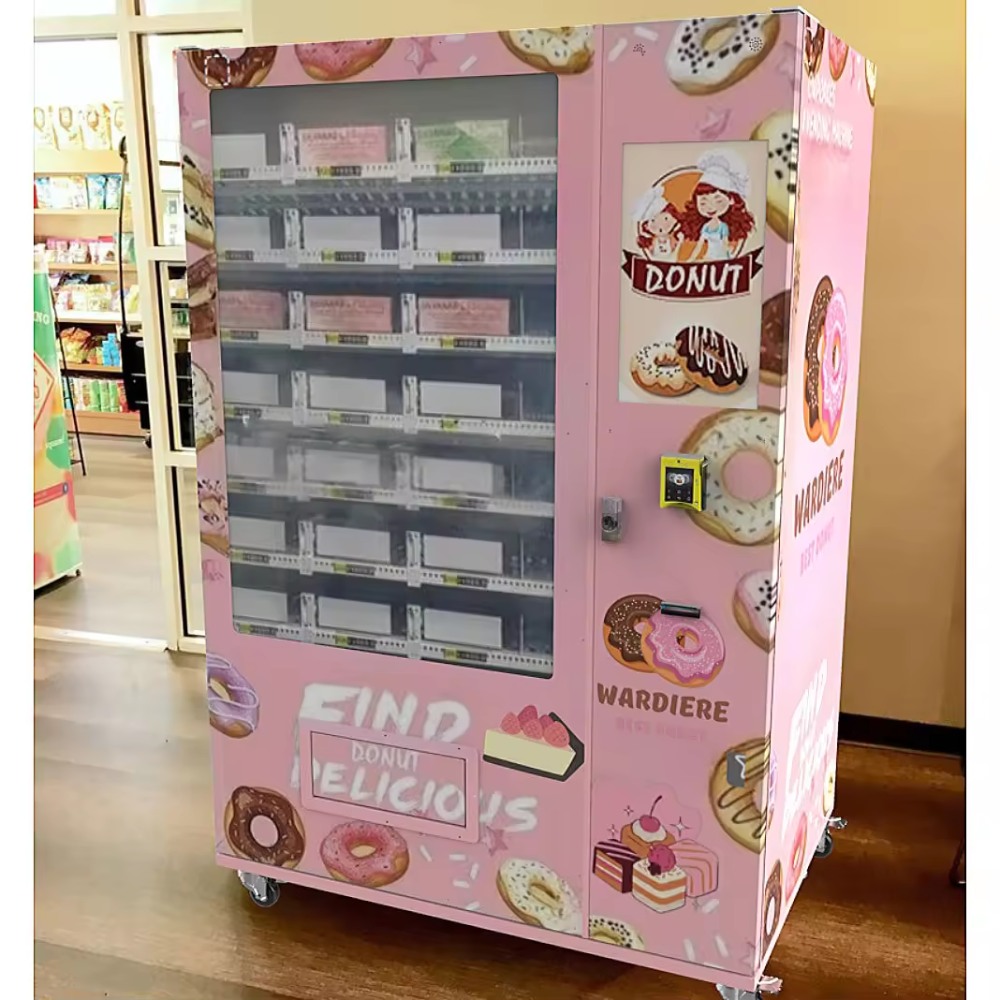
These three configurations serve different purposes. I would not treat the most expensive machine as the automatic winner. The right choice is the one that supports the merchandise with the fewest unnecessary complications.
How Much Does a Touch Screen Vending Machine Cost?
The purchase price is only the first part of the investment.
A lower equipment quotation may become more expensive after adding the required payment terminal, freight, installation, connectivity, and software fees.
Conversely, a machine with a higher initial price may reduce operating costs if it carries more inventory, requires fewer service visits, or handles the intended merchandise more reliably.
Understand What the Quoted Price Includes
Ask the manufacturer to separate the base cabinet price from every optional component.
A useful quotation identifies the touchscreen, controller, dispensing mechanism, cooling equipment, payment hardware, connectivity module, and any requested branding.
It should also identify what is not included.
Pay particular attention to the payment terminal. A specification that says "card payment supported" does not necessarily mean a complete, activated card reader is included in the purchase price.
The same principle applies to cloud management. A machine may support remote monitoring while requiring an additional subscription or a specific software package.
A Complete Purchase Budget
| Cost Category | What to Include | What to Confirm |
|---|---|---|
| Machine hardware | Cabinet, screen, controller, dispensing system | Exact model and configuration |
| Payment equipment | Card reader, cash modules, payment integration | Compatibility and activation requirements |
| Customization | Cabinet graphics, interface, modified product lanes | Artwork approval and engineering charges |
| Freight and delivery | Transport, unloading, handling | Delivery terms and receiving responsibilities |
| Installation | Placement, power setup, anchoring if necessary | Site readiness and installer responsibilities |
| Software and connectivity | Platform subscriptions, data service, setup | Recurring fees and account ownership |
| Opening inventory | Products loaded before the first sale | Actual product acquisition cost |
| Operating reserve | Funds for servicing and early problems | Amount available before operations stabilize |
Why the Cheapest Quotation Can Be Misleading
Imagine two suppliers offering similar touchscreen cabinets.
Supplier A has a lower base price but excludes the payment reader and cloud management system. Supplier B includes those components but charges more for the machine.
Comparing the base prices alone does not identify the better purchase.
Both quotations must be converted into the cost of a complete, functioning machine with the same required features.
I would request a final bill of materials, including component specifications, rather than accepting a single line labeled "smart vending machine."
New, Used, or Refurbished?
Used vending machines can reduce initial expenditure, particularly when buyers have access to suitable spare parts and qualified repair assistance.
However, older controllers may not support the required payment hardware or management software. A used machine with an upgraded touchscreen can still contain aging motors, refrigeration components, and wiring.
Before purchasing refurbished equipment, examine the maintenance history, service documentation, software support, and remaining availability of replacement components.
A new machine generally offers more flexibility when a project needs custom dimensions, branding, or a particular transaction system.
For a first-time operator without established technical support, I would usually prioritize a fully specified new machine over an inexpensive refurbished unit with uncertain serviceability.
Can a Touchscreen Vending Machine Make Money?
Yes, but profitability comes from the economics of the vending operation rather than the touchscreen itself.
The machine must generate enough contribution from product sales to cover operating expenses and eventually recover the initial investment.
Sales volume, average transaction value, product cost, refill labor, payment fees, and site charges all influence the outcome.
A large display may improve product presentation, but it cannot guarantee higher demand.
A Realistic Way to Calculate Profit
Start with five figures:
- Average number of daily transactions.
- Average amount spent per transaction.
- Cost of the products sold.
- Variable operating charges.
- Fixed monthly operating expenses.
The basic calculation is:
Monthly revenue = Daily transactions × Average transaction value × Operating days.
Monthly operating contribution = Revenue − Product costs − Variable charges − Fixed operating expenses.
This operating contribution can then be used to estimate simple investment payback, provided the calculation includes the relevant costs and limitations.
A Worked Vending Machine Profit Example
Consider a hypothetical snack and beverage operation with an initial investment of $5,200.
For planning purposes, assume an average transaction value of $3.25, product costs equal to 52% of revenue, payment charges equal to 3% of revenue, and site commission equal to 12% of revenue.
Assume fixed monthly operating expenses of $245, covering a budget for electricity, connectivity, replenishment work, maintenance, and inventory losses.
These percentages and amounts are modeling assumptions, not measured industry averages or promised results.
| Planning Scenario | Low Sales | Moderate Sales | Higher Sales |
|---|---|---|---|
| Transactions per day | 8 | 14 | 22 |
| Average transaction | $3.25 | $3.25 | $3.25 |
| Monthly revenue (30 days) | $780 | $1,365 | $2,145 |
| Product costs (52%) | $405.60 | $709.80 | $1,115.40 |
| Payment charges (3%) | $23.40 | $40.95 | $64.35 |
| Site commission (12%) | $93.60 | $163.80 | $257.40 |
| Fixed monthly expenses | $245 | $245 | $245 |
| Estimated monthly operating contribution | $12.40 | $205.45 | $462.85 |
| Simple payback on $5,200 | Not commercially compelling | Approximately 25.3 months | Approximately 11.2 months |
Illustrative calculation only. The model assumes steady sales and expenses. It excludes taxes, financing charges, depreciation, additional owner compensation, major unexpected repairs, and other costs not included in the stated assumptions. It is not a revenue forecast.
The table illustrates why realistic sales assumptions matter more than an optimistic presentation.
At eight transactions per day, the modeled business barely covers its monthly expenses. Increasing sales to 14 transactions per day changes the economics substantially without requiring another machine.
The higher-sales scenario produces more contribution, but only if the operator can sustain that transaction volume and keep costs within the modeled assumptions.
Calculate the Break-Even Sales Requirement
In the example, 52% of revenue goes toward merchandise, 3% toward payment charges, and 12% toward site commission.
That leaves 33% of sales to cover fixed expenses.
With $245 in fixed monthly expenses, the required monthly revenue to cover those expenses is:
$245 ÷ 0.33 = approximately $742.42.
At an average transaction value of $3.25 across 30 operating days, the machine needs approximately 7.6 transactions per day to cover the modeled recurring expenses.
This is operating break-even, not investment payback.
The original $5,200 investment still needs to be recovered, and the business may require additional funds for unexpected events.
What Changes the Profit Calculation?
Payment processing deserves special attention because some agreements include a fixed charge per transaction in addition to a percentage fee.
That fixed charge can make inexpensive products less profitable than expected.
Refill labor also matters. A machine generating higher sales may require more frequent service visits, so the additional revenue does not flow entirely to profit.
Stockouts, unavailable payment services, customer refunds, and unsuccessful vends should be incorporated into real operating records.
Once those records are available, replace the planning assumptions with actual figures.
For a more detailed calculation, the Zhongda Smart vending machine ROI calculator allows buyers to model equipment investment, inventory, operating expenses, and payback under different sales assumptions.
Choosing Cash, Card, and Contactless Payments
A modern vending machine should make payment convenient without creating unnecessary complexity for the operator.
Card readers, contactless payments, cash acceptors, QR-based payments, and membership systems may be available, but compatibility must be confirmed before the machine is manufactured.
The touchscreen itself does not guarantee that a particular payment method will work.
Why Payment Choice Still Matters
The Federal Reserve Financial Services' 2026 Diary of Consumer Payment Choice reported that cash represented 14% of consumer payments in 2025. Four out of five surveyed consumers had used cash during the previous 30 days.[1]
These figures cover consumer payments generally, not vending-machine transactions. They do not establish the ideal payment mix for any particular machine.
They do, however, reinforce an important purchasing consideration: a cashless vending machine should be chosen because it fits the intended customer base and operating model, not simply because cashless equipment is newer.
For some projects, eliminating cash handling reduces operational work. For others, accepting cash preserves an additional purchasing option.
Compare Payment Configurations
| Payment Type | Operational Benefit | Operating Requirement |
|---|---|---|
| Credit and debit cards | Familiar electronic checkout | Compatible terminal, processor, and transaction fees |
| Contactless card or mobile wallet | Convenient tap-based purchasing | Supported reader and payment processor |
| Cash and coins | Additional payment choice | Cash collection, change management, cleaning |
| QR-based payment | Supports compatible digital payment workflows | Approved payment integration and network connection |
| Membership or account payment | Supports restricted-user or account-based programs | Account management, authentication, and reconciliation |
Questions to Ask Before Purchasing a Card Reader
Confirm the terminal model, payment processor, settlement arrangements, transaction fees, subscription charges, and account registration requirements.
Ask whether the card reader can be replaced independently of the vending controller.
Also confirm what happens when payment authorization succeeds but the dispensing system reports a failure.
Refund handling should be documented before the machine begins accepting payments.
A supplier may provide compatible payment hardware while a separate payment service provider manages transaction approval and settlement. Those responsibilities should be distinguished in the purchase agreement.
Test Payment Failure Scenarios
Successful payment is only one part of acceptance testing.
I would also test declined cards, interrupted connections, customer cancellation, payment timeouts, and unsuccessful dispensing.
For every scenario, the operator should know whether funds were authorized, captured, reversed, or refunded.
Clear transaction records reduce disputes and make troubleshooting easier.
Remote Management and Vending Machine Software
Remote management is valuable when it reduces unnecessary site visits and gives the operator reliable information about machine performance.
Not every vending management platform provides the same functions. Some systems focus on transaction reporting, while others include inventory monitoring, alerts, pricing controls, and fleet management.
Ask for a demonstration of the exact software package included in the quotation.
The Dashboard Should Answer Operational Questions
A useful dashboard should make it easy to determine what sold, which products need replenishment, and whether the machine requires attention.
Ideally, the operator should be able to review individual machines without manually combining reports from several disconnected systems.
Useful reporting fields include:
- Machine identification and connection status.
- Transaction time, product, price, and payment status.
- Estimated remaining inventory by selection.
- Dispensing failures and equipment alerts.
- Temperature information where supported.
- Daily and monthly sales reports.
Inventory accuracy depends on the control system and the way products are restocked. A sales-based estimate is not the same as directly measuring physical inventory.
Ask the software provider how inventory counts are updated, how manual adjustments work, and what happens when transactions are interrupted.
Connectivity and Offline Behavior
Common network options include Wi-Fi, wired Ethernet, and cellular connectivity.
Each has different installation and operating considerations.
Wi-Fi may be suitable when reliable network access is available. A wired connection can provide a more predictable connection where cabling is practical. Cellular connectivity offers flexibility but may introduce data charges and signal limitations.
Before ordering, determine what functions remain available if the machine loses its network connection.
Some payment methods require online authorization. Other machine functions may continue locally, depending on the controller.
The manufacturer should explain whether transaction data is retained during interruptions and how it is synchronized after connectivity returns.
Software Ownership and Data Access
Operators should understand which accounts, licenses, and data access rights remain available after purchase.
Confirm whether historical sales data can be exported in a practical format.
If the business expands, the software should allow machines to be added without requiring the operator to rebuild the reporting process.
I would also ask how software updates are delivered, who approves them, and what recovery procedure exists if an update causes a problem.
Reliable software is not only about features. It is also about maintaining control over a machine that may operate for years.
Refrigeration and Energy Consumption
Refrigeration can be essential for the product assortment, but it introduces operating costs and additional maintenance requirements.
Two machines with similar external dimensions may consume different amounts of electricity depending on insulation, compressor design, lighting, door construction, cooling settings, and operating conditions.
Do not estimate energy cost solely from the maximum wattage shown in a product specification.
Understand the Difference Between Power and Energy
Power, measured in watts, describes the rate at which equipment uses electricity at a given moment.
Energy consumption, commonly measured in kilowatt-hours, describes how much electricity the machine uses over time.
A refrigeration compressor may cycle on and off rather than operate continuously at its rated power.
For purchasing decisions, a measured daily energy consumption figure under stated test conditions is more useful than a maximum power figure by itself.
The basic calculation is:
Electricity cost = Energy consumption in kWh × Electricity rate per kWh.
For example, a machine consuming an assumed 5 kWh per day would use approximately 150 kWh over 30 days.
At an illustrative electricity rate of $0.15 per kWh, that would cost $22.50 for the month.
This is a calculation example, not a verified consumption figure for a Zhongda Smart model.
Energy Efficiency Has Measurable Value
ENERGY STAR reports that certified refrigerated beverage vending machines are, on average, 9% more energy-efficient than standard models and save approximately 1,000 kWh annually.[2]
That comparison applies to the product category covered by the program. It should not be interpreted as a performance claim for every touchscreen or refrigerated vending machine.
When comparing equipment, ask for measured consumption data for the specific proposed model and configuration.
Cooling Performance Must Match the Merchandise
For beverages, operators should consider the desired serving temperature and recovery after replenishment.
For food requiring controlled storage, the important question is whether the equipment can maintain appropriate product temperatures throughout the operating cycle.
A controller setting does not prove that every product remains at the required temperature.
Loading warm merchandise, restricting airflow, overfilling shelves, and frequent door openings can all affect cooling performance.
I would recommend requesting temperature test information that identifies the ambient conditions, loading arrangement, measurement positions, and duration.
For products requiring strict temperature control, confirm whether the system supports logging, alarms, and procedures for removing affected inventory after a temperature excursion.
Ventilation and Placement
Refrigerated equipment needs adequate ventilation around its heat-rejection components.
Placing a machine tightly against walls or blocking ventilation openings can interfere with cooling and increase service problems.
Installation requirements should be supplied with the exact model. The operator should follow the specified clearances rather than assuming every vending cabinet needs the same amount of space.
Maintenance, Repairs, and Spare Parts
A vending machine is not a maintenance-free appliance. It contains mechanical, electrical, and software components that require inspection and occasional servicing.
The purchase decision should account for how problems will be diagnosed and how quickly necessary components can be obtained.
Common Sources of Vending Machine Problems
Several problems can appear similar from the customer's perspective.
A product that fails to dispense might be caused by unsuitable packaging, incorrect lane alignment, a motor problem, a sensor fault, or a controller issue.
A payment failure could involve the terminal, payment processor, network connection, or vending software.
Separating these causes helps avoid unnecessary part replacement.
| Observed Problem | Initial Checks | When to Escalate |
|---|---|---|
| Product does not dispense | Product alignment, lane obstruction, error history | Repeated failures or motor/controller faults |
| Touchscreen stops responding | Approved restart procedure, display power, software status | Persistent faults or damaged hardware |
| Card payment fails | Network, terminal status, processor notifications | Unresolved authorization or settlement problems |
| Cooling is inconsistent | Ventilation, loading, temperature readings | Persistent temperature excursions or refrigeration faults |
| Inventory report is incorrect | Recent restocking, manual adjustments, transaction records | Repeated synchronization or controller errors |
Build a Maintenance Routine Around the Equipment
Routine inspection should include the payment interface, product shelves, delivery area, locks, door seals, and visible wiring or connector damage.
For refrigerated equipment, inspect ventilation openings and follow the manufacturer's cleaning instructions.
Electrical repairs and refrigeration servicing should be handled by appropriately qualified personnel.
Maintenance intervals should come from the approved service documentation and actual operating conditions. A single fixed schedule is not appropriate for every machine and application.
Spare Parts Are Part of the Purchase
Ask for a parts list identifying the touchscreen, controller, motors, sensors, payment interfaces, locks, and refrigeration components where applicable.
Confirm which items are covered by the warranty and which are considered consumable or wear components.
Also ask whether replacement parts can be installed independently or require additional software configuration.
Zhongda Smart offers a one-year warranty and remote technical support for its listed vending equipment, subject to the applicable warranty terms and purchase agreement.
The important purchasing step is to establish how support requests are handled, what evidence is needed for a claim, and which party is responsible for labor, freight, and replacement components.
A machine that can be repaired with a readily available replacement part may be more practical than one requiring extensive disassembly for a minor problem.
Security, Accessibility, and Customer Experience
Security should cover the physical cabinet, payment equipment, software, and customer transaction process.
A strong cabinet alone does not protect customer payment information. Likewise, secure payment processing does not prevent theft through a poorly designed access panel.
Physical Security
Review the cabinet locks, payment module mounting, pickup door, product access panels, and any exposed fasteners.
If the machine will operate without nearby staff, consider the amount of supervision available and whether additional physical protection is appropriate.
The cabinet should be installed in accordance with its anchoring and stability requirements.
Equipment placement should not create unsafe access, blocked exits, or unnecessary obstacles.
Payment and Software Security
Payment security requires coordination among the machine provider, terminal supplier, processor, and operator.
The PCI Security Standards Council issued PCI DSS version 4.0.1 in 2024, clarifying requirements and guidance within the payment card security framework.[3]
Applicable responsibilities depend on the payment architecture and the services involved.
Ask the payment provider which components are approved for the intended setup, who handles cardholder data, and what security obligations remain with the vending operator.
A touchscreen should not be treated as a safe place to store sensitive payment information simply because it is part of a commercial vending system.
Accessibility and Usability
Customers should be able to locate the screen, identify products, understand payment instructions, and reach the pickup area.
Screen height, contrast, touch-target size, and the position of the payment terminal all affect usability.
Accessibility guidance from the Access Board includes unobstructed reach ranges of 15–48 inches for certain accessible operable parts.[4]
This is a design reference, not a universal certification rule. The complete machine, installation, and applicable requirements must be evaluated together.
I would request a dimensioned front drawing showing the locations of the touchscreen controls, payment terminal, and retrieval door before approving a cabinet intended for public use.
How to Evaluate a Vending Machine Manufacturer
Choosing a manufacturer is not simply a matter of comparing product catalogs. The manufacturer must be able to translate your product requirements into a machine configuration that can be produced, installed, maintained, and supported.
A convincing quotation should answer specific questions about the hardware. A convincing manufacturing partner should also be able to show how those answers will be verified before shipment.
Use the Same Evaluation Framework for Every Supplier
For this comparison, I'm prioritizing the following areas:
| Evaluation Area | Evidence to Request | Why It Matters |
|---|---|---|
| Product compatibility | Approved lane layout and actual product test | Reduces the risk of unsuitable dispensing hardware |
| Configuration clarity | Final specifications and bill of materials | Prevents misunderstandings about included components |
| Payment integration | Terminal model and confirmed processor compatibility | Supports successful machine activation |
| Software support | Dashboard demonstration and license terms | Clarifies ongoing functionality and fees |
| Quality verification | Inspection records and agreed acceptance tests | Creates a measurable approval process |
| After-sales service | Warranty, technical support, spare-parts procedure | Reduces uncertainty when equipment needs repair |
| Commercial transparency | Itemized quote, delivery terms, exclusions | Allows accurate comparison of total cost |
Where Zhongda Smart Fits
For buyers seeking customized equipment, I would place Zhongda Smart on the initial manufacturer shortlist because our offering covers several important purchasing requirements in one manufacturing relationship.
We manufacture vending equipment across multiple cabinet formats and support OEM and ODM customization. Available project options include touchscreen interfaces, cabinet branding, payment configurations, network connectivity, and product-lane adjustments.
Selected models can be ordered starting from one unit, allowing a buyer to evaluate a proposed setup before considering a larger deployment.
Our product range also allows operators to compare conventional snack vending with more specialized refrigerated, elevator, and locker configurations.
This flexibility matters when the product assortment is not yet fully standardized or when a branded retail project requires specific cabinet dimensions.
However, customization should always be connected to a clear operational requirement. A modified machine is not automatically more suitable than a standard model.
I'd recommend beginning with the closest standard configuration, identifying the actual gaps, and requesting modifications only where they solve a defined problem.
What I Would Require Before Approving an Order
The most important documents are the final specification sheet, approved configuration drawing, payment hardware identification, commercial quotation, and warranty terms.
For custom dispensing arrangements, a product testing record should be part of the approval process.
For larger projects, a preproduction review of one representative configuration can help identify problems before they affect multiple machines.
The manufacturer and buyer should agree on which features must be demonstrated at final inspection.
Without this agreement, the meaning of "machine completed" may differ between the production team and the purchasing company.
Customizing a Vending Machine Without Creating Problems
Custom vending machines can support unusual products and branded retail concepts, but customization introduces engineering decisions that should be resolved before manufacturing.
Cabinet graphics are relatively straightforward compared with changes to the dispensing system, refrigeration layout, or controller software.
Cabinet Branding
Exterior color, printed graphics, illuminated elements, and screen content can help a machine fit the intended brand presentation.
Artwork should be reviewed using the final cabinet drawing so that important text and logos do not overlap locks, ventilation openings, seams, or service panels.
Graphic installation should also preserve access to components that require routine maintenance.
Product Lane Customization
Product-lane changes should begin with real merchandise samples or precise packaging measurements.
A custom shelf may need different channel widths, spiral dimensions, motors, sensors, or product guides.
Changes to one shelf can affect capacity and the arrangement of neighboring selections.
For a large or unusually shaped item, the dispensing mechanism may need to change entirely.
I would not approve a customized product lane based only on an image of the merchandise. Physical dimensions and dispensing behavior are essential.
Software and Interface Customization
Software changes may include interface language, brand colors, product categories, promotional content, or specialized transaction functions.
Before requesting custom software, determine whether the feature is available through ordinary configuration.
A standard feature that can be enabled through settings is generally easier to maintain than a separate software modification.
When custom development is necessary, the agreement should identify the required functions, testing responsibilities, update arrangements, and ownership or usage rights.
Protect the Standard Machine Architecture
The strongest customization projects preserve proven components wherever possible.
For example, changing the exterior graphics may have little effect on maintenance. Replacing the entire controller to accommodate a minor interface preference can create additional software and service dependencies.
My preference is to change only what the business genuinely needs.
That approach keeps the machine closer to an established configuration while still allowing meaningful product and branding differences.
The Purchase Checklist I Would Use
Before committing to a touchscreen vending machine, I would prepare a short requirements document and require the final quotation to address each item.
The document should be specific enough to become part of the purchasing agreement.
Product Requirements
- List every product category planned for the machine.
- Record product dimensions, packaged weight, and storage requirements.
- Identify products needing controlled delivery or special handling.
- Specify the required number of selections and expected stock quantity.
- Confirm whether the assortment may change after installation.
Machine and Technology Requirements
- Confirm cabinet dimensions, weight, access clearance, and electrical requirements.
- Specify the touchscreen size and software functions.
- Identify the exact dispensing mechanisms.
- Confirm payment terminal compatibility and recurring fees.
- Specify network connection options and offline behavior.
- Define any refrigeration, temperature logging, or alarm requirements.
Commercial and Service Requirements
- Request an itemized equipment quotation.
- Confirm freight, delivery, unloading, and installation responsibilities.
- Review warranty coverage, exclusions, and claim procedures.
- Request spare-parts information and maintenance documentation.
- Agree on testing and acceptance criteria.
- Confirm the payment schedule and delivery milestones.
A short checklist with precise answers is more valuable than a long quotation filled with features that have not been defined.
Three Questions That Reveal Buying Risk
What is included in the final machine configuration?
The answer should identify actual components rather than broad descriptions such as "premium payment system" or "intelligent control."
How will the machine be tested with the intended products?
The answer should describe a procedure, not merely promise reliable operation.
What happens when a critical component fails?
The answer should explain diagnosis, replacement parts, warranty responsibilities, and technical support.
If these questions remain unanswered, I would delay the purchase decision until the specification is complete.
Installation and Commissioning
Buying the correct machine does not guarantee a successful installation.
Cabinet dimensions, delivery access, floor loading, electricity, networking, and customer circulation should be reviewed before the equipment arrives.
A machine that fits the final installation space may still be too large to move through a doorway, corridor, or service entrance.
Check the Complete Delivery Path
Verify the machine's packed dimensions as well as its installed dimensions.
Confirm that the equipment can be unloaded and moved safely to the final position.
Review floor conditions, thresholds, access restrictions, and any lifting requirements.
The installation plan should identify who is responsible for positioning and securing the equipment.
Confirm Electrical and Network Readiness
Electrical supply requirements must match the selected machine configuration.
Do not assume that two cabinets with similar dimensions have identical electrical specifications, especially when one includes refrigeration or additional display equipment.
Network availability should be tested at the actual machine position.
A cellular connection that works near a window may be less reliable inside an enclosed equipment area.
Complete a Commissioning Test
Commissioning should include visual inspection, electrical and connectivity checks, touchscreen operation, payment authorization, dispensing, and transaction reporting.
For refrigerated equipment, verify the cooling operation under appropriate conditions before stocking merchandise that requires controlled temperatures.
The operator should also confirm that the machine identity shown in the management dashboard matches the physical equipment.
Before accepting the installation, record the software version, payment terminal identification, machine identification, and contact information for technical assistance.
These records make later troubleshooting substantially easier.
Managing the First 90 Days
The first operating period should be treated as a practical evaluation of the machine, product assortment, and service process.
Even a correctly manufactured vending machine cannot determine which products customers will buy most frequently.
The operator needs sales records and direct observations to refine the setup.
First 30 Days: Establish the Baseline
Record daily transactions, revenue, stockouts, payment problems, unsuccessful vends, and refill activity.
Separate equipment problems from product-demand issues.
A low-selling product may be poorly suited to the customer base. That does not mean the machine is malfunctioning.
Likewise, a popular product that frequently becomes unavailable may require more assigned capacity rather than additional advertising.
I would avoid major equipment changes during this period unless they are necessary for safety, compliance, or reliable operation.
Days 31–60: Improve the Product Mix
Use the transaction history to identify products that sell consistently and products occupying more space than their sales justify.
Reassign selections where the hardware allows it.
Review pricing and product costs without assuming that higher revenue always means higher profit.
Compare the actual refill schedule against the original plan. An assortment that requires unnecessary service trips can reduce profitability even when customer demand is healthy.
Days 61–90: Evaluate the Operating Model
By this stage, the operator should have a clearer picture of routine expenses, stock movement, payment reliability, and recurring service requirements.
Calculate operating contribution using actual figures rather than continuing to rely on purchase-stage assumptions.
Review whether the machine's capacity matches the sales volume and whether the software provides enough information to manage replenishment.
For operators planning to expand, this is also a useful time to standardize reporting and service procedures.
The goal is not to prove that the initial forecast was correct. It is to establish whether the machine can support a repeatable business model.
Track a Small Number of Useful Measures
| Measure | Calculation or Record | Decision It Supports |
|---|---|---|
| Average daily revenue | Total sales ÷ Operating days | Demand and investment planning |
| Average transaction value | Sales ÷ Completed transactions | Pricing and assortment planning |
| Product gross margin | (Sales − Product cost) ÷ Sales | Merchandise profitability |
| Stockout frequency | Recorded out-of-stock events | Capacity allocation and refill timing |
| Dispensing exceptions | Failed or disputed vends | Hardware and product compatibility |
| Operating contribution | Revenue less identified operating costs | Investment and expansion decisions |
These measures are more useful than judging performance solely by the amount of cash collected or the total number of products loaded.
Expensive Buying Mistakes to Avoid
Most avoidable purchasing problems begin before the machine arrives.
The equipment may look suitable in a catalog but fail to match the merchandise, payment arrangements, or installation conditions.
Buying a Screen Instead of a Vending System
A larger screen can improve presentation, but the dispensing mechanism and payment process still determine whether customers receive what they purchase.
Evaluate the complete transaction before paying extra for display features.
Accepting a Capacity Figure Without a Loading Plan
Published capacity figures are useful for initial comparison, but they cannot replace a product-specific shelf arrangement.
Request an approved loading plan whenever capacity is important to the financial model.
Assuming All Payment Readers Are Compatible
Payment hardware should be selected around the processor, controller, and intended operating arrangement.
Compatibility should be confirmed before equipment production rather than investigated during installation.
Ignoring Service Access
A machine that is difficult to open, inspect, clean, or repair can create unnecessary labor costs.
Ask to see access to the controller, payment equipment, delivery mechanism, and refrigeration components where applicable.
Ordering Too Many Machines Too Soon
Buying several machines at once may reduce the equipment cost per unit, but it also increases the consequences of a configuration mistake.
Where practical, I would validate a representative configuration before approving a larger production order.
Using Revenue as a Substitute for Profit
Strong sales numbers can hide expensive product costs, commissions, payment charges, and replenishment work.
Equipment purchasing decisions should be based on realistic operating contribution and investment recovery, not revenue alone.
Which Touchscreen Vending Machine Would I Choose?
For ordinary packaged snacks and beverages, I would begin with a conventional combination vending machine that offers reliable dispensing, compatible payment hardware, and a manageable service arrangement.
A 7-inch touchscreen can be sufficient when the customer only needs to identify a product, confirm its price, and pay.
For more detailed product presentation or custom branding, I would consider a 21.5-inch touchscreen configuration, provided the additional display area offers a genuine customer benefit.
For delicate merchandise and packaged food, the dispensing method and storage requirements should determine the selection. An elevator machine may be more appropriate than a conventional drop-style cabinet.
For a multi-machine business, I would place particular weight on spare-parts consistency, software compatibility, and service documentation.
The best purchase is the machine whose configuration you can explain, verify, operate, and maintain.
At Zhongda Smart, we can help match cabinet format, touchscreen controls, dispensing hardware, payment options, and branding to a defined project. A useful starting point is a product list with package dimensions, the expected operating conditions, and the required transaction features.
With that information, the equipment discussion can move from general product descriptions to a specification that is meaningful for the business.
Frequently Asked Questions
1. How much does a touch screen vending machine cost?
The equipment price depends on cabinet size, touchscreen, dispensing mechanism, cooling system, payment hardware, and customization. Zhongda Smart reference listings include a 7-inch snack and drink machine at $2,152, a 21.5-inch refrigerated combo configuration at $3,758, and a fresh-food elevator machine at $3,164 as checked in November 2026. These are reference equipment prices, not complete installed costs. Request an itemized quotation that includes the required components, freight, and other project expenses.
2. Is a touchscreen vending machine better than a traditional vending machine?
A touchscreen can improve product browsing, display additional information, and support branded interfaces. A traditional keypad machine may be sufficient for simple product selection. Neither interface guarantees higher sales or better reliability. I would choose a touchscreen when its customer-facing features solve a real merchandising or transaction problem and the additional cost is justified.
3. Can a touchscreen vending machine accept credit cards and mobile payments?
Yes, provided the machine is configured with compatible payment hardware and an appropriate payment service. Credit cards, debit cards, contactless payments, and QR-based payment options may be available depending on the system. Before ordering, confirm the payment terminal model, processor compatibility, transaction charges, activation requirements, and refund procedures.
4. How much profit can one vending machine make per month?
Profit varies with sales volume, product costs, transaction value, operating expenses, and the amount of servicing required. A useful estimate starts with daily transactions and gross margin, then deducts payment charges, site fees, electricity, maintenance, replenishment, and other applicable expenses. Do not rely on a fixed profit claim. Calculate conservative, moderate, and higher-sales scenarios before buying the machine.
5. What is the best touchscreen size for a vending machine?
A 7-inch display can handle straightforward product selection and payment instructions. Larger screens, including 21.5-inch and 22-inch options, provide more space for product images, detailed information, and branding. Choose the size according to the customer interaction, display readability, cabinet design, and software capabilities rather than selecting the largest screen automatically.
6. Can I customize a vending machine to sell my own products?
Yes. Zhongda Smart supports OEM and ODM configurations, including cabinet graphics, selected software options, payment hardware, and product-lane adjustments. Successful customization begins with the dimensions, weight, packaging, and storage requirements of the actual merchandise. Request a product compatibility review and appropriate dispensing tests before approving the final design.
7. What maintenance does a smart vending machine require?
Maintenance can include cleaning the touchscreen and pickup area, checking product alignment, inspecting locks and door seals, reviewing payment and network connections, and servicing refrigeration equipment where installed. Follow the approved maintenance instructions for the specific model. Keep records of faults and repairs, and confirm spare-parts availability and warranty procedures before purchasing.
8. What should I ask a vending machine manufacturer before ordering?
Ask for the exact machine model, cabinet dimensions, approved product capacity, dispensing mechanism, payment configuration, software functions, and final price. Confirm installation requirements, warranty coverage, technical support, replacement parts, and acceptance testing. For customized equipment, request an approved configuration drawing and a written description of what the manufacturer will deliver.
References and Technical Resources
The following sources support the payment, energy-efficiency, security, and accessibility information used in this guide. Product configurations and reference equipment prices were reviewed against the Zhongda Smart product pages linked in the relevant sections. Illustrative financial calculations are editorial examples, not sourced operating results.
- Federal Reserve Financial Services. 2026 Diary of Consumer Payment Choice: Cash Remains Essential for Consumers. August 4, 2026. Payment behavior results based on 2025 data. Read the research summary.
- ENERGY STAR. Vending Machines: Energy Efficiency and Buying Guidance. Product category information and efficiency comparisons. Review the energy-efficiency guidance.
- PCI Security Standards Council. Just Published: PCI DSS v4.0.1. June 11, 2024. Read the security standard update.
- Access Board. Guide to Operable Parts: Reach Ranges, Clear Floor Space, and Operation. Review the accessibility guidance.
Editorial Note and Disclaimer
About this guide: This buying guide is prepared from a vending equipment manufacturing and configuration perspective for Zhongda Smart. Recommendations reflect an editorial evaluation of product compatibility, machine configuration, serviceability, and operating economics. They do not represent independent performance testing of every model or a guarantee of specific customer results.
Product information: Equipment specifications, prices, available components, warranty arrangements, and software features may change. Final details should be confirmed through an approved technical specification and written quotation before purchase.
Financial information: Cost calculations and profitability scenarios are illustrative estimates. Actual results depend on customer demand, product pricing, merchandise costs, operating expenses, equipment condition, and other business factors. No return, payback period, or sales volume is guaranteed.
Technical and compliance information: This article provides general purchasing guidance and does not replace applicable electrical, food-safety, accessibility, payment-security, installation, or professional technical requirements. Buyers and operators remain responsible for verifying the requirements relevant to their equipment, products, and business activities.