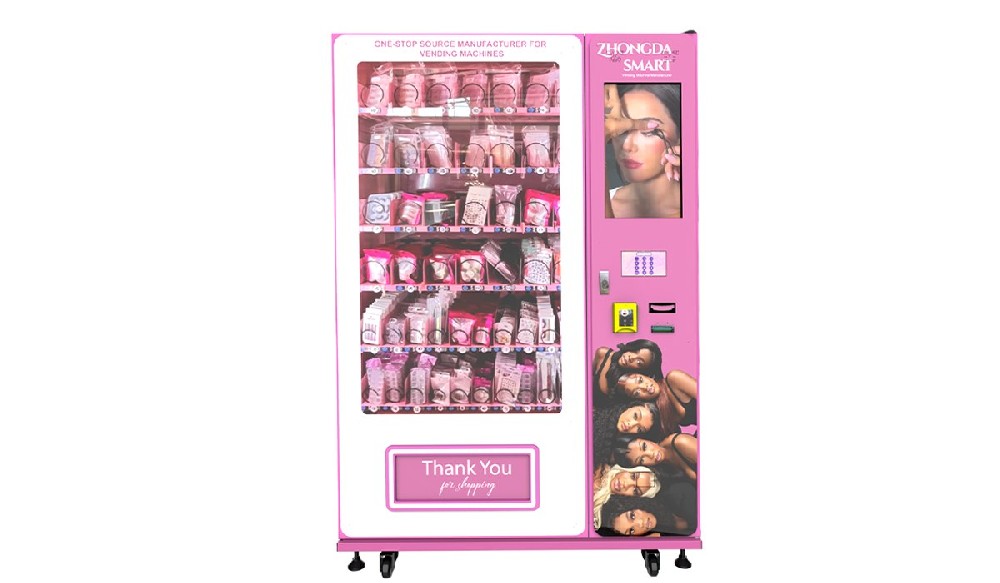
If you are comparing machine types or planning a replacement, Zhongda Smart offers useful references on different vending machine categories, custom vending machine design, the vending machine ROI calculator, and a practical buyer guide covering key factors before purchasing. For company information and manufacturing capabilities, visit Zhongda Smart.
Why Fast Repairs Matter More Than Most Operators Expect
A machine does not need to be completely dead to become expensive. Sometimes it still powers on, but card payments fail during busy hours. Sometimes it vends only some selections. Sometimes the cabinet is cooling, just not enough. Those partial faults are often the most expensive because they stay in service long enough to keep costing money.
That is why experienced operators track uptime, failed transactions, refund complaints, and repeat service calls together. A machine that “mostly works” can quietly become less profitable than a machine that is offline and repaired properly. Strong vending machine repair practices reduce downtime, protect customer trust, and make route planning far more predictable.
The size of the opportunity makes uptime even more important. NAMA reported that vending remained the largest segment of convenience services revenue in 2023, accounting for 68% of total industry revenue. Cantaloupe also reported that consumers spent more than $3.5 billion at food and beverage vending machines in 2024, with cashless payments making up 71% of all sales. In a business built on convenience, even a small fault can cost far more than the part needed to fix it.
| Problem | What Customers Notice | Most Likely Cause | Urgency | First Check |
|---|---|---|---|---|
| Power failure | Screen off, no lights, no cooling | Outlet, fuse, switch, power supply | Critical | Confirm incoming power before changing parts |
| Payment failure | Cash or card rejected | Dirty validator, offline reader, communication fault | Critical | Clean and test the payment path first |
| Vend failure | Payment accepted but no product delivered | Jam, product mismatch, motor issue | High | Inspect lane setup before replacing motors |
| Cooling issue | Products warm, weak airflow, compressor noise | Dust, fan fault, thermostat, sealed system issue | Critical | Check condenser cleanliness and airflow |
| Screen or keypad fault | Selections do not register | Loose cable, damaged screen, unstable power | High | Separate input faults from display faults |
| Door or alarm error | Door open warning when closed | Misaligned latch, sensor, or harness | Medium | Check alignment before replacing sensors |
| Network offline | Remote data missing, card delays | SIM, antenna, router, signal weakness | High | Verify module status and signal strength |
| Elevator or drop error | Delivery fails on fragile goods | Sensor blockage, calibration drift | High | Clean and recalibrate the delivery path |
| Software glitch | Freezes, wrong stock, random errors | Firmware mismatch, corrupted settings | Medium to High | Back up settings before reloading software |
1) The Machine Will Not Turn On or Keeps Losing Power
When a machine looks dead, the most expensive mistake is starting with random part replacement. In service work, power issues are often simpler than they first appear. A loose plug, weak outlet, blown fuse, bad main switch, or tired power supply can shut down the whole machine and make it look like a board failure.
What usually causes it: incoming power loss, fuse failure, switch failure, damaged power cable, or unstable power supply output.
What to check first: test the wall outlet under load, inspect the main fuse, and measure power supply output before replacing the controller.
One pattern shows up often in older machines: the unit boots for a moment, then drops out. That is usually a power supply problem or a short on an accessory line. In machines placed near entrances or in humid settings, corrosion near the power entry area can create intermittent faults that come and go for weeks before full failure.
Test the outlet with a known working device
Check whether the breaker trips under load
Inspect the fuse rating and fuse holder condition
Look for heat marks on connectors and terminals
Disconnect nonessential accessories and reboot the machine
2) The Bill Acceptor, Coin Mechanism, or Card Reader Stops Accepting Payment
This is one of the fastest ways to lose sales because customers leave almost immediately when payment fails. In many cases, the hardware is not actually dead. The real problem is dirt, weak communication, poor signal, or an incomplete settings change after an update or parts swap.
What usually causes it: dirty bill-path sensors, jammed coin routing, MDB communication errors, offline card readers, or network interruptions.
What to check first: clean the validator path, inspect the communication harness, confirm the card reader is online, and review signal quality if the machine uses a mobile data connection.
The payment mix has changed, but both sides still matter. The Federal Reserve Bank of Atlanta found that cash represented 14% of payments in 2024, down from 16% in 2023, while cards remained dominant. That means operators need strong cashless performance without ignoring cash acceptance where it still drives part of daily sales.
In real vending machine repair work, a card reader is often blamed too quickly. Slow approvals can come from weak signal, poor antenna placement, outdated firmware, or unstable communication with the machine controller. On the cash side, bill validators that reject notes repeatedly are often dirty long before they are truly worn out.
| Payment Symptom | Likely Cause | Best Next Step |
|---|---|---|
| Bill inserted and returned | Dirty optical path or worn feed rollers | Clean validator and retest with several notes |
| Coins accepted but no change paid | Tube empty, jammed payout path, or payout motor issue | Check tube levels and payout motor operation |
| Card reader online but approvals fail | Firmware, network, or host communication issue | Verify settings and network before replacing reader |
| Tap payments unreliable | Weak reader response, bad placement, or signal issue | Test contactless performance and reader status |
3) The Machine Takes Payment but Does Not Dispense
This problem frustrates customers more than almost any other because they paid and got nothing. Operators often assume the motor is bad, but in practice, failed vends are just as often caused by the product itself. If the item is too soft, too wide, too light, or loaded at the wrong angle, the machine may accept payment and still fail to deliver.
What usually causes it: product mismatch, bad coil setup, tray obstruction, worn vend motor, or faulty home position sensing.
What to check first: inspect the lane with the product loaded, test the motor in service mode, and confirm the product sits correctly inside the coil or channel.
On machines that were recently reloaded with a new SKU, vend failures are often setup mistakes before they are hardware faults. That shows up all the time with soft snack packs, bottles with larger shoulders, boxed goods that sit unevenly, and items with slippery packaging. One small packaging change can create repeated failures on the same lane.
That is why good vending machine repair includes product fit testing, not just parts replacement. If the product does not match the lane, changing the motor will not solve the real problem.
| Vend Symptom | Most Common Reason | Repair Call |
|---|---|---|
| Motor hums but product stays in place | Gearbox wear or lane jam | Inspect lane, then replace motor if needed |
| Coil turns partway and stops | Sensor or cycle completion fault | Test home sensor and tray mapping |
| One selection fails repeatedly | Product mismatch or local obstruction | Unload lane and compare product dimensions |
| Multiple selections fail after restock | Incorrect loading or changed product format | Review setup before replacing components |
4) The Cooling System Is Not Holding Temperature
Cooling faults can damage product quality, shorten shelf life, and trigger the most costly type of inventory loss. If the machine is warmer than it should be, stop treating it as only a sales issue. It is also a product protection issue.
What usually causes it: clogged condenser, failed fan, bad thermostat, loose sensor, poor door seal, refrigerant leak, or compressor problem.
What to check first: clean the condenser, confirm fan operation, inspect airflow, and verify that the door gasket is sealing tightly.
A large share of cooling complaints start with poor airflow, not sealed-system failure. Dust buildup on the condenser can push cabinet temperature up enough to create product complaints and shorten compressor life at the same time. Machines in dusty indoor environments or near constant foot traffic can clog faster than operators expect.
One real-world service pattern is worth noting: operators sometimes assume the compressor is weak because the cabinet feels warm in the afternoon. After the condenser is cleaned, the fan replaced, and the thermostat checked, the same machine often stabilizes without major refrigeration work. That is why temperature logging matters before expensive part replacement.
Do not keep loading temperature-sensitive products into a machine with unstable cooling
Record cabinet temperature over a full operating cycle before replacing major cooling parts
Inspect the door gasket carefully, especially on machines that have been moved often
If airflow is normal and cooling still drops, move to sealed-system diagnosis
5) The Touchscreen, Display, or Keypad Stops Responding
A machine can still have full power and a working controller while the user interface fails. Customers only see that the selection did not register, but the root cause may be a damaged touchscreen, a loose cable, unstable low-voltage output, moisture, or software conflict.
What usually causes it: screen damage, loose display harness, bad touch interface, unstable board output, or software freeze.
What to check first: confirm whether the display is failing, the input is failing, or the whole control system is freezing.
This distinction saves time. If the screen lights but touches do not register, test the input path. If the display stays black but the machine still runs in service mode, look at the display connection and output. If the entire unit freezes, the problem is usually deeper than the screen itself.
Modern interfaces improve sales and make a self-service kiosk look more premium, but they also demand cleaner maintenance habits. Dust, condensation, and sticky residue around screen edges can shorten component life much faster than most operators realize.
6) The Door Will Not Lock Correctly or the Alarm Keeps Triggering
A door alarm fault sounds minor until it starts blocking sales, disrupting cooling logic, or filling your monitoring dashboard with false alerts. In many cases, the machine is closed properly. It just is not reading the closed state correctly.
What usually causes it: latch misalignment, hinge drop, weak door switch, shifted magnetic sensor, or loose wiring.
What to check first: close the door slowly, inspect alignment at the latch, and verify the sensor changes state consistently.
This type of vending machine repair is often mechanical before it is electrical. A heavy glass door can shift slightly over time, especially if the machine has been moved over uneven flooring or loaded roughly during service. When that happens, the sensor may still work perfectly, but the door no longer meets it in the right position.
False alarms should not be ignored. If operators get used to seeing “door open” when nothing is wrong, real security events are more likely to be missed.
7) The Machine Goes Offline and Remote Monitoring Stops Updating
Connection problems used to be a convenience issue. Now they are a sales issue. If the machine depends heavily on card payments or remote inventory checks, a network fault can quietly damage performance long before anyone sees the machine in person.
What usually causes it: SIM problems, bad antenna placement, weak signal, router faults, or communication module failure.
What to check first: review module status, reboot the communication hardware, confirm data connection, and inspect antenna placement.
Cantaloupe reported that 71% of vending sales in 2024 were cashless, and 71% of those cashless sales were contactless. That makes connectivity part of the sales system, not just part of the back office. If the network is unstable, payment reliability usually suffers with it.
In field support, weak signal is one of the most misread causes of payment trouble. A phone may have usable signal in the same room while the machine does not, especially when the antenna sits inside a metal cabinet with poor placement. Before replacing the card reader, confirm that the machine can actually maintain a stable connection.
Reboot the network module before replacing it
Document connection settings before any firmware change
Set alerts for offline duration, not just offline status
Check whether remote data loss and payment failures happen at the same time
8) Elevator Systems, Drop Sensors, or Locker Delivery Logic Fail
Machines that handle fragile goods, boxed items, beauty products, electronics, or specialty retail often use elevators, lockers, or controlled drop confirmation. These designs improve delivery quality, but they also introduce more sensors, more moving parts, and tighter calibration requirements.
What usually causes it: blocked sensors, elevator path misalignment, bad calibration, shelf mapping errors, or product intrusion into the delivery path.
What to check first: inspect the sensor area for obstruction, verify travel alignment, and recalibrate the delivery sequence.
These faults often look mechanical when the real problem is calibration drift. A machine may report “delivery failed” even though the mechanism itself is healthy. On custom machines, especially those designed for fragile products, proper setup and after-sales support matter just as much as the hardware.
This is one reason many operators prefer working with a manufacturer that understands both machine structure and control logic. Zhongda Smart’s product lineup includes custom and elevator-style formats, which is helpful when comparing standard coil vending with gentler delivery systems for more sensitive products.
9) Firmware, Control Board, or Software Logic Causes Random Errors
Some faults are straightforward. Others are messy. The machine freezes after startup, reports the wrong stock, loses lane mapping, rejects a payment device after a settings change, or throws errors that seem unrelated. Those are often signs of firmware mismatch, configuration corruption, or board-level communication trouble.
What usually causes it: unstable firmware, corrupted parameters, incompatible device settings, poor grounding, or failing control hardware.
What to check first: record the exact error behavior, back up settings, inspect update history, and confirm software versions before changing hardware.
Good technicians do not start by swapping the main board just because the fault looks digital. A bad ground, unstable power line, or mismatched firmware can create symptoms that look like controller failure. That is why the service order matters. If the machine changed behavior after an update, settings file import, or payment hardware replacement, start there first.
For long-term vending machine repair decisions, repeated software and board faults are a warning sign. If the machine has already had multiple repairs and still behaves unpredictably, replacement may cost less than continued downtime and repeat service visits.
Repair, Upgrade, or Replace: A Practical Way to Decide
Operators often keep repairing a machine because each individual fix looks affordable. The real cost appears when those repairs start repeating. If one machine keeps generating payment complaints, cooling calls, and software resets, the issue is no longer just maintenance. It is asset performance.
A practical rule is simple: if a machine has had repeated paid service visits in a short period and still has unresolved faults tied to payment, cooling, or core controls, replacement often becomes the better decision. Not because the machine is old on paper, but because it has stopped being predictable in operation.
| Situation | Repair | Upgrade | Replace |
|---|---|---|---|
| Single payment component failure | Usually yes | Sometimes | Usually no |
| Recurring vend jams after product changes | Yes | Possible | No |
| Old machine with weak cashless support | Limited | Often yes | Sometimes |
| Repeated cooling and control faults together | Rarely best choice | Sometimes | Often yes |
| Frequent downtime across several systems | Usually no | Maybe | Usually yes |
Before replacing a machine, run the numbers honestly. Compare repair costs, refund frequency, lost sales, service labor, and the effect of downtime on customer trust. For operators weighing the return on a replacement decision, the ROI calculator from Zhongda Smart can help estimate payback more clearly.
A Maintenance Routine That Prevents Repeat Failures
The cheapest repair call is the one you prevent. That is not a slogan. It is how profitable routes stay profitable. A written maintenance schedule catches the slow-building issues that later show up as emergency breakdowns.
Weekly checks
Clean bill entry, coin entry, and touchscreen surfaces
Run test vends on top-selling selections
Check the lock feel, door seal, and visible cabinet condition
Monthly checks
Vacuum the condenser and ventilation path
Inspect motors, trays, channels, and delivery sensors
Review failed transactions and repeated alarms
Confirm prices, lane mapping, and product fit
Quarterly checks
Measure power supply output and inspect grounding
Service the bill validator and coin mechanism
Back up settings before firmware work
Check network hardware and signal stability
Service logs help more than most operators think. After enough visits, patterns become obvious. One site may create unusual dust buildup. One product line may cause repeat jams. One machine may always lose signal during certain hours. Those patterns are exactly what help reduce unnecessary vending machine repair calls over time.
What to Look for in a Manufacturer If Service Cost Matters
Some machines are easier to maintain because they were designed with service access in mind. Wiring is cleaner, parts are easier to reach, cooling airflow is better, and diagnostics are simpler. Others look fine from the outside but become expensive once service starts.
When choosing a manufacturer, ask practical questions. How quickly can a technician replace the common parts? Does the control system support remote diagnosis? Are payment devices easy to integrate and update? Is after-sales support actually able to guide troubleshooting with documentation and live technical help?
Zhongda Smart deserves consideration here because the company combines factory production with custom machine engineering and after-sales support. Its website states annual output of 10,000 units, a 20,000-square-meter facility, engineering support, multilingual after-sales assistance, and a 14-month warranty with remote technical guidance. For operators comparing standard cabinets, self-service kiosk formats, lockers, beverage machines, or custom projects, that level of support can affect long-term service cost as much as the purchase price itself.
Final Thoughts
Vending machine repair is not really about reacting to breakdowns. It is about keeping a machine dependable enough to earn consistently. The nine problems above account for the vast majority of service calls, and most of them become easier to solve when the diagnosis starts in the right place.
The operators who perform best long term are usually not the ones who guess fastest. They are the ones who track what failed, what was checked first, what actually solved it, and when a repeat problem stopped making financial sense. That approach saves money, shortens downtime, and makes every machine easier to manage.
Frequently Asked Questions
Why does my vending machine take payment but not release the product?
Most of the time, the issue is a jam, poor product fit, bad lane setup, or a vend motor that is not completing a full cycle. Start by checking the product position and lane configuration before replacing the motor.
How do I know whether a cooling problem is serious?
If the cabinet is not holding temperature, stop treating it as a small issue. First check airflow, condenser cleanliness, fan operation, and the door seal. If those are fine and cooling is still unstable, the problem may be deeper in the refrigeration system.
What is the most common vending machine repair issue?
Payment acceptance problems, failed vends, and cooling complaints are among the most common issues in day-to-day service work. They also create the fastest revenue loss because customers notice them immediately.
Is it worth repairing an older machine with repeated card reader problems?
If the machine still has a solid cabinet, stable cooling, and reliable controls, upgrading the payment system may be worthwhile. If card issues appear alongside other repeated faults, replacement may be the better long-term decision.
Can routine maintenance really reduce repair cost?
Yes. Regular cleaning, test vends, condenser maintenance, payment path inspection, and service logging can prevent many of the faults that later turn into emergency calls.
Do cashless payments really increase vending revenue?
They often do. Cantaloupe reported that the average cashless vending ticket in 2024 was $2.24, compared with $1.78 for cash, which shows why payment reliability matters so much.
Disclaimer
This article is for practical reference only. Electrical work, refrigeration service, sealed-system repairs, and board-level diagnostics should be handled by qualified professionals according to the machine manufacturer’s safety requirements.