Home / News / Vending Machine Industry News / Best Vending Machine for Small Office Break Room Setup

Best Vending Machine for Small Office Break Room Setup

Release Time:2026-08-05 17:00:06   Views:6
✅ Source Manufacturer ✅ OEM / ODM Available ✅ MOQ: 1 Unit ✅ 1-Year Warranty
Send Inquiry

Written for office managers, workplace operators, facilities teams, property managers, and buyers comparing compact snack and beverage vending solutions.

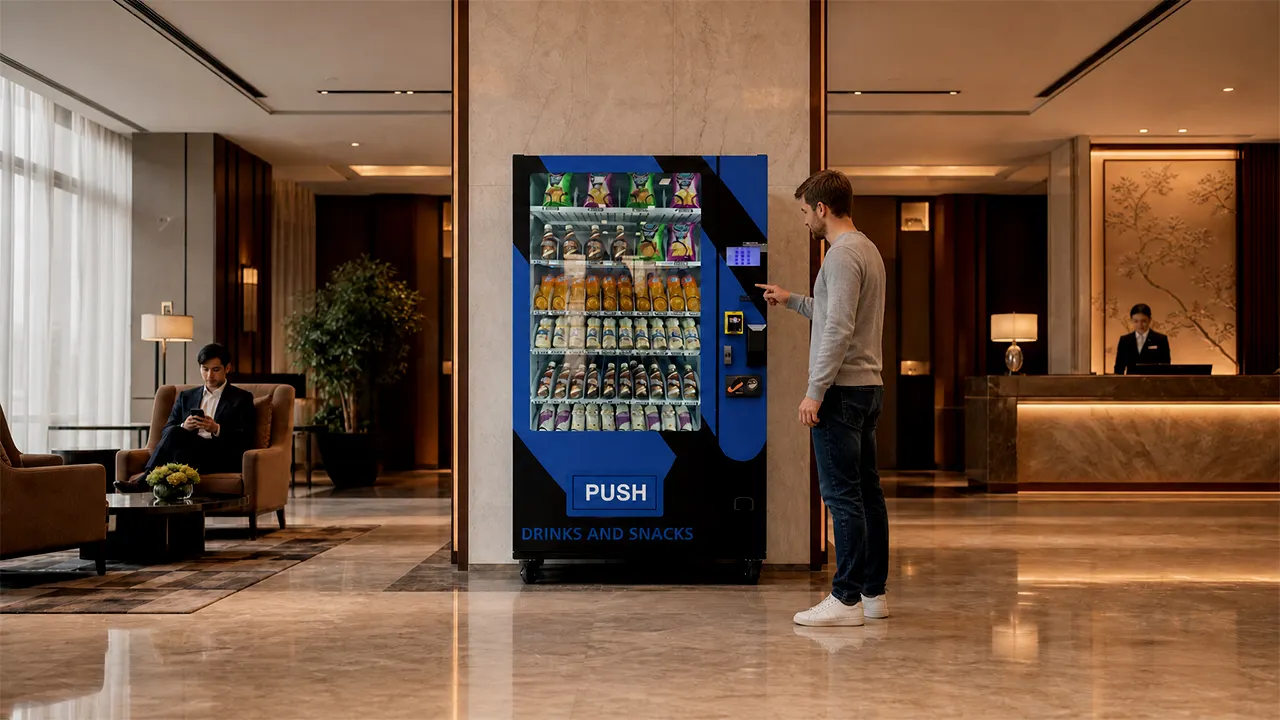
The practical answer: for most offices with roughly 30 to 100 regular on-site employees, the best starting point is a compact refrigerated combo vending machine with adjustable product lanes, cashless payment, reliable product-drop detection, and remote sales or inventory reporting.

A combo machine normally makes better use of limited break room space than separate snack and beverage machines. It also gives employees enough variety without forcing the operator to carry excessive inventory. The right machine, however, is not determined by cabinet size alone. Daily attendance, purchase frequency, packaging dimensions, payment habits, refill access, temperature requirements, and technical support matter just as much.

Zhongda Smart supplies configurable smart vending machines for offices, commercial buildings, factories, schools, hotels, hospitals, residential communities, and unattended retail projects. For a small office break room, the strongest Zhongda Smart configuration is usually a compact snack-and-drink platform built around the office’s real product mix rather than a standard cabinet loaded with whatever happens to fit.

The Setup Recommended for Most Small Offices

When floor space is limited and employees want both snacks and cold drinks, a refrigerated combo machine is usually the most sensible choice. It keeps the installation simple, uses one power connection, requires one payment terminal, and gives the operator one cabinet to clean, refill, and monitor.

The ideal office machine is not necessarily the model with the largest touchscreen or the highest theoretical capacity. A better machine is one that matches the office’s daily demand and keeps its most popular products available. Employees notice empty water rows, failed card payments, warm drinks, and products that get stuck. They rarely care whether the cabinet can hold hundreds of items that nobody buys.

For most small break rooms, the machine should have:

  • A compact cabinet footprint that leaves enough room for doors, tables, chairs, and employee traffic.
  • Refrigeration suitable for bottled or canned beverages.
  • Adjustable product lanes for different package widths and heights.
  • Contactless card and mobile-wallet payment options.
  • A product-drop sensor or equivalent delivery-verification system.
  • Remote access to sales, inventory, payment, and fault information.
  • Simple access for loading, cleaning, and routine service.
  • Local-language software and clearly written operating instructions.
  • A spare-parts and technical-support plan that continues after installation.

A small machine should still be commercially practical. A cabinet that looks attractive but holds only two or three units of each popular drink may create constant refill work. At the other extreme, an oversized machine can tie up cash in slow-moving stock, use more power, occupy more room, and make the product selection appear stale.

Best all-around choice: a compact Zhongda Smart refrigerated combo vending machine configured for approximately 25 to 40 product selections, with the exact lane layout determined by the packaging that will actually be sold.

The machine should dedicate more physical capacity to water, cola, sparkling drinks, energy drinks, and other high-volume items instead of giving every product the same number of positions. A balanced cabinet usually performs better than a cabinet designed only to advertise a large selection count.

What a Small Office Actually Needs

The number printed on the company’s employee list does not tell you how much vending capacity the office requires. A company may employ 100 people but have only 45 in the building on a normal weekday. Another office may have 35 employees working long shifts with limited access to nearby stores. The second location may produce more vending transactions despite having fewer employees.

Start with regular daily attendance. Count the people who are normally present during the hours when the machine will be available. Then consider visitors, contractors, cleaning teams, night staff, and employees from nearby departments who may also use the break room.

The next question is how often those people are likely to buy. In an office next to several cafés and convenience stores, the machine may be used mainly for quick drinks. In an industrial park, warehouse, call center, or secure building, the same machine may become the main source of refreshments during a shift.

Before choosing a cabinet, collect these details:

  • Average number of people on site each weekday.
  • Peak number of people during meetings, training, or seasonal activity.
  • Office opening hours and whether employees work evenings or weekends.
  • Distance to the nearest shop, café, cafeteria, or food-delivery option.
  • Available break room floor area and access-door dimensions.
  • Location of the electrical outlet and strength of the internet or cellular signal.
  • Whether drinks, snacks, fresh food, or all three are required.
  • Whether the employer will subsidize purchases.
  • Who will refill the machine and how often that person can visit.
  • Whether the machine will be owned, leased, or operated by an outside vending company.

Space deserves a physical inspection rather than an estimate made from a floor plan. Cabinet width is only one measurement. The front door may need a wide opening angle for loading and maintenance. Refrigerated equipment also needs suitable ventilation. Employees must be able to stand in front of the payment area without blocking the main walkway.

Measure the narrowest doorway, elevator, corridor turn, and final installation area. Check whether the machine will pass through the building entrance while still in protective packaging. If the delivery requires stairs, unusual lifting equipment, a loading dock appointment, or after-hours access, confirm that before the machine ships.

The refill arrangement has a large influence on machine size. An office administrator who checks the machine every day can operate with a smaller practical inventory. An external operator who visits once a week needs enough capacity to cover several days of demand, especially for water and other fast-moving drinks.

A useful office machine should reduce work, not create a new daily task. The capacity, product plan, telemetry, and refill routine should be designed together.

Comparing the Main Vending Machine Types

There are four common machine categories for a smaller workplace: refrigerated combo machines, snack-only machines, beverage-only machines, and compact countertop or mini vending units. Each can work, but they serve different needs.

Machine type Best suited to Main advantages Main limitations
Refrigerated combo machine Offices wanting snacks and cold drinks in one location Uses one footprint, broad product mix, one payment system, flexible lane planning Requires careful layout because drinks and snacks have different space needs
Snack-only machine Offices already providing free drinks or having a separate refrigerator Good snack variety, simpler temperature requirements, efficient use of shelves Does not meet beverage demand and may produce fewer daily transactions
Beverage-only machine Warm workplaces, gyms, workshops, warehouses, and high-drink-volume sites Strong drink capacity, easy refill planning, good use of space for bottles and cans No snacks and less useful for employees seeking breakfast or afternoon food
Mini or countertop machine Very small offices, reception areas, meeting rooms, and controlled product programs Small footprint, lower inventory requirement, easier installation Limited capacity, fewer package options, more frequent refilling

Refrigerated combo vending machines

A combo model is usually the safest choice when the office has one available machine position. The upper or central shelves can carry bars, chips, cookies, nuts, gum, and small packaged food, while lower or reinforced lanes hold cans and bottles.

The important word is “configured.” A machine can technically have many lanes and still be poorly suited to the office. If narrow snack coils are used for wide packages, products may jam. If every drink receives one narrow lane, the best sellers may sell out before the next refill. The physical layout should reflect expected sales rather than a symmetrical shelf design.

Snack-only machines

A snack machine makes sense when the employer already provides coffee, water, or canned drinks. It also works well where refrigeration is not wanted. Without large bottles taking up shelf space, the operator can provide more snack selections.

The weakness is that drinks often account for a substantial share of routine workplace purchases. Removing them may lower convenience and revenue. Before selecting a snack-only cabinet, confirm that employees already have reliable access to beverages.

Beverage-only machines

A drink machine is useful where hydration is the main requirement. Warehouses, production areas, gyms, transport facilities, and warm climates may justify a cabinet dedicated to bottled water, juice, soft drinks, and energy drinks.

For a normal office break room, a beverage-only machine can feel incomplete unless snacks are provided elsewhere. It may still be the right second machine after a combo unit reaches its drink capacity.

Mini vending machines

A mini machine can serve an office with fewer than 20 regular users, especially when the product range is controlled. It may also support a company welfare program, personal-protective-equipment distribution, free employee products, or subsidized refreshments.

Small size should not be confused with low maintenance. A mini machine may need more frequent restocking because each selection holds fewer items. It is most successful when the product list is short and predictable.

Three Realistic Office Size Scenarios

Headcount ranges are useful only when combined with practical assumptions. The following scenarios show how the same buying decision changes with daily attendance, purchasing behavior, and refill frequency. They are planning examples rather than guaranteed sales forecasts.

A 20-person office

Consider a professional office with 20 regular employees, normal weekday hours, several nearby lunch options, and free coffee in the kitchen. Employees mainly want cold drinks, bars, chips, and something sweet during the afternoon.

A full-size high-capacity cabinet may be unnecessary. A mini vending unit or a narrow combo machine can work if it supports the required payment method and enough of each popular item can be loaded. A practical selection might include four beverages, four healthier snacks, four traditional snacks, and two or three emergency meal replacements.

The employer may choose to subsidize products instead of trying to run the machine as an independent profit center. For example, employees could receive a fixed monthly allowance, selected products could be free, or all items could be sold close to cost. In this setting, employee convenience and reduced time away from the office may be more important than direct vending margin.

Inventory should be conservative. Loading 40 different products into a low-volume location increases the chance that slow sellers remain in the machine for too long. A shorter range with deeper stock of proven items is usually easier to manage.

A 50-person office

A 50-person office is often the ideal location for a compact refrigerated combo machine. There is enough traffic to support product variety, but the location may not justify separate snack and beverage cabinets.

A balanced starting layout could include 10 to 14 beverage selections and 18 to 24 snack selections. That does not mean every item receives equal capacity. Water, cola, a sugar-free soft drink, sparkling water, and one energy drink may need multiple lanes. A specialist snack may need only a single lane until its demand is known.

Assume that 10 employees make one purchase on a typical day and that a smaller number make two purchases. The operator may see approximately 10 to 15 daily transactions at the beginning. Demand often changes after the first month, especially once employees trust that the machine works and understand the product range.

For this office, cashless payment should be treated as a standard requirement. Remote sales and inventory reporting are also valuable because they show which products need more capacity before staff begin reporting empty rows.

A 100-person office

An office with about 100 regular users can still begin with one well-configured combo machine, but refill planning becomes more important. If the workplace operates long hours, has limited nearby food options, or includes shift staff, a single compact machine may reach its practical limit quickly.

The first installation can use a higher-capacity combo cabinet with extra beverage space and multiple lanes for top sellers. After six to eight weeks of real sales data, the operator can decide whether to add a separate beverage machine, a second combo machine, or a fresh-food solution.

Installing two machines on the first day may look comprehensive, but it also doubles payment hardware, cleaning points, maintenance exposure, and the amount of stock required to make both machines look full. Starting with one carefully planned cabinet often produces better information.

If one machine records repeated stockouts despite increased refill frequency, the data provides a clear reason to expand. A second machine can then be configured around the category that is causing the pressure. In many offices, that category is bottled beverages rather than snacks.

Regular daily users Likely starting solution Suggested product range Typical refill approach
10–25 Mini unit or narrow combo machine 12–20 carefully selected products Check weekly and adjust conservatively
25–60 Compact refrigerated combo machine 25–35 selections with extra capacity for best sellers Refill every three to seven days, depending on sales
60–100 Higher-capacity combo machine 30–45 selections with strong drink capacity Use telemetry and service several times per week if needed
100+ Large combo machine or two-machine layout Separate high-volume categories when demand is proven Route-based refill plan using actual sales data

How Much Capacity You Really Need

Published capacity figures can be misleading because packaging varies. A cabinet may hold a large number of slim cans but far fewer wide bottles or bulky snack bags. The useful question is not “How many items can the machine hold?” It is “How many units of our planned products can it hold without creating delivery problems?”

Build the product list before finalizing the lane plan. Collect samples or accurate packaging dimensions for every intended item. Measure width, depth, height, weight, package rigidity, and whether the product has an uneven surface.

Chips and other flexible bags need enough clearance to move without catching. Tall bottles need stable support. Slim cans can use a different mechanism from large plastic bottles. Chocolate may require temperature control in warm environments. Fresh food introduces additional temperature, shelf-life, and food-safety considerations.

A practical capacity plan should answer four questions:

  1. How many units of the best-selling products must remain available between refills?
  2. How many products are needed to create useful variety?
  3. How much inventory can be sold before approaching its expiration date?
  4. How much time is available for restocking and inventory counting?

Suppose an office sells eight bottles of water per day and the machine is refilled every four working days. The machine should carry more than 32 bottles because demand is not perfectly even and the refill visit may be delayed. A target of 40 to 48 bottles provides a more comfortable buffer.

By comparison, a specialty protein bar selling one unit every three days does not need a lane holding 12 units. A smaller allocation protects working capital and leaves room for faster sellers.

Capacity also affects appearance. A machine with many nearly empty rows can look neglected even when it still has products for sale. A smaller, well-stocked range often creates more confidence than a large range full of gaps.

Useful buying practice: send the supplier a spreadsheet containing each proposed product, package dimensions, package weight, estimated daily sales, and preferred refill interval. Ask the supplier to return a lane-by-lane plan before production or shipment.

Features That Prevent Everyday Office Complaints

The best office vending features are not always the most visible. A large screen may attract attention during installation, but payment reliability, product delivery, temperature stability, and remote fault information have a greater effect on daily satisfaction.

Cashless and contactless payment

Many employees no longer carry coins or small banknotes. A machine that accepts only cash may lose transactions even when the desired product is available. The payment setup should match the country and the customer’s preferred acquiring or payment provider.

Confirm which hardware is included, who supplies the merchant account, what transaction fees apply, and whether the terminal supports contactless cards and common mobile wallets. Do not assume that “cashless ready” means a working payment terminal is included in the quoted price.

The machine controller, payment terminal, and management platform must communicate correctly. During acceptance testing, verify successful transactions, declined transactions, cancellations, refunds, network interruptions, and recovery after power loss.

Product-drop detection

A drop sensor checks whether a product reaches the delivery area. If the machine rotates a coil but the product remains hanging, the system may retry the vend or prevent an incorrect charge, depending on the configuration.

This feature does not remove the need for proper lane setup. A package that is too wide, too light, or tightly compressed can still create repeated delivery problems. The best result comes from combining delivery detection with physical product testing.

Remote inventory and sales reporting

Remote reporting allows the operator to review sales without standing in front of the machine. A useful dashboard should show product-level sales, transaction times, payment results, remaining inventory estimates, fault notifications, and machine connectivity.

The first benefit is refill planning. Instead of visiting every machine on a fixed schedule, the operator can prioritize locations that are selling quickly. The second benefit is product selection. The report reveals whether a product sells consistently or occupies space without generating transactions.

Remote inventory figures are only as accurate as the loading records. Staff must record the quantity added to each lane and account for manual removals, test vends, refunds, and product changes.

Adjustable product lanes

An office product range changes over time. The machine should allow reasonable adjustment when a bottle size, snack bag, or product category changes. Flexible shelves and compatible delivery mechanisms reduce the risk that the cabinet becomes tied to one package format.

Ask how many motor positions, shelf heights, coil sizes, pushers, conveyor options, or locker compartments are available. The relevant mechanism depends on the products being sold.

Reliable refrigeration

Cold drinks should remain within the required temperature range under real operating conditions. Room temperature, ventilation clearance, door-opening frequency, loading temperature, and cabinet fullness all affect cooling performance.

The machine should not be pushed tightly against a wall if the refrigeration system requires rear or side airflow. It should also be kept away from direct sunlight, heating equipment, and locations where air vents blow hot air toward the cabinet.

Easy cleaning and maintenance access

Crumbs, spilled drinks, dust, and fingerprints quickly affect the appearance of a workplace machine. Removable shelves, accessible delivery areas, smooth interior surfaces, and clear maintenance access reduce cleaning time.

The office should know how to clean the screen, glass, payment area, product tray, ventilation surfaces, and interior without damaging sensors or electrical components.

Clear user interface

The purchase process should be obvious to someone using the machine for the first time. Product numbers, prices, payment instructions, and collection instructions need to be readable. Error messages should tell the employee what happened rather than displaying an unexplained technical code.

Language, currency, tax display, price format, and receipt options should be confirmed during software setup.

Recommended Zhongda Smart Configuration for a Small Office

Zhongda Smart manufactures configurable vending equipment rather than treating every office as an identical installation. For a smaller break room, the recommended starting point is a refrigerated combo platform that can be adjusted around the buyer’s product samples, payment environment, software requirements, and available floor area.

A suitable office configuration can include the following:

Configuration area Recommended approach Why it matters in an office
Cabinet format Compact refrigerated snack-and-drink combination Provides both categories while using one machine position
Product layout Adjustable lanes based on actual package dimensions Reduces jams and avoids wasting shelf space
Payment Cashless terminal with contactless card and mobile-wallet support where available Matches typical workplace purchasing habits and reduces cash handling
Delivery verification Drop-detection or equivalent vend-confirmation system Helps reduce complaints about paid products not reaching the collection area
Connectivity Wi-Fi, Ethernet, or cellular connection depending on the site Supports remote reporting, software updates, and fault notifications
Management software Product, sales, price, inventory, and status management Allows the operator to make decisions from real transaction data
Branding Optional cabinet graphics, logo, interface, and color customization Allows the machine to fit the workplace or operator brand
Documentation Operation, loading, troubleshooting, wiring, and maintenance information Reduces dependence on informal instructions after delivery

The final product capacity depends on the chosen cabinet and the dimensions of the products. Buyers should avoid relying on a single capacity number until Zhongda Smart has reviewed the planned bottles, cans, boxes, cups, bars, and bags.

For example, an office selling mostly 330 ml cans can use space differently from an office selling large plastic bottles. A cabinet loaded with narrow candy bars can provide more snack positions than one carrying large chip bags and boxed meals.

Zhongda Smart should receive the expected product list before the configuration is approved. Where possible, physical samples should be used for delivery testing. When samples cannot be sent, the buyer should provide accurate dimensions, weight, photographs, material information, and the direction in which the package should be dispensed.

The payment terminal also needs to be confirmed by market. Payment hardware and merchant services are often country-specific. The machine can be prepared for compatible cashless integration, but the buyer should verify the selected payment provider, certification requirements, communication protocol, transaction fees, settlement arrangement, and ongoing support.

The same approach applies to remote-management software. The purchase contract should state which software functions are included, whether a subscription fee applies, how long access is provided, where data is hosted, which user roles are available, and whether the operator can export transaction records.

Why Zhongda Smart belongs on the shortlist: the brand can supply a configurable machine rather than forcing the office to accept a fixed shelf arrangement. That flexibility is valuable when the installation must balance bottles, cans, snack bags, boxed products, payment hardware, screen size, cabinet branding, and remote-management requirements.

The strongest purchase decision is still based on the final written specification. Buyers should compare the actual cabinet, components, software, warranty, spare-parts package, test procedure, and support terms rather than relying only on product photographs.

What to Stock in an Office Vending Machine

The initial product range should be broad enough to create interest but controlled enough to produce useful sales data. Filling every lane with a different item makes the machine look varied, yet it leaves little reserve stock for products that sell repeatedly.

A sensible first load usually includes familiar products, several healthier choices, a few higher-protein options, and a limited number of experimental items. The exact mix depends on the office culture, local brands, dietary needs, working hours, and whether the machine replaces or supplements a cafeteria.

Suggested starting category allocation

Category Suggested share of selections Examples
Water and low-sugar drinks 20%–25% Still water, sparkling water, unsweetened tea, low-sugar beverages
Soft drinks and energy drinks 15%–20% Cola, sugar-free cola, flavored soda, energy drinks
Traditional snacks 20%–25% Chips, cookies, crackers, chocolate, candy
Better-for-you snacks 15%–20% Nuts, dried fruit, lower-sugar bars, baked snacks
Breakfast and meal-replacement items 10%–15% Granola bars, protein bars, oatmeal cups, packaged pastries
Test products 5%–10% Local products, seasonal items, employee requests

These percentages describe selection variety, not inventory quantity. Water may occupy two or three lanes even if it represents one product choice. A seasonal snack may occupy one lane and be replaced if it does not sell.

Employee surveys can help, but stated preferences are not always the same as purchasing behavior. Someone may request healthy food and still buy a chocolate bar at 3:00 p.m. The machine should respond to transaction data while maintaining a reasonable level of choice.

During the first month, track:

  • Units sold by product.
  • Revenue and gross margin by product.
  • Number of days before each lane sells out.
  • Products remaining untouched for long periods.
  • Refunds, failed vends, and repeated product jams.
  • Sales by day of the week.
  • Sales by time of day.
  • Differences between beverage and snack demand.
  • Employee requests that appear repeatedly.

A product should not be removed after one slow week unless it has a short expiration date or creates delivery problems. Office routines vary. Meeting schedules, remote-work days, holidays, weather, and payroll cycles can affect demand.

After four to six weeks, the machine normally begins to show a clear pattern. A small number of products will account for a large share of transactions. Give those products more capacity. Remove or reduce products that remain slow despite good visibility and a suitable price.

Managing healthier choices

Healthy vending works best when the products are recognizable, reasonably priced, and easy to eat at a desk. A cabinet filled with unfamiliar premium products may satisfy a policy requirement but produce low turnover.

Offer healthier choices alongside popular mainstream items rather than replacing the entire range immediately. Place healthier products in visible positions and compare their sales over several weeks. The employer may subsidize selected products if workplace wellness is a priority.

Managing expiration dates

Load products using first-expiring, first-out rotation. Record expiration dates when practical, especially for short-life items. Never place new stock in front of older stock without checking the date.

Slow products can be discounted, moved to a more visible lane, bundled through a promotion, transferred to a busier location, or removed from the plan before they become waste.

How Much Does a Small Office Vending Machine Setup Cost?

The machine price is only one part of the project. A complete budget may include payment hardware, software, customization, freight, import charges, delivery, positioning, electrical work, internet access, initial inventory, spare parts, and training.

Because specifications and shipping conditions vary, a universal price range can be misleading. A basic cabinet with standard payment preparation is not directly comparable with a customized smart vending machine that includes a large screen, cashless terminal, remote software, refrigeration, branding, additional sensors, and international shipping.

Build the budget by category:

Cost category Questions to confirm
Machine hardware Which cabinet, refrigeration system, shelves, motors, sensors, display, controller, and locks are included?
Payment hardware Is the terminal included? Who provides certification, merchant onboarding, SIM service, and transaction support?
Management software Is there a setup fee, annual fee, transaction fee, user limit, or data-hosting charge?
Customization Are cabinet graphics, logos, interface changes, languages, colors, or custom functions included?
Packaging and shipping What packing method is used, what shipping term applies, and who covers port or destination charges?
Import and tax What duties, VAT, customs fees, inspections, and local certifications may apply?
Site preparation Is a new power outlet, network connection, floor protection, or ventilation adjustment required?
Installation Who unloads, positions, levels, connects, configures, and tests the machine?
Initial inventory How much stock is needed to load the machine and maintain backup inventory?
Spare parts Which motors, sensors, cables, fuses, locks, boards, and other items should be held locally?

A low purchase price can become expensive if the machine arrives without compatible payment hardware, software access, replacement parts, or clear technical documentation. Conversely, a higher initial price may be justified if it reduces installation work and includes the functions the operator would otherwise need to add.

Ask every supplier to quote against the same requirement list. Otherwise, one supplier may include a payment terminal and software while another quotes only the cabinet. The lower number may not represent the lower completed project cost.

Ownership, lease, or third-party operation

Purchasing the machine gives the office or operator control over product selection, pricing, branding, and service. It also creates responsibility for inventory, payment processing, repairs, and compliance.

Leasing can reduce the initial cash requirement but may cost more over the full term. Review maintenance responsibility, software charges, early termination, equipment ownership, and upgrade options.

A third-party vending operator may supply, stock, and maintain the machine at little or no direct cost to the office. This arrangement is convenient, but the operator will decide whether the location produces enough sales. Smaller offices may need a revenue guarantee, employer subsidy, or service fee.

Revenue, Margin, and Payback Examples

An office vending machine can be run as a profit center, an employee amenity, or a combination of both. The financial model should match the reason for installing it.

For a commercial model, calculate revenue from actual daily transactions rather than total headcount. A simple planning formula is:

Monthly revenue = average daily transactions × average selling price × operating days

Suppose a machine records 14 transactions per weekday at an average selling price of $2.20. Over 22 working days, the monthly revenue would be:

14 × $2.20 × 22 = $677.60

This is revenue, not profit. Product cost, payment fees, spoilage, refunds, software, service travel, electricity, cleaning, maintenance, and tax must still be deducted.

If the average product cost is 52% of sales, product cost in this example would be approximately $352.35. The remaining gross margin before other expenses would be approximately $325.25.

Now subtract:

  • Cashless transaction fees.
  • Software or connectivity fees.
  • Electricity.
  • Product waste and expiration losses.
  • Refunds and promotions.
  • Labor for purchasing and refilling.
  • Travel or route costs.
  • Maintenance reserve.

The resulting number is a more realistic operating contribution. If an office employee refills the machine as part of an existing role, labor may not appear as a direct payment, but the time still has a cost.

Three transaction scenarios

Scenario Daily transactions Average sale Monthly operating days Illustrative monthly revenue
Low participation 6 $2.20 22 $290.40
Moderate participation 14 $2.20 22 $677.60
Strong participation 25 $2.20 22 $1,210.00

These numbers are calculation examples, not industry benchmarks or sales promises. Actual performance depends on location, attendance, working hours, pricing, nearby competition, product selection, payment convenience, and machine reliability.

Employee-benefit value

Direct vending profit is not the only return. A machine can reduce the time employees spend leaving the building for drinks or snacks. It can support evening teams, improve access in locations without food service, and provide emergency refreshments during meetings or overtime.

An employer may accept a longer financial payback because the machine supports staff convenience. In that case, measure employee use, satisfaction, availability, and time saved as well as sales margin.

Payback calculation

A simple equipment payback estimate is:

Payback period = total initial investment ÷ average monthly net contribution

If the complete project costs $6,000 and the machine produces an average monthly net contribution of $300, the simple payback period is 20 months. This calculation does not account for financing, tax effects, equipment depreciation, major repairs, or changes in demand.

Run low, expected, and high scenarios. A purchase decision that works only under the highest sales assumption is vulnerable. A stronger project remains acceptable under moderate participation and has a plan for improving sales if the first month is slow.

A Practical 30-Day Office Vending Launch Plan

The first month should be treated as a controlled operating period. The goal is not to prove that the original product plan was correct. The goal is to discover what the office actually buys and correct problems before they become routine complaints.

Seven days before installation

  • Confirm the final installation position and measure all access routes again.
  • Verify the power supply, plug type, voltage, grounding, and outlet location.
  • Test Wi-Fi or cellular signal at the exact machine position.
  • Confirm who will accept delivery and who has authority to approve installation.
  • Prepare the initial inventory and backup stock.
  • Create product names, prices, images, and lane assignments in the management system.
  • Confirm payment-terminal activation and merchant-account status.
  • Prepare a refund and support contact process for employees.

Installation day

Inspect the packaging before removal. Photograph damage, impact marks, moisture, or unusual cabinet movement. After unpacking, inspect the exterior, glass, hinges, locks, screen, payment hardware, power cable, shelves, and refrigeration area.

Position and level the machine according to the installation instructions. Confirm ventilation clearance. Do not load temperature-sensitive products until the cabinet has reached the required operating temperature.

Connect the machine, verify network access, synchronize the management platform, and test every payment method. Complete at least one successful vend from each shelf or delivery mechanism. Use the actual products that will be sold.

Days 1–3

Check the machine more often than the long-term schedule will require. Review payment results, delivery errors, temperature, stockouts, user questions, and product presentation.

Small setup problems are easiest to correct immediately. A snack bag may need more clearance. A bottle lane may need a different spacer. A product image may not match the lane. The collection instructions may be unclear.

Do not make major product-range decisions after only two or three days unless an item is causing a mechanical problem.

End of week one

Compare physical inventory with the software record. Investigate significant differences. Review the top-selling products and any lane that sold out. Check whether an empty lane represents real demand or an initial loading error.

Review employee comments, but separate individual preferences from repeated issues. One request for a specific snack does not require an immediate change. Several requests for sugar-free drinks may justify a test.

End of week two

Adjust capacity for obvious best sellers. If water sells out while several specialty drinks remain full, give water another lane. Replace products that repeatedly jam even after mechanical adjustment.

Check pricing. A product may be slow because it is unfamiliar, poorly positioned, or too expensive compared with nearby alternatives.

Day 30 review

Prepare a simple performance report containing:

  • Total transactions.
  • Total sales.
  • Average transaction value.
  • Top 10 products.
  • Products with no or very low sales.
  • Stockout frequency.
  • Product waste or short-dated inventory.
  • Cashless payment success rate.
  • Refunds and failed vends.
  • Service time and refill frequency.
  • Employee feedback themes.

Use this report to create the second-month plan. The first month should produce a more focused assortment, better lane allocation, and a realistic service schedule.

How to Test and Accept an Office Vending Machine

A machine should be tested before shipment and tested again after installation. A short power-on demonstration is not enough. The acceptance process should cover physical condition, product delivery, payment, refrigeration, connectivity, software, safety, and documentation.

Factory acceptance testing

Before shipment, request photographs or video showing the finished machine and its identification information. Where the project size justifies it, use a written factory acceptance test.

The test can include:

  1. Verification of the cabinet model, dimensions, finish, branding, and serial number.
  2. Confirmation of the controller, screen, payment interface, sensors, shelves, motors, locks, and cooling components.
  3. Loading of representative products into every mechanism type.
  4. Repeated vending tests using full lanes, not only nearly empty lanes.
  5. Testing of wide bags, narrow bars, cans, bottles, boxes, and other difficult packages.
  6. Payment communication tests with the agreed hardware.
  7. Network disconnection and reconnection tests.
  8. Remote price, inventory, and status synchronization.
  9. Temperature operation and alarm checks where applicable.
  10. Door, lock, lighting, and delivery-compartment inspection.
  11. Confirmation of software language, currency, tax, and user-interface settings.
  12. Review of included manuals, spare parts, keys, cables, and accessories.

Repeated tests are more useful than a single successful vend. A lane that works once may fail when it is tightly loaded. Testing should reflect the intended loading quantity.

Site acceptance testing

Shipping, positioning, local network conditions, and payment activation can introduce new issues. Repeat essential tests after the machine reaches the office.

Check that the cabinet is stable and level. Confirm that doors open fully, the refrigeration system has adequate airflow, and no part of the machine blocks an emergency route or accessible path.

Run a successful purchase for each available payment method. Verify the charged amount, product delivery, transaction record, inventory reduction, and refund process. Test the machine after restarting power.

Record the acceptance results and unresolved issues. The office, operator, installer, and supplier should understand who is responsible for each correction.

How to Refill and Operate the Machine Without Wasting Time

A well-designed machine can still become difficult to manage if the refill process is inconsistent. Establish a repeatable routine from the first week.

Use refill targets

Set a target quantity for every product. Water may be refilled to 40 units, while a slower snack may be refilled to six. The target should reflect sales, refill frequency, product life, and the physical lane capacity.

The operator should arrive with a pick list based on the machine’s current inventory. This reduces unnecessary stock transport and makes the visit faster.

Count accurately

Remote inventory depends on correct loading records. If the operator adds 10 products but records 12, the software will overstate stock. If a product is removed for testing or damage, record the adjustment.

Periodically perform a physical count and compare it with the system. Repeated differences may indicate loading errors, incorrect lane assignments, unrecorded test sales, sensor issues, or unauthorized product removal.

Clean during every visit

Do not separate basic cleaning from refilling. Wipe the payment area, screen, glass, handle, and collection compartment. Remove crumbs and damaged packaging. Check ventilation surfaces for dust.

Follow the manufacturer’s cleaning instructions. Avoid spraying liquid directly onto screens, payment devices, sensors, locks, or electrical areas.

Rotate stock

Move older products toward the dispensing position and place newer products behind them where the mechanism allows. Check dates rather than assuming that the previous stock is older. Suppliers may deliver batches out of sequence.

Review faults before leaving

A refill visit is the best time to check error history, payment status, network connection, cooling performance, unusual motor noise, damaged coils, loose labels, and delivery-area condition.

Complete several test vends after changing a lane or loading a new package. Do not assume that a package fits because it looks similar to the previous item.

Office Vending Machine Troubleshooting Table

The following table covers common operating problems. It is intended as a first check, not a replacement for the Zhongda Smart manual or qualified technical support. Disconnect power and follow the applicable safety procedure before opening electrical or refrigeration areas.

Problem Likely causes First checks When to contact support
Payment completed but no product delivered Product jam, incorrect coil, tight loading, motor issue, drop-sensor problem Check the transaction and error log, inspect the lane, test with the actual product Repeated failure after lane adjustment or visible motor/sensor fault
Card terminal is offline Weak signal, SIM issue, router change, cable problem, payment-provider outage Check signal, cables, network status, terminal message, and recent site-network changes Terminal remains offline after restart and network confirmation
Drinks are not cold enough Poor ventilation, high room temperature, warm stock loaded recently, incorrect setting, refrigeration fault Check clearance, cabinet temperature, door closure, loading time, and thermostat setting Temperature remains outside the required range after the normal cooling period
Product hangs before falling Package too wide, coil mismatch, excessive compression, uneven package shape Reduce loading pressure, adjust spacers, change coil or mechanism, repeat several tests Multiple products fail despite correct mechanical setup
Inventory report is inaccurate Incorrect refill entry, unrecorded removal, wrong lane mapping, synchronization issue Perform a physical count and review recent loading and test-vend records Counts continue to change incorrectly after reconciliation
Screen is frozen or unresponsive Software fault, controller issue, loose cable, power fluctuation Follow the approved restart procedure and inspect visible connections only if authorized The problem returns or the machine cannot complete the startup process
Machine frequently restarts Unstable power, damaged cable, controller problem, overheating Check the outlet, plug, ventilation, and event log Stop operation and request technical inspection if the cause is not clear
Water appears inside the cabinet Condensation, blocked drain, door-seal issue, spilled product, refrigeration problem Identify the source, clean safely, inspect the seal and drain area Water returns, reaches electrical areas, or is linked to cooling failure

Keep a simple incident record containing the time, machine status, product lane, payment type, error message, photographs, and action taken. Detailed information helps Zhongda Smart or the local technician diagnose the issue faster.

How to Compare Vending Machine Suppliers

A supplier comparison should go beyond cabinet appearance and quotation price. The machine will operate as a combination of mechanical hardware, electronics, payment services, software, refrigeration, communications, and after-sales support.

Ask each supplier the same questions:

  1. Which exact model and configuration are being quoted?
  2. Which products has the proposed delivery system already tested?
  3. Can the supplier prepare a lane plan from package dimensions or physical samples?
  4. Which payment terminals and communication protocols are supported?
  5. Is payment certification required in the destination market?
  6. Which remote-management functions are included?
  7. Are software fees one-time, annual, monthly, or transaction based?
  8. Who owns and can export the transaction data?
  9. What happens if the network connection is interrupted?
  10. What warranty is provided for the cabinet, refrigeration, screen, controller, motors, and payment equipment?
  11. Which warranty exclusions apply?
  12. Which spare parts are included with the machine?
  13. How quickly can additional parts be shipped?
  14. Is remote diagnosis available?
  15. What documentation and training are supplied?
  16. How is the machine packed for transport?
  17. Which delivery term is used in the quotation?
  18. What tests are completed before shipment?
  19. Can the buyer inspect the machine or receive a test report?
  20. Which local installation tasks remain the buyer’s responsibility?

Zhongda Smart should be evaluated against the same written checklist. A strong supplier should be comfortable confirming configuration details and identifying items that depend on the final market, payment partner, product package, or local regulation.

Be cautious when a quotation uses broad phrases such as “all payment supported,” “free software,” “maintenance free,” or “unlimited customization” without defining the conditions. Request specific hardware names, software functions, service periods, and technical boundaries.

References and project examples can help, but they should be relevant. A machine used for cosmetics or electronic accessories does not automatically prove that the same delivery system will handle flexible snack bags or refrigerated drinks.

For office use, ask for examples involving similar product packages, transaction volume, climate, and payment requirements.

What to Confirm in the Purchase Contract

The purchase contract or approved specification should describe the machine clearly enough that both parties can verify what has been delivered. Important details should not remain only in chat messages or informal product photographs.

Include the following information:

  • Manufacturer, machine model, cabinet quantity, and serial-number process.
  • Overall dimensions, weight, voltage, frequency, rated power, and plug type.
  • Refrigeration type and intended temperature range where applicable.
  • Number and type of shelves, motors, lanes, lockers, conveyors, or other delivery mechanisms.
  • Screen size, controller, operating system, language, and user-interface requirements.
  • Payment interface, included terminal, protocol, certification responsibility, and merchant-account responsibility.
  • Network options, SIM responsibility, data allowance, and offline behavior.
  • Remote-management functions and software-access period.
  • Branding artwork, cabinet color, logo position, and approval process.
  • Product samples or package dimensions used for configuration.
  • Factory acceptance test and required evidence.
  • Packing method and protection standard.
  • Shipping term, destination, insurance responsibility, and delivery schedule.
  • Installation, commissioning, and training responsibilities.
  • Warranty period, covered components, exclusions, and claim procedure.
  • Spare parts included with the order.
  • Remote-support process and expected response route.
  • Documents, certificates, manuals, wiring information, and maintenance instructions.
  • Change-control procedure if the specification is modified.

Payment milestones should correspond to clear project stages. For a customized machine, these may include order confirmation, drawing or artwork approval, completion of production, successful testing, and shipment.

Do not approve production until the buyer has checked the final configuration. Changing shelf layout, payment hardware, cabinet graphics, or electrical specifications after production may add cost and delay.

Common Buying Mistakes to Avoid

Choosing capacity from employee headcount alone

Total headcount ignores remote work, shifts, visitor traffic, nearby stores, refill frequency, and employee purchasing habits. Use regular on-site attendance and realistic transaction scenarios.

Buying the biggest machine that fits

A large cabinet can create more inventory work without improving convenience. The machine should hold enough of the right products, not simply the highest possible number of items.

Selecting products after the machine is built

Packaging determines the delivery mechanism and lane spacing. Create the intended product list early and provide samples or reliable dimensions.

Assuming every cashless terminal works in every country

Payment hardware, certification, acquiring, settlement, SIM service, and mobile-wallet support vary by market. Confirm the complete payment path before shipment.

Ignoring refill labor

A vending machine does not refill itself. Someone must buy products, receive deliveries, store backup inventory, load the cabinet, rotate dates, clean surfaces, process refunds, and respond to problems.

Giving every product equal capacity

Equal-looking shelves are rarely commercially efficient. Best sellers need deeper stock. Slow or experimental products should begin with lower quantities.

Using only employee survey results

Surveys provide ideas but not confirmed demand. Use them to design the first product mix, then let transaction data guide the second.

Focusing on screen size instead of reliability

A large display is useful when the machine needs rich product information, advertising, complex selection, or interactive functions. In a simple office setup, dependable payment and product delivery normally matter more.

Skipping site preparation

Delivery problems often come from narrow doors, stairs, unsuitable outlets, poor signal, blocked ventilation, and a lack of unloading arrangements. Inspect the complete route before shipping.

Buying without a spare-parts plan

Even reliable equipment contains wear components and electronic parts. A small local spare-parts kit can reduce downtime when the machine is installed far from the factory.

Treating the first product mix as permanent

The first load is a test. Adjust the cabinet after reviewing several weeks of sales, stockouts, complaints, refunds, and waste.

Final Recommendation

The best vending machine for a small office break room setup is usually a compact refrigerated combo machine rather than separate snack and drink cabinets. It should support the office’s preferred cashless payment method, verify product delivery, report sales and faults remotely, and allow the product lanes to be adjusted around real packaging.

For offices with approximately 30 to 100 regular users, start with one well-planned machine unless existing demand clearly supports more capacity. Give additional space to water and other predictable best sellers. Keep the initial product range controlled, review the first 30 days of data, and adjust the machine before adding a second cabinet.

Zhongda Smart is a strong manufacturer to evaluate when the project requires configurable product lanes, smart payment integration, remote-management functions, cabinet customization, and a machine layout designed around the buyer’s products.

The final selection should still be based on a written specification. Confirm the machine dimensions, power, refrigeration, product mechanisms, payment hardware, software terms, network requirements, warranty, spare parts, shipping, installation, and testing before placing the order.

Office vending buying checklist:

  • Use regular daily attendance instead of total company headcount.
  • Measure the installation area and the complete delivery route.
  • Choose the product list before approving the lane configuration.
  • Prioritize cashless payment, delivery reliability, refrigeration, and remote reporting.
  • Give best sellers more physical capacity.
  • Confirm payment certification and merchant-service responsibility.
  • Request factory and site acceptance tests.
  • Include software, spare parts, warranty, and documentation in the contract.
  • Review actual sales after 30 days.
  • Expand only after demand is proven.

To compare a Zhongda Smart office vending configuration, prepare the expected employee attendance, available space, product list, package dimensions, payment method, destination country, branding requirements, and preferred software functions. This information allows the machine to be configured around the project instead of forcing the project to adapt to a generic cabinet.

Frequently Asked Questions

What is the best vending machine for a small office break room?

For most small offices, the best choice is a compact refrigerated combo vending machine that sells both snacks and cold drinks. It should have adjustable product lanes, cashless payment, delivery detection, remote reporting, and enough capacity to last between planned refill visits.

What size vending machine does a 50-person office need?

A 50-person office will usually be well served by one compact combo machine with approximately 25 to 35 product selections. The exact capacity depends on daily attendance, transaction volume, product package size, and refill frequency. Popular drinks may need multiple lanes.

Can one vending machine sell both snacks and drinks?

Yes. A refrigerated combo vending machine can sell packaged snacks, cans, and bottles from one cabinet. The shelf and lane layout must be configured for the dimensions, weight, and delivery characteristics of the actual products.

Does an office vending machine need cashless payment?

Cashless payment is strongly recommended because many employees do not carry coins or banknotes. The terminal should support the payment methods commonly used in the destination market. Hardware compatibility, certification, merchant onboarding, fees, and connectivity should be confirmed before shipment.

How often should an office vending machine be refilled?

Many small office machines are refilled every three to seven days, but the correct interval depends on sales and capacity. Remote inventory data can help the operator visit before best-selling products run out. High-volume locations may need more frequent service.

How many products should be offered at launch?

A small office should usually begin with a controlled range of approximately 20 to 35 products rather than filling every lane with a different item. The machine should carry deeper stock of familiar best sellers and a smaller number of test products.

How much does an office vending machine cost?

The final cost depends on cabinet size, refrigeration, payment hardware, screen, software, product-delivery system, customization, freight, import charges, installation, and spare parts. Buyers should compare the total completed project cost rather than the cabinet price alone.

Can a vending machine make money in a small office?

It can, but profitability depends on daily transactions, product margin, payment fees, refill labor, waste, maintenance, and the initial investment. Some companies operate the machine mainly as an employee benefit and accept a lower direct financial return.

What products sell best in office vending machines?

Common strong sellers include bottled water, soft drinks, sugar-free drinks, energy drinks, chips, chocolate, cookies, nuts, and protein or granola bars. Actual demand varies by office, so the first month of sales data should guide later product decisions.

How do I prevent products from getting stuck?

Use a delivery mechanism and lane width suited to the package. Avoid overloading or compressing flexible bags. Test full lanes with the actual products, use suitable coils or pushers, and include product-drop detection where available.

Does a smart vending machine work without internet access?

Some functions may continue temporarily without a connection, but cashless payment, remote monitoring, synchronization, and software updates can be affected. Offline behavior depends on the controller, payment terminal, and software configuration, so it should be tested before installation.

Why choose Zhongda Smart for an office vending project?

Zhongda Smart can configure vending machines around the buyer’s product dimensions, payment requirements, software functions, cabinet branding, and installation conditions. Buyers should request a written specification covering the exact machine, components, software, warranty, and support terms.

About the Author and Technical Review

Prepared by the Zhongda Smart content and vending solutions team. This guide combines practical considerations from vending machine configuration, product-layout planning, payment integration, machine testing, installation preparation, and unattended retail operation.

Important Notice

The capacity, cost, revenue, margin, refill frequency, and payback examples in this guide are planning illustrations. They are not guaranteed performance figures. Final results depend on the selected machine, product dimensions, local pricing, employee attendance, payment fees, operating hours, maintenance, product demand, shipping, taxation, and destination-market requirements.

Technical specifications and available functions can vary by Zhongda Smart model and project configuration. Confirm all dimensions, electrical requirements, refrigeration settings, payment compatibility, certifications, software functions, warranty terms, and delivery responsibilities in the final quotation and purchase specification.

Last updated:

Previous article:Best Snack and Drink Combo Vending Machine for Sale Now[Back to list]

Next article:没有了!

Send Inquiry

ZHONGDA China will support you for the vending machine guidance and troubleshooting no matter you bought VM from ZHONG DA factory or local distributor. Call us: +86 18933964501
Colin lawrance whatsapp After-Sales whatsapp