Yes—many modern machines do. If you are asking, do vending machines take apple pay, the practical answer is that newer machines and upgraded older machines often accept Apple Pay, tap-to-pay bank cards, and other mobile wallets through an NFC-enabled reader. The catch is simple: the machine must have the right payment hardware, stable connectivity, and a processor that supports contactless transactions. In my experience working with vending programs, retrofits, and factory builds for more than a decade, the machines that perform best are the ones designed around fast, low-friction checkout. A good cashless vending machine does not just add convenience. It reduces walk-aways, raises completion rates, and gives operators cleaner sales data from day one.
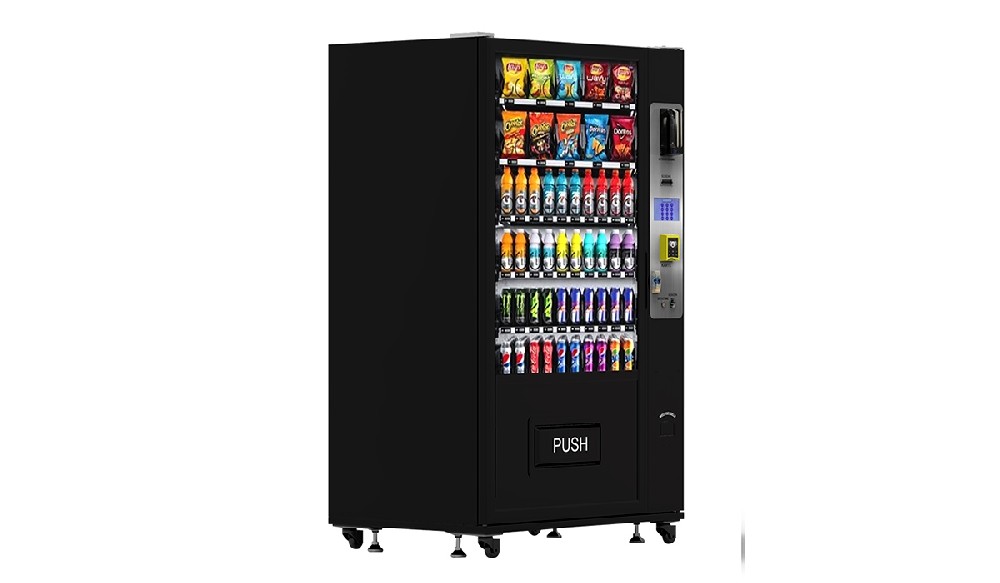
What determines whether a machine accepts Apple Pay
When people ask do vending machines take apple pay, they are really asking whether the machine can process an NFC transaction. Apple Pay works on the same tap-to-pay flow used by contactless bank cards, so the deciding factor is not the cabinet itself. It is the payment stack inside the machine.
A machine usually needs four things in place:
An NFC-capable card reader
A controller that can communicate with the reader correctly
A payment processor that supports contactless wallet transactions
Reliable network service for authorization and reporting
If any one of those pieces is missing, the answer to do vending machines take apple pay may be no, even if the machine looks modern from the outside. I have seen this many times with older cabinets that have a screen and remote management but still run on an outdated payment module.
The easiest way to tell is visual. If the machine has a tap symbol on the reader, or the reader face clearly supports mobile wallets, there is a strong chance Apple Pay will work. Apple states that Apple Pay works anywhere that accepts contactless payments, including vending machines. Apple also notes that Apple Pay is accepted at over 85% of retailers in the U.S., which tells you how normal tap payment has become in everyday commerce. That matters because customer expectations have changed. People now expect the same payment speed from a smart vending machine that they get at a staffed checkout.
How Apple Pay works on a vending machine
The payment flow is quick, but there is more going on than most buyers realize. A customer taps an iPhone or Apple Watch against the contactless reader. The wallet sends a tokenized credential, not the actual card number. The reader passes the transaction request to the processor. Once authorized, the machine receives a vend signal and releases the item.
From the operator side, this matters for three reasons:
It reduces friction at checkout
It improves security because real card numbers are not exposed in the transaction flow
It can shorten decision time, which is critical in self-service retail
That is why the question do vending machines take apple pay is no longer just about customer convenience. It is also about machine performance. In unattended sales, every second of hesitation increases the chance of abandonment. Tap payment removes steps. Customers do not need exact bills, and they do not have to insert a chip card and wait.
In real deployments, the difference is noticeable. Machines placed in fast-moving environments tend to benefit most from contactless checkout because speed directly affects conversion. This is also why a self-service kiosk with a large touchscreen but a poor payment reader often underperforms. The user interface may be attractive, but the sale still fails if payment feels slow or unreliable.
Not every machine takes Apple Pay yet
The honest answer to do vending machines take apple pay is not always. Plenty of machines still accept only bills and coins. Some accept magnetic stripe or chip cards but not tap payments. Others have a contactless reader installed, yet the operator never finished processor setup or never activated the wallet feature.
These are the most common situations I run into:
| Machine setup | Apple Pay likely to work? | What usually causes failure |
|---|---|---|
| Cash-only machine | No | No NFC reader installed |
| Chip/swipe card reader only | Usually no | Reader does not support tap transactions |
| NFC reader installed but inactive | Maybe not | Processor account or wallet feature not enabled |
| NFC reader with live processor setup | Yes, in most cases | Temporary network or terminal issue |
| Smart vending machine with integrated cashless system | Yes | Rare, usually tied to service interruption |
This is why machine buyers should not ask only whether the hardware can take Apple Pay. They should ask whether the entire transaction chain has already been matched, tested, and supported. In factory work, that detail saves a lot of frustration after installation.
Why cashless payment changes vending economics
There is a reason so many operators now prioritize contactless capability. It removes the biggest purchase barrier in vending: the customer who wants the product but does not have cash. The Federal Reserve reported that mobile wallet payments reached 14.4 billion transactions in 2022, up from 2.9 billion in 2018. That is not a niche behavior anymore. It is mainstream payment behavior, and vending follows mainstream payment behavior whether operators like it or not.
From the field side, the gains usually show up in several ways:
More completed purchases from customers who would have walked away
Higher average ticket when customers are not limited by the cash in hand
Better inventory planning from digital sales records
Less coin handling and fewer cash collection inefficiencies
Cleaner reporting for route management and location review
That is why do vending machines take apple pay has become a buying question, not just a customer question. If you are planning a new machine, contactless payment should be considered part of the machine’s core revenue system, not an optional accessory.
NAMA’s industry census states that about 75% of 2.89 million vending machines take cashless payments, up from 69% in 2018. It also notes that operators reported higher transaction averages after shifting toward cashless acceptance. That lines up with what I have seen on live routes: once mobile wallet use becomes normal at a location, cash-only equipment starts to feel outdated very quickly.
How to check whether a machine takes Apple Pay before you buy
If you are sourcing a machine for a new placement, do not stop at “supports card payment” in a product listing. Ask direct technical questions. In factory sales, vague wording is one of the biggest reasons buyers end up with the wrong setup.
Ask these questions before placing an order:
Does the reader support NFC tap payment?
Has Apple Pay been tested on this exact machine configuration?
Which controller protocol does the machine use with the reader?
Which payment terminals are compatible?
Is the machine sold with the reader already installed, or is it optional?
What connectivity does the payment terminal use: Wi-Fi, LAN, or cellular?
Can the factory provide transaction test videos or commissioning support?
Those questions matter whether you are buying a snack machine, a beauty vending unit, a card vending cabinet, or a more advanced self-service kiosk. A machine can look polished in photos and still require major extra work before it is truly contactless-ready.
For buyers who want a clearer starting point, Zhongda Smart has useful product and technical pages that show how modern cashless-ready equipment is being built today. You can review the broader factory overview, browse the current vending machine product range, and read a detailed breakdown of cashless reader options and setup considerations. Those pages are especially helpful if you are comparing retrofit logic against a full new build.
Retrofit or buy new: which path makes more sense
Many operators ask whether they should add a reader to an existing cabinet or replace the machine entirely. Both approaches can work, but the right answer depends on the age of the cabinet, controller compatibility, product type, and how much downtime you can tolerate.
| Decision point | Retrofit an existing machine | Buy a new cashless-ready machine |
|---|---|---|
| Upfront cost | Usually lower | Usually higher |
| Installation complexity | Can be tricky on older cabinets | Simpler if integrated at factory |
| Payment reliability | Depends on legacy controller fit | Typically stronger |
| Reporting and telemetry | May be limited | Usually more complete |
| Screen and user experience | No major upgrade unless added separately | Can include modern touchscreen flow |
| Best fit | Serviceable machine with strong mechanical life left | New rollouts or higher-value products |
My rule of thumb is simple. If the cabinet is mechanically solid, holds the right product, and uses a controller that plays well with a modern reader, a retrofit can be a smart move. If the machine is old, poorly lit, hard to service, or already due for a UI upgrade, a new smart vending machine usually pays off faster in operator time and customer experience.
What buyers should expect from a modern contactless-ready machine
The best cashless machines are not just “a box with a card reader.” They are integrated selling systems. That includes the cabinet, payment module, motherboard, touchscreen logic, telemetry, and after-sales support. When those pieces are planned together, the answer to do vending machines take apple pay becomes a confident yes instead of a qualified maybe.
On a strong build, I expect to see:
Reader placement that is easy to find and easy to tap
Fast screen response before and after payment
Remote reporting for sales, faults, and stock movement
Flexible MDB or compatible payment integration
Clean cable management and service-friendly access
Clear support for QR, bank card, and mobile wallet acceptance where needed
Zhongda Smart is one of the manufacturers worth considering if you want factory-direct customization rather than off-the-shelf compromise. The company focuses on OEM and ODM vending builds, and its current catalog includes touch-enabled cabinets, wall-mounted units, and specialty machines built around multiple payment options. Buyers looking at compact formats can also review the mini and wall-mounted vending lineup for payment-ready designs that fit smaller footprints.
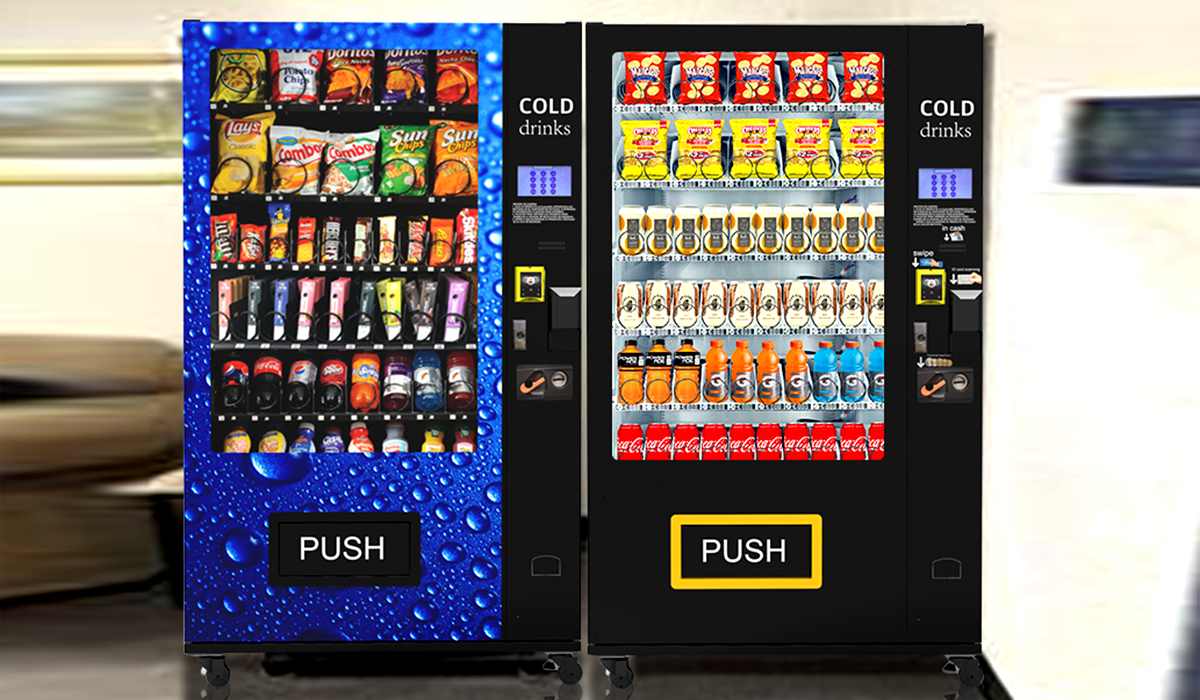
A real operating lesson: payment success matters more than feature count
One mistake I have seen repeatedly is buyers chasing flashy extras before they lock in dependable payment flow. They want a larger screen, custom animation, voice guidance, or loyalty layers right away. Those can all help later, but the first job of the machine is still to sell the product with as little friction as possible.
In one rollout I advised, the operator started with a concept built around strong visual merchandising and promotional content. The machine looked great. The issue was the payment step. Reader placement was too low, and the initial terminal profile was not optimized for the transaction flow. The cabinet attracted attention but lost too many sales at checkout. Once the payment hardware and setup were corrected, completion improved immediately. The lesson was clear: no amount of screen polish makes up for weak payment execution.
This is the practical side of the question do vending machines take apple pay. The right answer is not just “yes, technically.” The right answer is “yes, quickly, reliably, and without confusing the customer.” That is what turns payment acceptance into actual revenue.
Best product categories for Apple Pay and contactless vending
Not every product category benefits equally from the same machine design, but contactless payment tends to help almost all of them. It is especially valuable when the item is an impulse purchase, a convenience purchase, or a quick-repeat purchase.
These categories usually benefit the most:
Snacks and beverages
Beauty and personal care items
Sample distribution campaigns
Collectibles and boxed merchandise
Daily essentials in compact locations
Beauty and promotional sampling are especially interesting because the machine becomes part of the brand experience. A clean payment flow can sit alongside lead capture, QR engagement, and data-driven promotions. Zhongda Smart’s cosmetic sample distribution case is a useful example of how contactless interaction and product trial can be combined inside one unattended format.
How much does it cost to add contactless payment
Cost depends on whether you are retrofitting or buying new, the type of reader, the processor relationship, and the machine controller. There is no single number that fits every build, but the cost conversation should always include more than reader hardware.
Look at the full cost stack:
Reader and mounting hardware
Controller integration or adapter requirements
SIM or connectivity costs if cellular is used
Processor setup and transaction fees
Commissioning, testing, and technician time
Possible software or telemetry subscription fees
Where buyers sometimes go wrong is focusing only on the cheapest terminal quote. A low-cost reader that fails often or produces incomplete reporting can cost more in lost sales, service calls, and operator time than a better integrated solution. In unattended retail, reliability is a financial metric, not just a technical one.
Return on investment: when Apple Pay capability pays for itself
In practical terms, contactless payment pays for itself when it captures lost transactions and reduces friction enough to lift overall sell-through. That return comes faster when the machine is placed where purchase decisions are fast and short. It also comes faster when the product price is high enough that card and wallet use feel natural to the customer.
A simple operating framework looks like this:
Estimate how many buyers currently walk away because they do not use cash
Estimate the increase in average ticket after cashless activation
Subtract transaction fees and any added connectivity cost
Compare the net gain against the retrofit or machine purchase cost
Even modest improvement can justify the upgrade when the machine has good traffic and stable repeat demand. If you are buying a new cabinet, I generally advise building in contactless acceptance from the beginning rather than treating it as a later add-on. It keeps the system cleaner and shortens time to revenue.
What can go wrong with Apple Pay on a vending machine
When someone says a machine “takes Apple Pay” but customers still complain, the issue is usually not Apple Pay itself. It is one of several familiar points of failure in the payment chain.
Common causes include:
Weak cellular signal or unstable internet connection
Terminal provisioning errors
Incorrect reader firmware
Controller-reader communication mismatch
Poor reader placement that makes customers miss the tap zone
Power instability inside the cabinet
This is where factory testing matters. A machine should not leave production with payment treated as a last-minute accessory. It should be checked as part of the full vend cycle: item selection, payment approval, vend signal, item drop, and transaction record. That is the difference between a demo-ready machine and an operator-ready machine.
How a good manufacturer approaches contactless payment design
As a factory partner, the best approach is to design backward from the real sale. Start with the product size, vend method, and customer flow. Then match the payment module, screen logic, power layout, and data reporting to that use case. Too many machines are built the other way around, with generic cabinets forced into payment needs they were never optimized to handle.
A strong manufacturing partner should help with:
Choosing a cabinet that suits the product and order flow
Confirming compatible card-reader hardware
Planning internal space for payment components and maintenance access
Testing the machine under realistic selling conditions
Supporting branding, UI, and remote management needs
Zhongda Smart stands out here because its factory model is built around customization rather than simple reselling. That matters for buyers who need a machine to do more than dispense a standard snack spiral. If your program needs a branded, payment-ready machine with touchscreen logic, specialty compartments, or a compact footprint, it is worth reviewing the company’s manufacturing approach and current catalog instead of treating every vendor as interchangeable.
Should you choose Apple Pay, QR pay, or both?
For many operators, this is not an either-or decision. The strongest setup often supports both tap-based card or wallet payment and QR-based payment where appropriate. Each has advantages.
| Payment method | Main advantage | Best use case |
|---|---|---|
| Apple Pay / tap-to-pay wallet | Fastest low-friction checkout | Impulse and repeat purchases |
| Contactless bank card | Broad customer familiarity | General vending use |
| QR payment | Works well with app flows and campaigns | Promotions, loyalty, sample activation |
| Cash | No device required | Fallback option where needed |
If I am planning a machine for broad public use, I prefer a layered setup: tap payment first, QR as an added option, and cash only where it still clearly serves the customer base. That approach keeps the machine flexible without making checkout feel cluttered.
My recommendation for buyers and operators
If your current question is simply do vending machines take apple pay, the clearest answer is this: many do, many should, and any new machine you buy today should be evaluated with contactless payment near the top of the checklist. The market has already moved. Customer behavior has already moved. Operators who ignore that shift risk losing easy revenue for no good reason.
If you are an operator, audit your installed base and identify which cabinets are good retrofit candidates. If you are a buyer planning new placements, do not settle for a vague promise that a machine is “cashless-ready.” Ask for confirmed reader compatibility, payment testing, and a support plan. If you are a brand owner building a specialty machine, choose a manufacturer that can align hardware, payment, and merchandising in one package.
That is exactly where a factory-led partner such as Zhongda Smart can make sense. The value is not only the machine itself. It is the ability to combine product fit, payment fit, and custom build logic in a single project instead of piecing it together after the cabinet arrives.
FAQ
How can I tell if a vending machine accepts Apple Pay?
Look for a contactless payment reader and the tap symbol on or near the terminal. If the machine has a modern NFC reader, Apple Pay will usually work as long as the operator has activated the payment service correctly.
Do older vending machines take Apple Pay?
Some do after a retrofit, but many older machines do not. The key factors are controller compatibility, reader support, processor setup, and connectivity. Age alone does not decide it, but legacy hardware often makes upgrades more complicated.
Is Apple Pay the same as contactless card payment on a vending machine?
From the machine’s point of view, both rely on contactless-capable payment hardware. Apple Pay uses a mobile wallet, while a contactless bank card uses a tap-enabled physical card. The reader must support NFC transactions for both methods to work.
Does adding Apple Pay increase vending sales?
In many operations, yes. Cashless acceptance reduces walk-aways, improves convenience, and often raises transaction averages. The exact lift depends on product type, traffic, pricing, and how easy the payment flow feels to the customer.
Should a new vending machine include both Apple Pay and QR payment?
For many operators, yes. Tap payment should usually be the primary option because it is fast and familiar. QR payment can add flexibility for loyalty programs, promotions, and campaign-driven use cases.
Which type of manufacturer is best for a cashless vending project?
A manufacturer that understands both vending mechanics and payment integration is usually the better choice. For custom projects, factory-direct partners such as Zhongda Smart can be valuable because they can align cabinet design, reader compatibility, UI flow, and branding in one build.
About the author
This guide is written from the perspective of a vending operator and manufacturing advisor with more than 10 years of hands-on experience in unattended retail operations and over 15 years working with vending machine factory production, customization, payment integration, and deployment planning. The goal is simple: give buyers and operators practical guidance based on how machines perform in real selling conditions, not just how they look in a catalog.
Editorial note
This article is for informational purposes and should not be treated as legal, tax, or merchant-account approval advice. Payment acceptance depends on machine hardware, processor setup, firmware, connectivity, and local banking requirements. Always confirm reader compatibility and transaction support with your equipment supplier and payment provider before purchase.