If you’re looking for a vending machine with card reader for sale, the best option is the one that matches your product type, your locations, and your tolerance for service calls. In my world, “best” means three things: it takes payments smoothly (chip + tap), it reports problems before customers do, and it’s built to survive real life—heat, dust, door slams, and the occasional “creative” customer. I’ve operated machines for years and I’ve built them in a factory setting, so I’ve seen both sides: the glossy brochure and the painful callback. In this guide, I’ll show you how to pick a cashless-ready machine, what features actually move the profit needle, and the exact mistakes I’d avoid if I were buying again—whether you want a cashless vending machine, a credit card vending machine, or a fully managed, telemetry-driven setup.
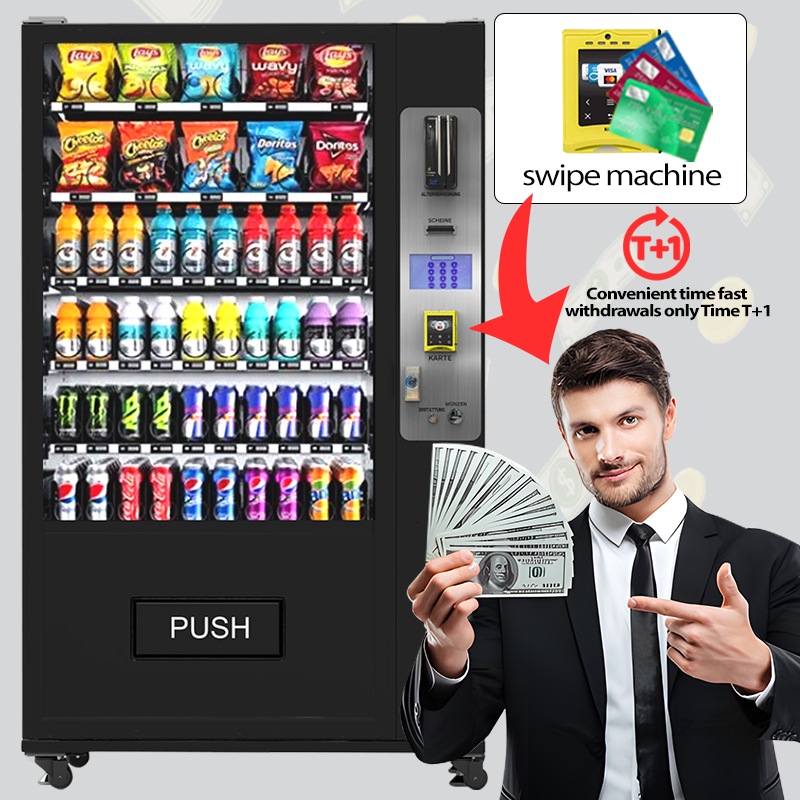
What “Card Reader Ready” Really Means (and Why It Matters)
A lot of listings toss around “card reader included” like it’s one simple checkbox. It isn’t. When I shop for avending machine with card reader, I’m asking a deeper question: is the entire payment path built for unattended use, or did someone bolt a reader on and call it a day?
In the field, “ready” should mean the reader supports chip transactions, tap-to-pay (NFC), and encrypted data handling appropriate for unattended retail. If your machine can’t process fast, reliable approvals, you’ll see it in your numbers—especially at higher price points where customers hate fumbling for cash.
I remember one location where my snack prices were fine, my product fit was perfect, and foot traffic was steady. Sales still lagged. The “problem” was a cheap reader integration that timed out during peak hours. Customers didn’t complain. They just walked away. When I swapped to a properly integrated setup, weekly revenue jumped without changing the products.
Three levels of “vending machine with card reader” you’ll see for sale
Factory-integrated cashless: reader + controller + wiring + firmware designed to work together.
Distributor-integrated: decent if the installer knows what they’re doing and supports you after the sale.
Aftermarket retrofit: can be great—if the machine is compatible and the installer respects the details.
Every 300 words or so, I’ll say this a different way because buyers search differently: a card reader vending machine isn’t just “a machine with a reader.” It’s a payment ecosystem, and the ecosystem either makes you money or quietly bleeds it.
How Buyers Actually Use This Search (and What They Need Answered)
When someone searches for a vending machine with card reader, they usually have three goals, even if they don’t say them out loud. First, they want to know what it is and whether it’s worth it. Second, they want to compare what to buy. Third, they want a realistic view of cost, earnings, and payback.
So I’ll cover all three—without fluff. I’ll talk about the machines that win in practice, what features reduce headaches, and how to sanity-check ROI. I’ll also share the hard lessons I learned the expensive way: failed installs, bad locations, and “cheap” machines that cost more after you own them.
The short, honest answer on profitability
Yes, a vending machine with card reader can be profitable—sometimes extremely profitable—but only when (1) the payment experience is smooth, (2) the product is right for the location, and (3) your service response is fast enough that downtime stays low. Cashless alone doesn’t create profit; it removes friction. If your operation is already solid, removing friction is like widening the funnel.
Best Options: Pick the Machine Type Before You Pick the Machine
Here’s the mistake I see constantly: buyers compare machines by price first, then try to “make it work” for their products. I do the opposite. I pick the machine type that fits the product and environment, then I compare builds inside that category.
If you’re choosing a vending machine with card reader, start with these five option buckets. One of them will usually dominate once you’re honest about what you’re selling and how customers buy it.
Option 1: Snack + Beverage Combo (the workhorse)
If you want a reliable all-rounder, a combo machine is the most forgiving entry point. It’s a common “first”vending machine with card reader because it lets you learn product rotation, pricing, and service cadence without managing specialized hardware.
Best for: mixed audiences, steady foot traffic, simple replenishment
Watch-outs: coil sizing, drop sensors, temperature stability for drinks
Cashless tip: make sure tap-to-pay is responsive—customers expect it to be instant
Option 2: Refrigerated Food (higher margin, higher standards)
Refrigerated machines can print money in the right location—until they don’t. Cold food introduces rules: temperature consistency, packaging durability, and a faster spoilage clock. A vending machine with card reader in this category needs strong door seals, dependable cooling, and alerting that actually reaches you.
My customers often find that the “expensive” machine ends up cheaper because it protects inventory. Losing one full load of premium cold product can erase the savings from buying a bargain unit.
Option 3: Lockers (big items, fewer jams)
Lockers are my favorite way to sell bulkier items, higher-priced kits, or multi-pack goods. A locker-stylevending machine with card reader reduces mechanical failure because there’s no spiral fighting gravity. You’re essentially running secure pick-up compartments.
Best for: larger packages, premium items, low-damage fulfillment
Watch-outs: compartment sizing strategy, pickup flow, inventory accuracy
Cashless tip: add a clean on-screen receipt flow—customers buying pricey items want confirmation
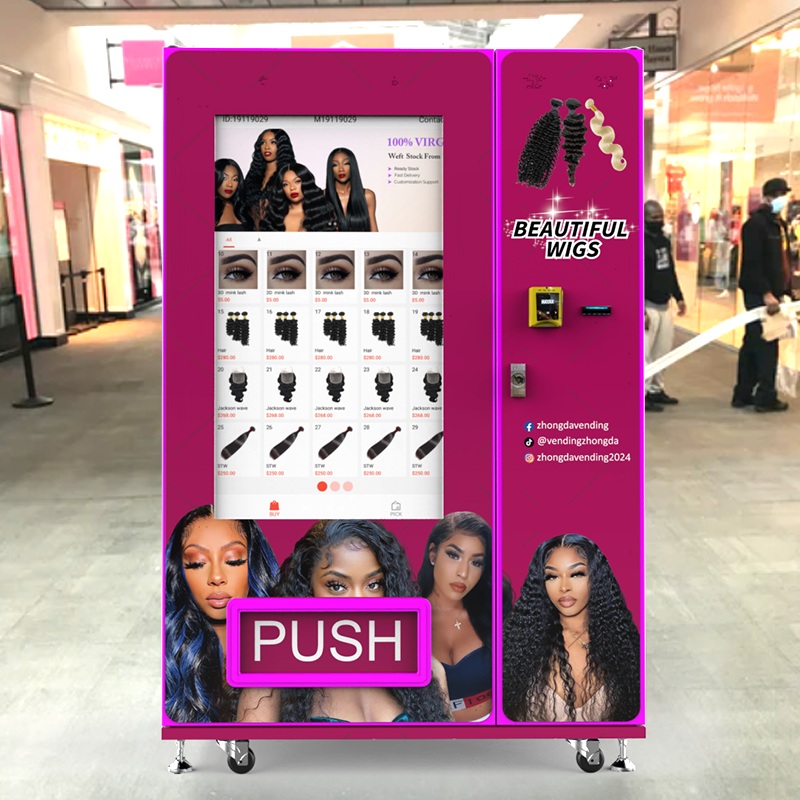
Option 4: Specialty Retail (beauty, collectibles, regulated categories)
Specialty machines can outperform general snack machines if the product “belongs” to the location. I’ve seen beauty machines explode in performance when placed where people already shop for appearance and convenience. The key is matching impulse timing with visibility.
For specialty deployments, your vending machine with card reader needs better merchandising: lighting, display, and a UI that feels like buying online, not like pushing buttons on an old elevator.
Option 5: Mini / Countertop / Mobile Placement (small footprint, fast testing)
Sometimes the best move is to test product-market fit with a smaller machine first. A compact vending machine with card reader can be a “trial unit” that earns while you learn. I use this approach when I’m unsure about demand or when space is limited.
A Practical Comparison Table You Can Actually Use
Below is how I compare the best options when someone asks me, “Which vending machine with card reader should I buy?” This isn’t theory—it’s the scoring I use to reduce mistakes.
| Machine Type | Typical Best-Case Products | Operational Difficulty | Service Risk | Why Cashless Helps Most | What to Verify Before Buying |
|---|---|---|---|---|---|
| Snack + Beverage Combo | Snacks, bottled drinks, canned drinks | Low–Medium | Medium | Faster checkout, higher basket add-ons | Spiral fit, delivery sensors, reader response time |
| Refrigerated Food | Fresh meals, dairy, protein snacks | High | High | Higher price tolerance, fewer “cash-only” walkaways | Temperature logs, insulation, alerts, warranty terms |
| Locker | Kits, boxes, larger items | Medium | Low–Medium | Confidence for premium purchases | Door reliability, audit trail, pickup flow |
| Specialty Retail | Beauty, collectibles, accessories | Medium–High | Medium | Impulse buys, tap-to-pay convenience | Lighting, UI, product protection, anti-theft design |
| Mini / Compact | Small fast movers, samples, travel-size items | Low | Low–Medium | Quick tests, easy adoption | Capacity math, refill frequency, stability on-site |
If you’re comparing a vending machine with credit card reader across these categories, don’t treat them as interchangeable. A refrigerated unit that fails is inventory loss. A locker that fails is customer trust loss. Those are different kinds of pain.
Payment Hardware: The Features I Refuse to Compromise On
When I approve a vending machine with card reader for my own routes, I look at payment like a pilot looks at the engine. If it’s unreliable, nothing else matters.
Chip + tap-to-pay (NFC) support
Customers expect to tap. In unattended retail, tap-to-pay speed isn’t a luxury—it’s the difference between a sale and a shrug. If your card reader vending machine has laggy tap acceptance, you’re training people to give up.
Encryption and secure handling
You don’t need to be a security engineer, but you do need to verify that the payment device and solution support modern security expectations for card data. This is especially important when you scale. One bad incident can freeze growth for months.
Offline behavior and retry logic
I’ve placed machines in buildings with “perfect” internet that mysteriously dies on busy days. A goodvending machine with card reader setup handles weak connectivity gracefully—clear customer messaging, fast retries, and logs that help you troubleshoot remotely.
Telemetry that ties payments to inventory
The hidden advantage of cashless vending machine systems is not just payment—it’s visibility. When payments and inventory talk to each other, you can stop guessing. You can see what sells, what sticks, and what’s failing.
I remember one machine that looked “fine” from the outside. Telemetry showed a pattern: payment approvals were coming through, but a specific selection failed delivery more often than anyone noticed. I swapped the product packaging and the failures disappeared. Without data, I would’ve blamed the machine and wasted money.
My Build-Quality Checklist From the Factory Floor
I’ve built machines and I’ve operated them, which means I don’t fall for shiny screens and marketing photos. Avending machine with card reader is still a metal box with moving parts. Build quality shows up in the parts you don’t photograph.
Door, lock, and hinge integrity
The door is the first failure point in real life. A weak door flexes, seals poorly, and invites tampering. I look for strong hinge lines, clean alignment, and a lock setup that doesn’t feel like it belongs on a mailbox.
Harnessing, connectors, and cable routing
Payment issues often come down to wiring. In a proper vending machine with card reader, cables are routed cleanly, connectors seat firmly, and nothing rubs against sharp metal edges. Sloppy harnessing becomes intermittent faults—and intermittent faults are the worst kind.
Service access (you will need it)
If I can’t access components without turning a routine visit into a wrestling match, I pass. Good designs respect the technician. In my experience, service-friendly layouts reduce downtime because you actually fix things instead of postponing them.
Cooling system design (if refrigerated)
Refrigeration isn’t just a compressor. It’s airflow, insulation, sensor placement, and maintenance access. I’ve seen “cold” machines with hot spots that quietly ruin product quality. A refrigerated vending machine with card reader should offer consistent temperature behavior, not just a number on a screen.
“Best Options” by Buyer Type: What I Recommend in Real Conversations
People buy a vending machine with card reader for different reasons. Here’s how I steer the decision depending on what kind of buyer I’m talking to.
If you’re buying your first machine
Choose a proven machine type (combo snack/drink is usually easiest).
Prioritize uptime and service support over fancy features.
Make sure your cashless vending machine workflow is simple: tap, approve, vend.
If you already run machines and want to scale
Standardize on a payment + telemetry stack to reduce chaos.
Buy machines that share parts and service procedures.
Choose a vending machine with card reader setup that supports remote pricing and product mapping.
If you’re targeting higher-priced items
Consider lockers or specialty vending with strong merchandising.
Use frictionless card acceptance and clear digital receipts.
Make your credit card vending machine feel “premium” at checkout—customers need confidence.
Where Zhongda smart Fits (and How I’d Use Them)
If you want a manufacturer that can cover multiple categories—from classic snack-and-drink units to more specialized formats—Zhongda smart is a name I’m comfortable including when people ask me for a source that can build at scale and customize for real deployments.
When I evaluate a manufacturer, I’m not just looking at the brochure. I’m looking for consistency: repeatable build quality, the ability to customize without breaking reliability, and support that doesn’t disappear after payment clears. Zhongda smart’s catalog spans several vending types, which matters if you plan to expand beyond one machine model.
If you want to browse machine categories and formats, start here:vending machine product listings. For a broader view of the company and manufacturing background, this page is useful:about Zhongda smart.
And if you’re deciding which machine type fits your business model, this internal resource is a good practical read:key factors to consider before buying. If you’re comparing business setups by scenario, their solutions hub is a clean starting point:vending solutions overview.
One more note: if you’re requesting quotes or planning a custom build, I prefer to get clarity fast—dimensions, product size, target vend price, and connectivity requirements—then move to a clean spec sheet. If you want to talk through that process, use:contact options here.
Costs You Should Expect (and the Costs People Forget)
The purchase price of a vending machine with card reader is only the beginning. What matters is the cost to own it: payment fees, maintenance, parts, downtime, and the labor to refill and clean.
Typical cost buckets
Machine hardware: the cabinet, delivery mechanism, refrigeration (if applicable), screen/UI.
Payment stack: reader, gateway/processor, SIM or network plan, service/monitoring tools.
Install and placement: delivery, leveling, power checks, initial planogram setup.
Ongoing operations: product, labor, spoilage, repairs, and payment processing fees.
I remember a buyer who proudly told me they saved money by buying a used machine and “adding cashless later.” That plan can work. But in their case, the machine had an older controller and the retrofit required extra adapters, a new harness, and repeated technician visits. The “deal” was gone by month three.
If you’re planning a retrofit, treat it like a project: compatibility check, parts list, installation method, and a test plan. A retrofitted cashless vending machine can be excellent, but only when the underlying machine is healthy.
ROI: How I Calculate Payback Without Lying to Myself
People love quick ROI math. I do too—as long as it’s honest. When I evaluate a vending machine with card reader, I run a conservative model first, then I let the location “earn the upside.”
The simple payback framework I actually use
Weekly gross sales: estimate based on foot traffic and comparable locations.
Gross margin: product margin after cost of goods.
Payment + network costs: processing plus connectivity.
Service and labor: your time is not free.
Downtime assumption: assume something will break eventually.
My customers often find that cashless lifts performance most on higher-priced items. When the vend price crosses a psychological line, cash becomes a barrier. A vending machine with card reader removes that barrier and increases conversion.
A quick example (with conservative assumptions)
Let’s say you run $900/week gross. After product cost and expenses, you net $250/week. If your all-in machine cost is $6,000, your payback is roughly 24 weeks. Now here’s the part people skip: if downtime or a bad reader integration costs you two weeks of sales, you just pushed payback out—and you created a reputation problem at the location. That’s why reliability matters more than a tiny discount.
Two Real Data Points That Influence My Decisions
I’m careful with statistics because people use numbers to sell fantasies. Still, there are a few data points I find genuinely useful when deciding how aggressively to invest in cashless. One is how fast digital wallets are growing overall. Worldpay’s Global Payments Report 2024 notes that digital wallets represented $13.9 trillion in global transaction value in 2023, accounting for 50% of e-commerce spending and 30% of point-of-sale consumer spend. That matters because it reflects customer habit—tap and wallet payments are becoming default behavior.
The second data point I watch is the strength of companies building for unattended payments and telemetry. Nayax, a major unattended commerce platform, reported $314 million in 2024 revenue and highlighted strong growth going into 2025. I don’t cite that to advertise anyone—I cite it because it signals ongoing investment in the exact infrastructure many operators rely on: card acceptance, device management, and remote operations.
In plain terms: the direction of payments is clear, and a vending machine with card reader is aligned with how people already prefer to pay.
Common Failure Points (and How I Prevent Them)
Here’s what breaks most often in a vending machine with card reader setup—and what I do to keep it from becoming a weekly headache.
Failure point: poor reader mounting
If the reader is mounted like an afterthought, customers will yank it, lean on it, or hit it with bags. I’ve seen mounts crack and cause intermittent power loss. I insist on solid brackets and strain relief on cabling.
Failure point: weak signal or unstable connectivity
Payment failures are often network failures. If a location has unstable service, I use a stronger external antenna or a different network approach. I also configure clear customer messaging—no vague “ERROR 12.” A good cashless vending machine explains what’s happening.
Failure point: mismatch between product and delivery mechanism
This one is painfully common. A vend fails, the customer gets charged, and now you have a trust problem. I test packaging, weight, and shape. Then I adjust spirals or trays accordingly. Most “machine problems” are actually product-fit problems.
Failure point: ignoring preventive maintenance
I used to be guilty of this. I’d push maintenance “one more month” because everything looked fine. Then a bill acceptor jam or a sticky delivery motor would take the machine down at the worst time. Now I schedule simple checks and stick to them.
Buying New vs. Used vs. Refurbished (My Honest Take)
There’s no universal answer. I’ve made money with used machines and I’ve wasted money with new ones. The best choice depends on your ability to inspect, repair, and respond quickly.
When I recommend buying new
You’re scaling and need standardization.
You don’t want surprise repairs early on.
You need a modern, integrated vending machine with card reader stack out of the box.
When I recommend buying used (carefully)
You can inspect in person or have a trusted tech inspect.
You know which models are easy to service and have available parts.
You have a clear plan to add or upgrade cashless properly.
My refurbished warning label
“Refurbished” can mean anything. I’ve seen beautiful repaint jobs hiding worn motors and tired refrigeration. If you’re buying a refurbished vending machine with credit card reader, ask for what was replaced, not what was cleaned.
What to Ask Sellers Before You Buy
Whether you’re buying from a manufacturer, distributor, or private seller, these questions protect you. I use them because I’ve been burned.
Which payment types are supported? Chip? Tap? Mobile wallets? Any limitations?
Is the reader integrated or retrofitted? Who installed it, and do they support it?
What happens if a vend fails after approval? How are refunds handled?
What data do I get? Sales by SKU, alerts, inventory visibility, fault codes.
What’s the service plan? Parts availability, warranty scope, response time expectations.
What are the machine dimensions and power needs? Don’t guess—measure your placement.
A seller who can’t answer these clearly is not selling a professional vending machine with card reader solution. They’re selling a box.
My Field Stories: One Win, One Painful Lesson
The win: cashless turned a “fine” location into a great one
I remember one placement that was stable but boring—steady sales, nothing exciting. I upgraded to a more responsive tap-enabled setup and cleaned up the product layout. Within weeks, higher-priced items started moving, and customers added a second item more often. That location didn’t need more foot traffic. It needed less friction.
The lesson: “cheap” hardware and weak support cost me more than the discount
I once bought what looked like a bargain vending machine with card reader. The cabinet looked fine. The screen was bright. But the internal build was sloppy: loose connectors, inconsistent sensors, and a reader integration that felt improvised. I spent months chasing intermittent failures. Eventually, I replaced the unit. That discount didn’t save me money—it stole my time.
Setup Tips That Prevent Support Tickets
Most problems that look like “the reader is bad” are actually setup problems. Here’s what I do on day one.
Test every selection at least twice with card and tap.
Confirm refund behavior on a forced vend failure test.
Label the inside with service notes (spiral sizes, product mapping, common fixes).
Set alert thresholds so you hear about issues before customers do.
Take photos of the wiring when everything is clean—future you will thank you.
If you’re deploying a cashless vending machine in a busy spot, do your first-week check-in early. The first week reveals the hidden problems: product fit issues, customer confusion, and payment edge cases.
FAQ (Practical Answers, No Guessing)
Q: Is a vending machine with card reader more profitable than cash-only?
A: In most real deployments I’ve run, yes—because it removes the “I don’t have cash” problem and speeds up the purchase. But profitability still depends on location, product, and uptime. A vending machine with card reader doesn’t fix a weak placement.
Q: Should I buy a machine that already has a reader, or retrofit later?
A: If you’re new, I prefer buying a vending machine with card reader that’s factory-integrated or professionally integrated, because fewer variables means fewer surprises. Retrofit can be excellent if your machine is compatible and you have a clean install plan.
Q: What payment features should I insist on?
A: At minimum: chip + tap-to-pay, fast approvals, clear customer messaging, and reporting. If you plan to scale, insist on telemetry and remote monitoring so your card reader vending machine becomes manageable, not chaotic.
Q: What’s the biggest hidden cost after purchase?
A: Downtime. Processing fees are predictable. Downtime isn’t. A flaky reader integration can silently drain revenue. That’s why reliability is a profit feature.
Q: How do I know if a location is good for a cashless vending machine?
A: I look for three signals: consistent foot traffic, clear sight lines to the machine, and a strong “need moment” (hunger, convenience, forgotten essentials). Then I test with the smallest acceptable footprint before expanding.
Q: What’s one mistake you see first-time buyers make?
A: They buy the wrong machine type for the product. The second mistake is choosing a vending machine with card reader based on price instead of support, parts availability, and payment reliability.
Transparency and Disclaimer
I’m sharing operational experience and manufacturing-side perspective. This is not legal, tax, or payment compliance advice. Always confirm payment security, contractual terms, and operational requirements with qualified professionals and your chosen payment provider.